

Protect your app & APIs from attackers
Monitor your App & APIs to find vulnerabilities like SQL injection, XSS, and CSRF — both on the surface and via authenticated DAST.
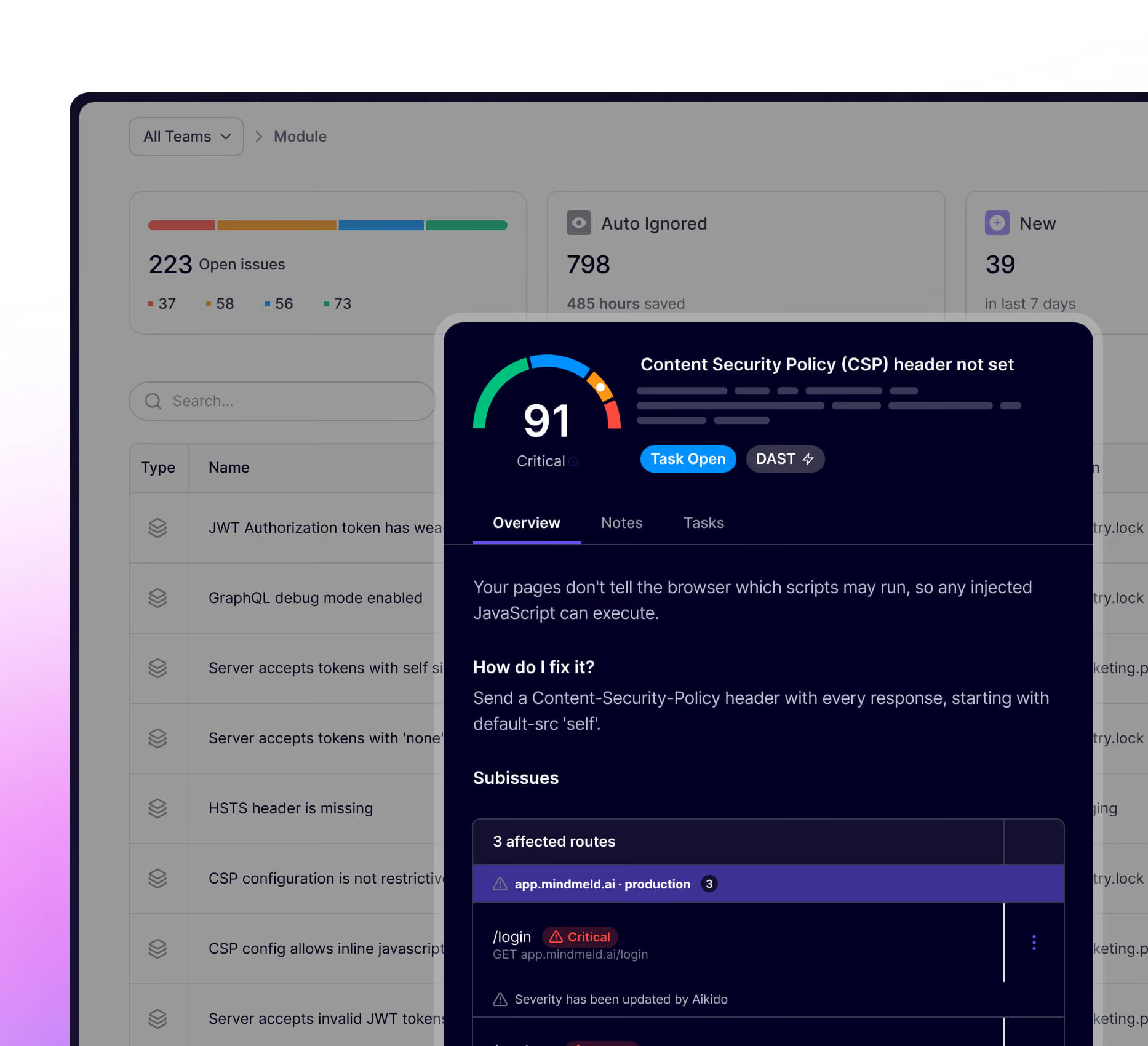





Your front end is a hacker’s playground. We’ll show you what can be exploited
Aikido’s DAST scanner in combination with Aikido Platform shows where your app is most vulnerable so you can close security gaps before attackers find them.
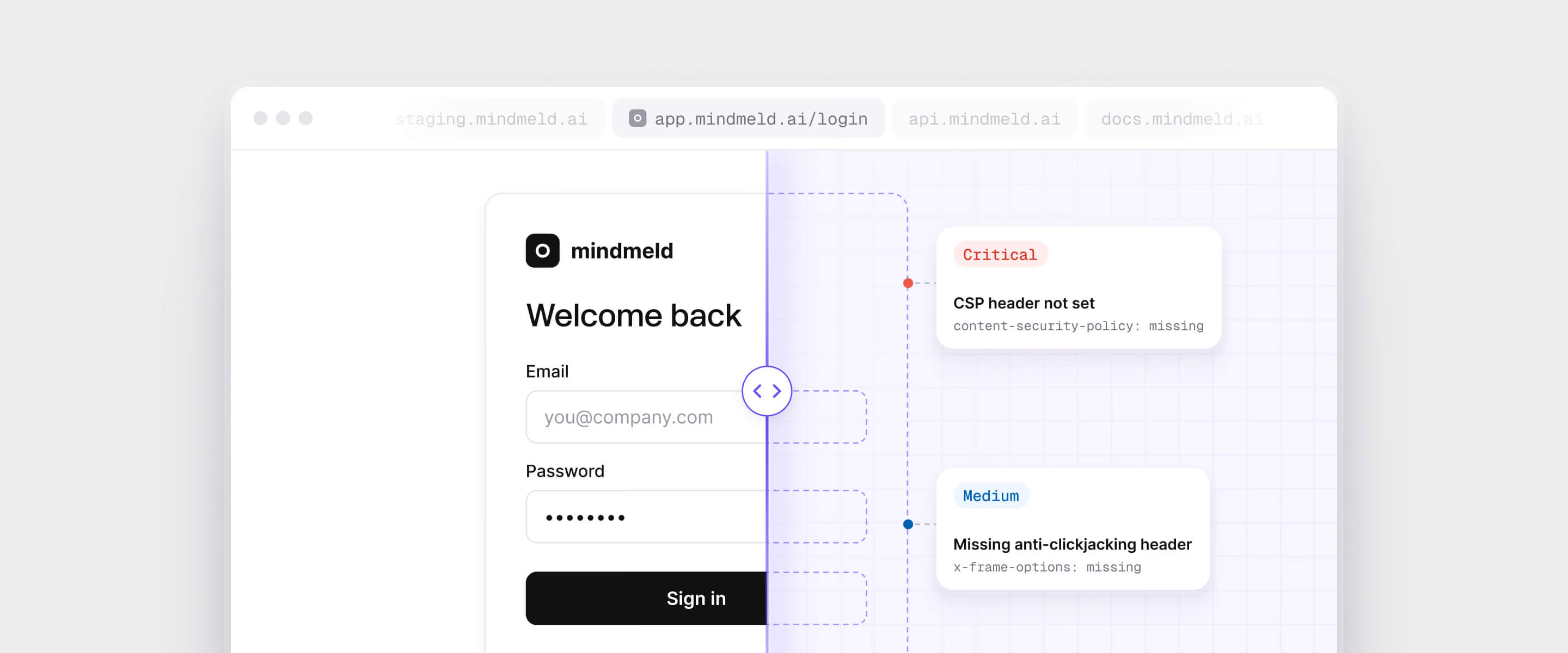
Check what a hacker could use to exploit
Scan automatically without breaking your app
Prevent exploits & vulnerabilities before they take place
Automated API Discovery& Security
Go beyond regular code checks. Automatically discover & scan APIs for vulnerabilities and flaws. Simulate real-world attacks, and scan every API endpoint for common security threats.
Find more vulnerabilities with context-aware DAST
Get updated Swagger docs / OpenAPI specs
Reduce manual work
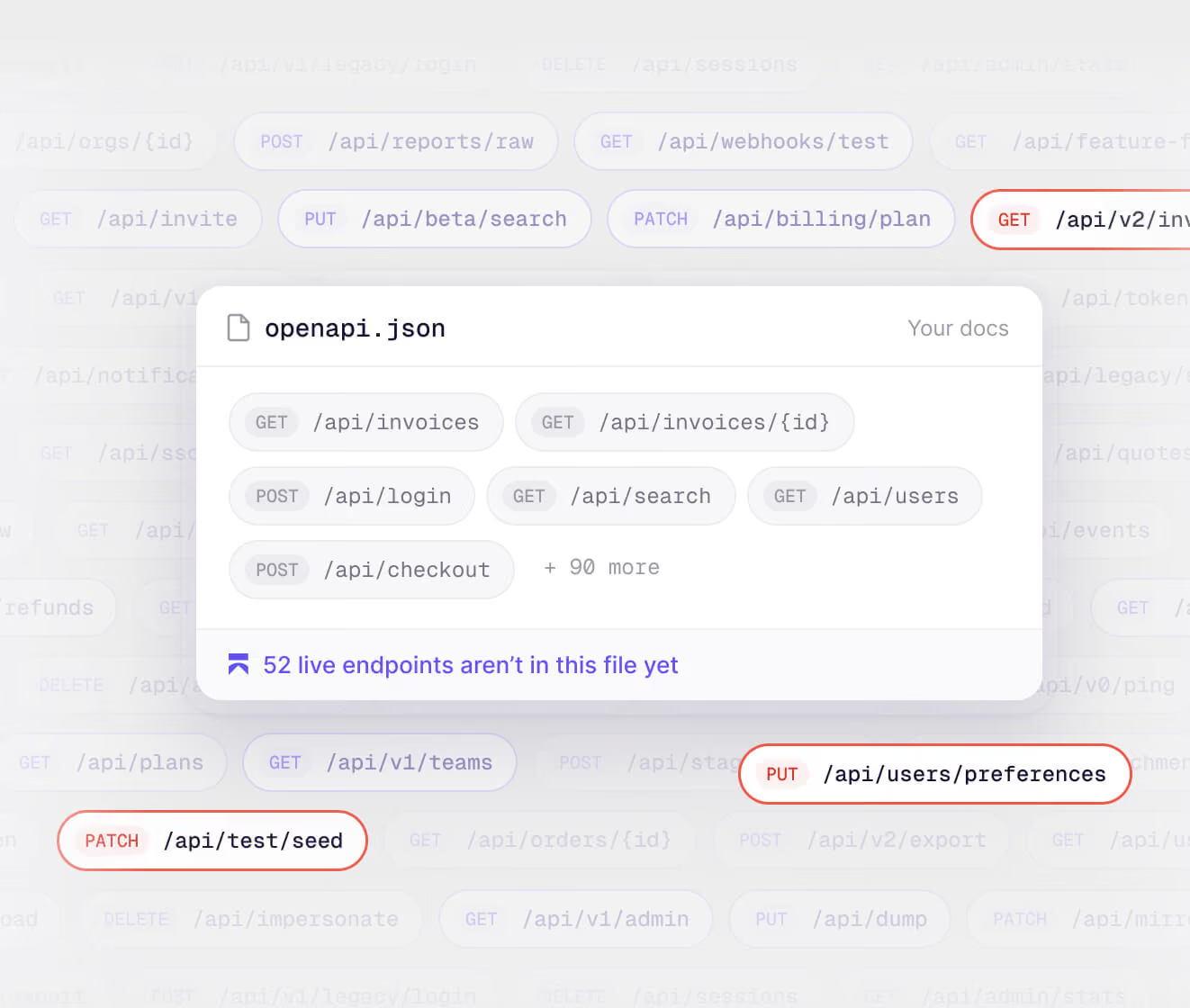
Advanced DAST features
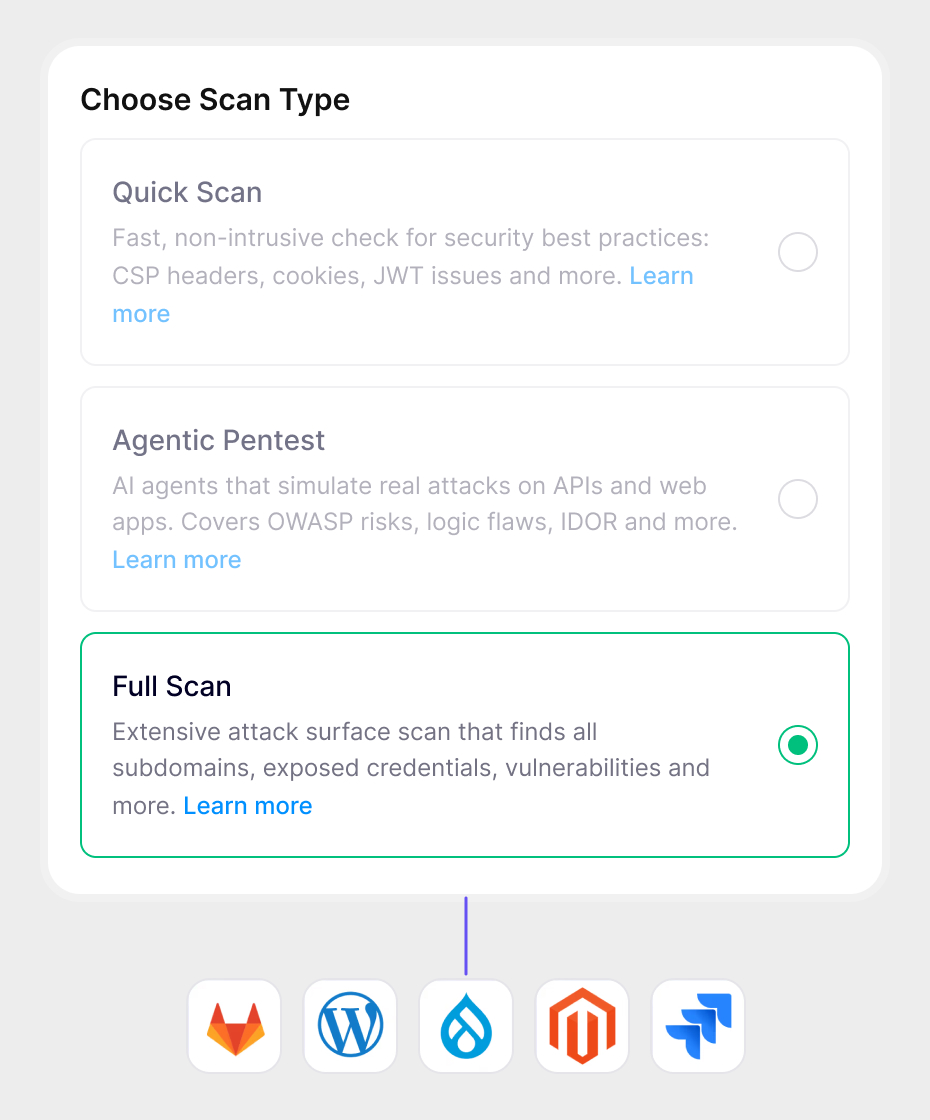
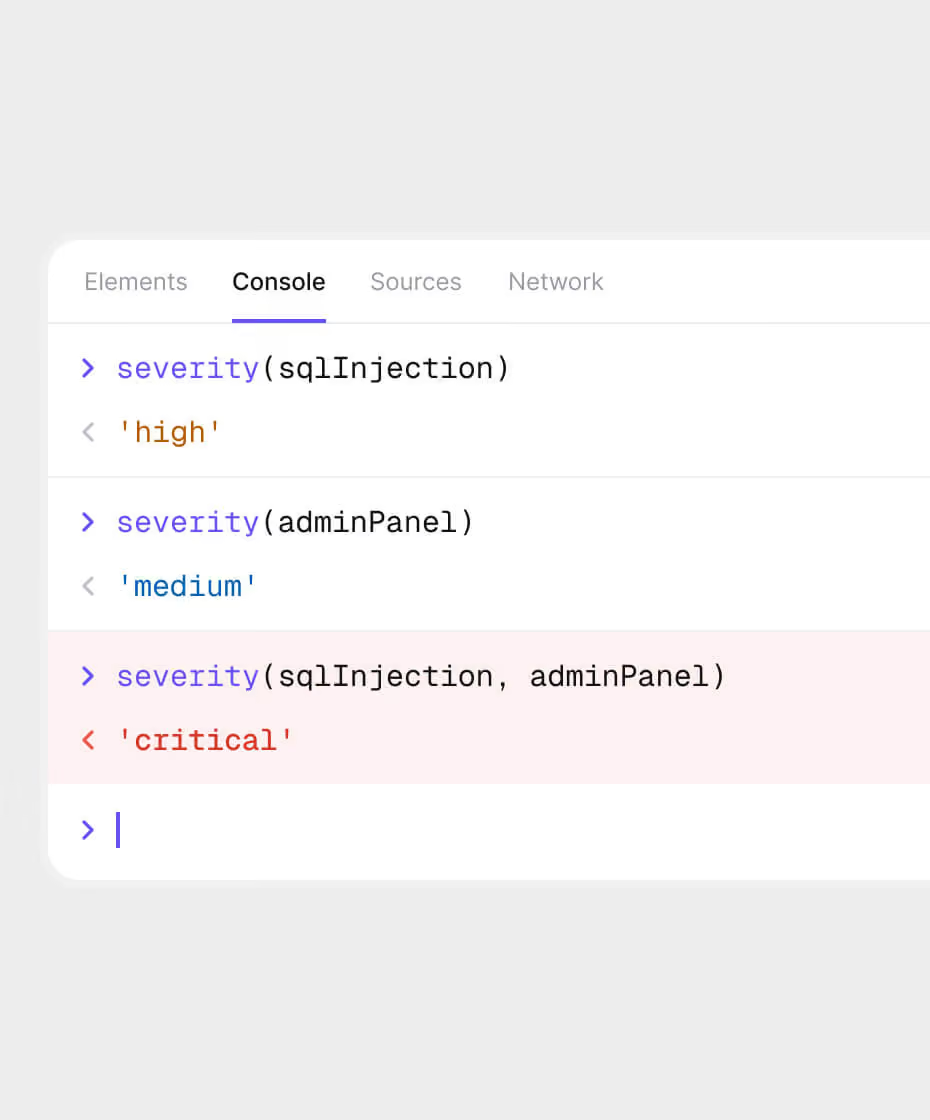
Toxic combinations
Toxic combos are vulnerabilities that, combined, create critical threats. Think of an SQL injection vulnerability combined with a misconfigured admin panel. Aikido’s DAST will mark these findings as more critical.
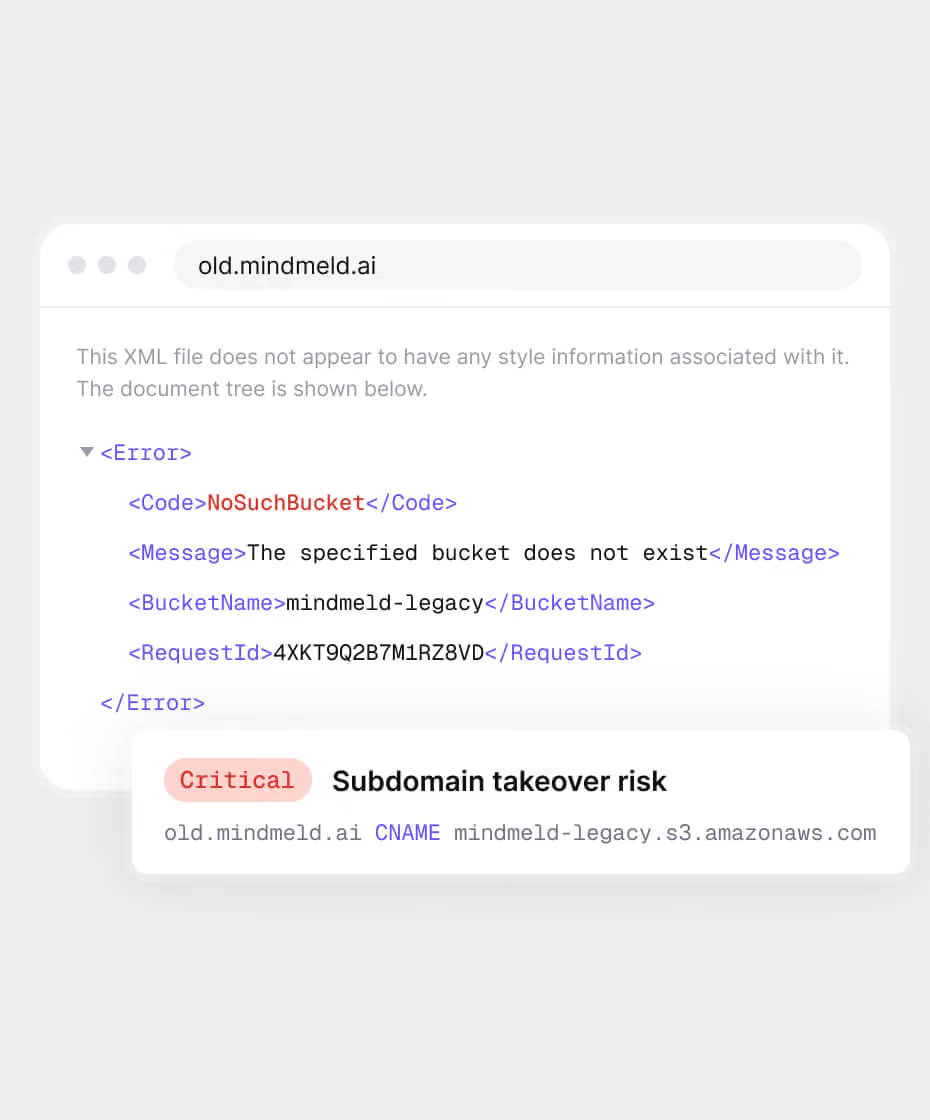
Dangling Domains
Prevent subdomain takeovers.Scan DNS records to find subdomains pointing to dead services aka dangling domains. Stop hijacks before they happen, no setup needed.
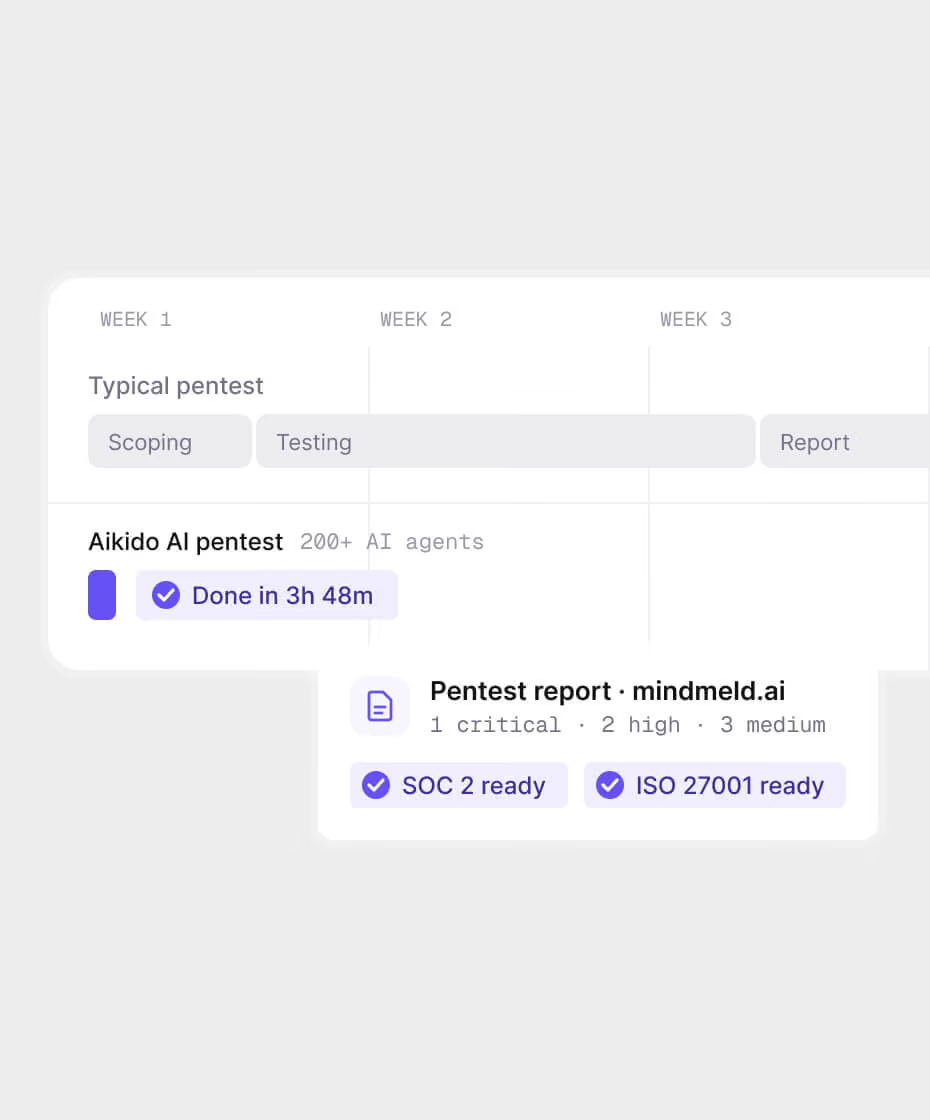

"Aikido’s pentest delivered human level, comprehensive findings at lightning speed and passed a rigorous compliance review with no issues."
Dan SherwoodManaging Director at Khaos Control Solutions

“The fastest time we fixed a vulnerability was just 5 seconds after detection. That is efficiency.”
Aufar SukmajayaBack End Developer


What DAST takes care of
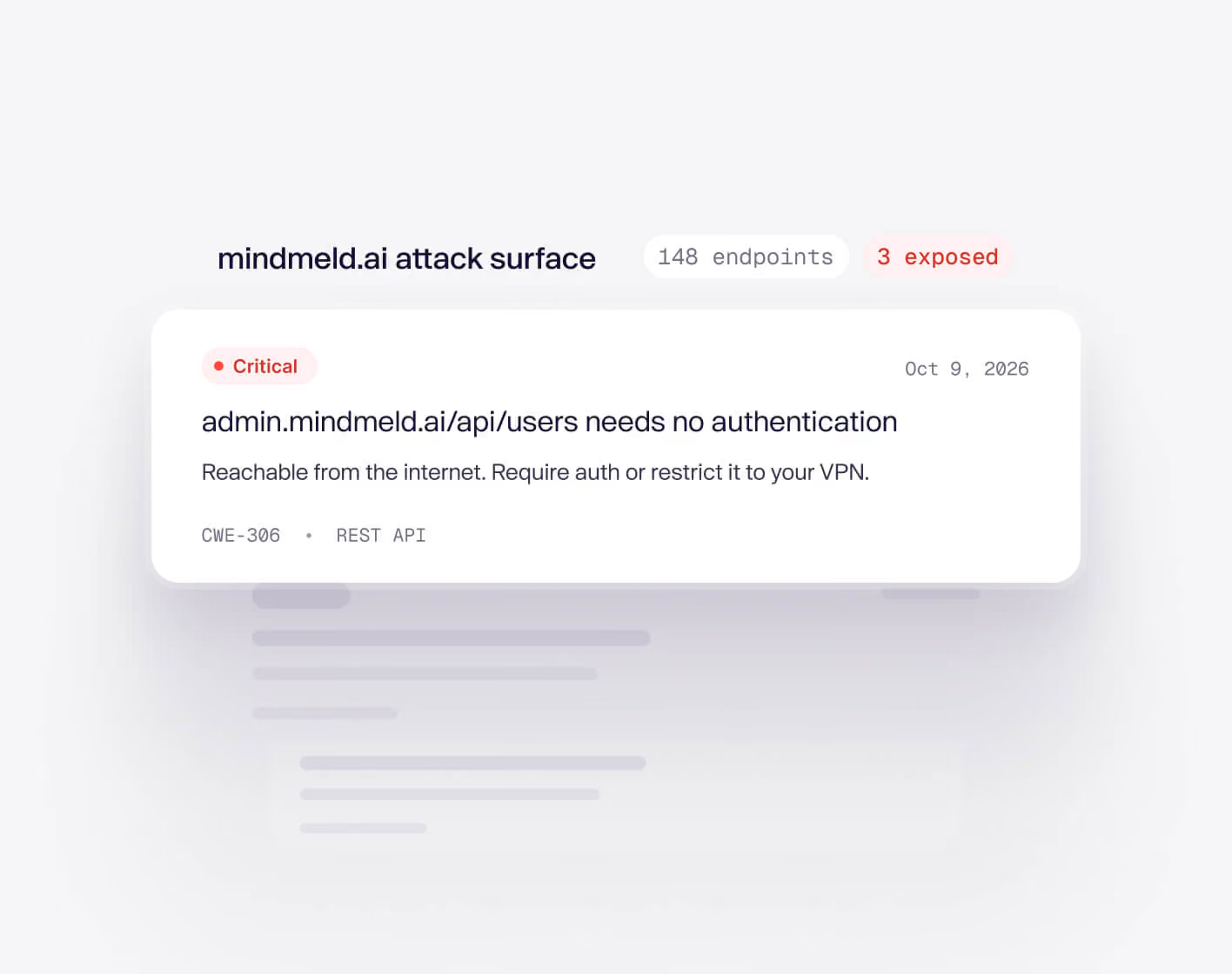
Know what’s exposed. So you can fix what matters.
Aikido’s DAST scans give you a full overview on what’s exposed, and shouldn’t be. So you can easily see where your app is vulnerable the most. Protect your REST & GraphQL endpoints.
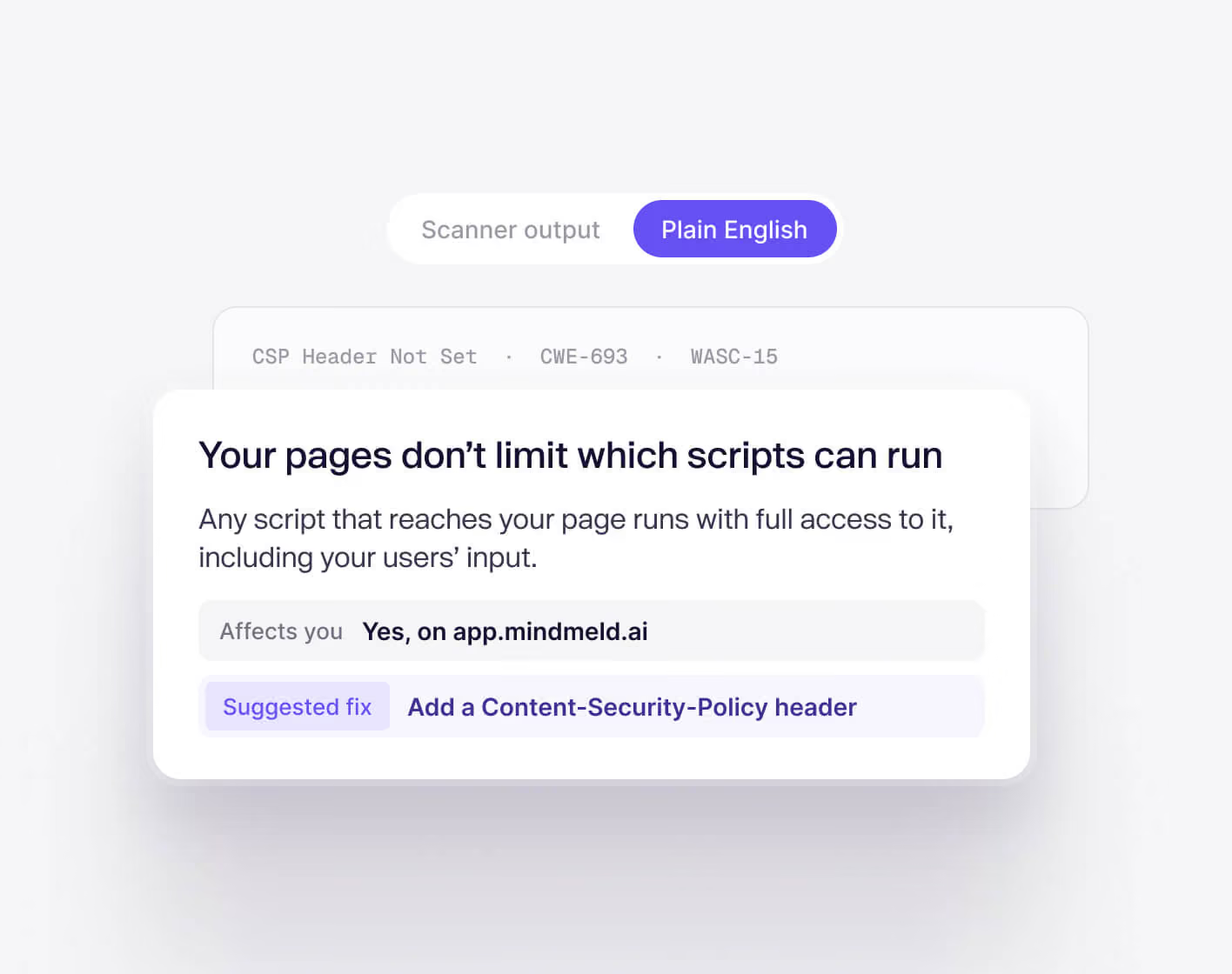
Actionable advice
We translate complex security slang into human-readable language so you can easily understand the problem and if it affects you. Skip the research & find a solution fast.
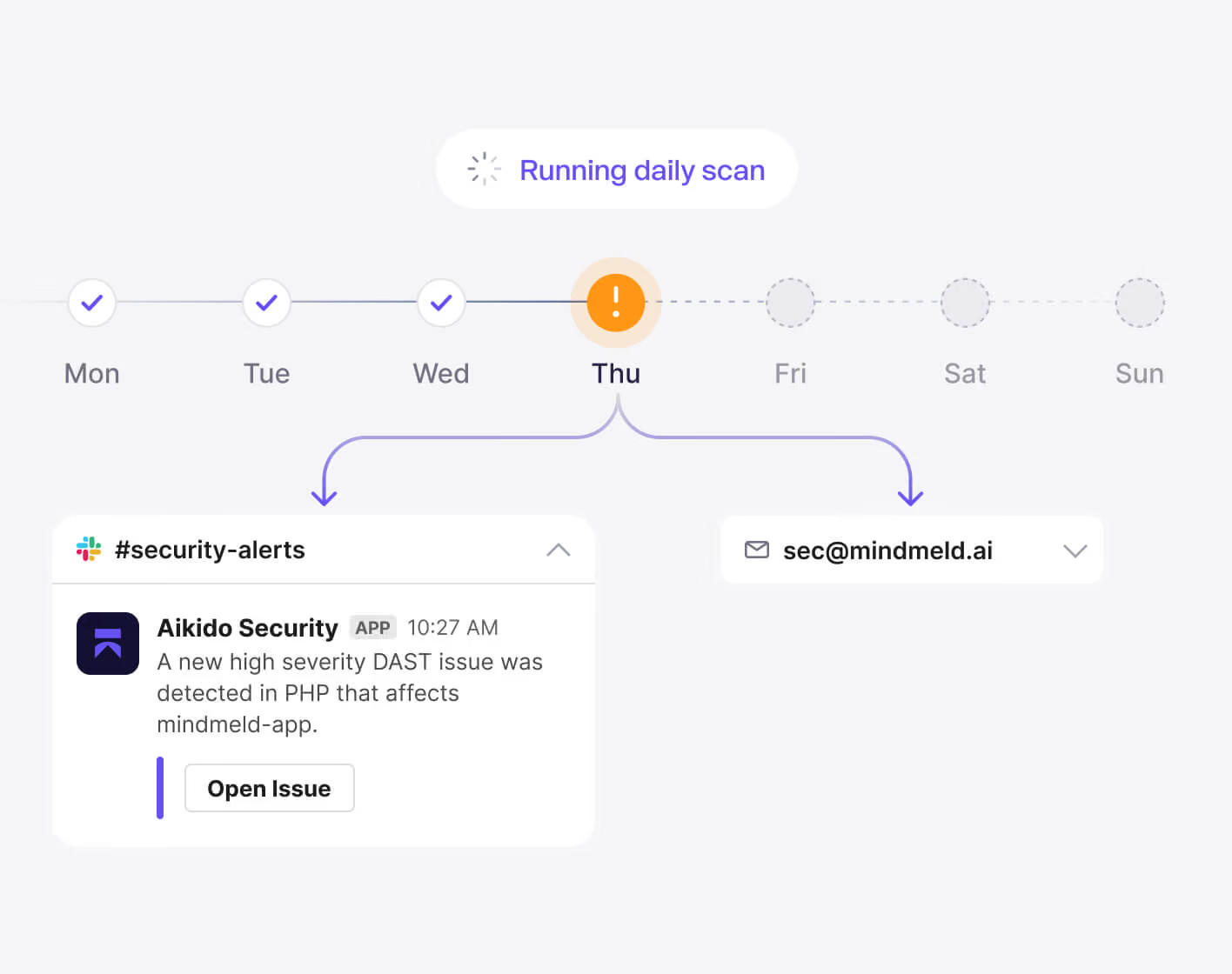
Automatic Scans
Once configured, the DAST scans run daily and will notify you only when there are new relevant vulnerabilities discovered. Choose where you want to get alerts: Email, Slack…

Safe to run in production
Aikido tests your front-end for common DAST vulnerabilities, but doesn’t perform any tests that could break your app, like automated SQL injection attempts etc.
Take it to the next level. Pentest your app like an attacker would.
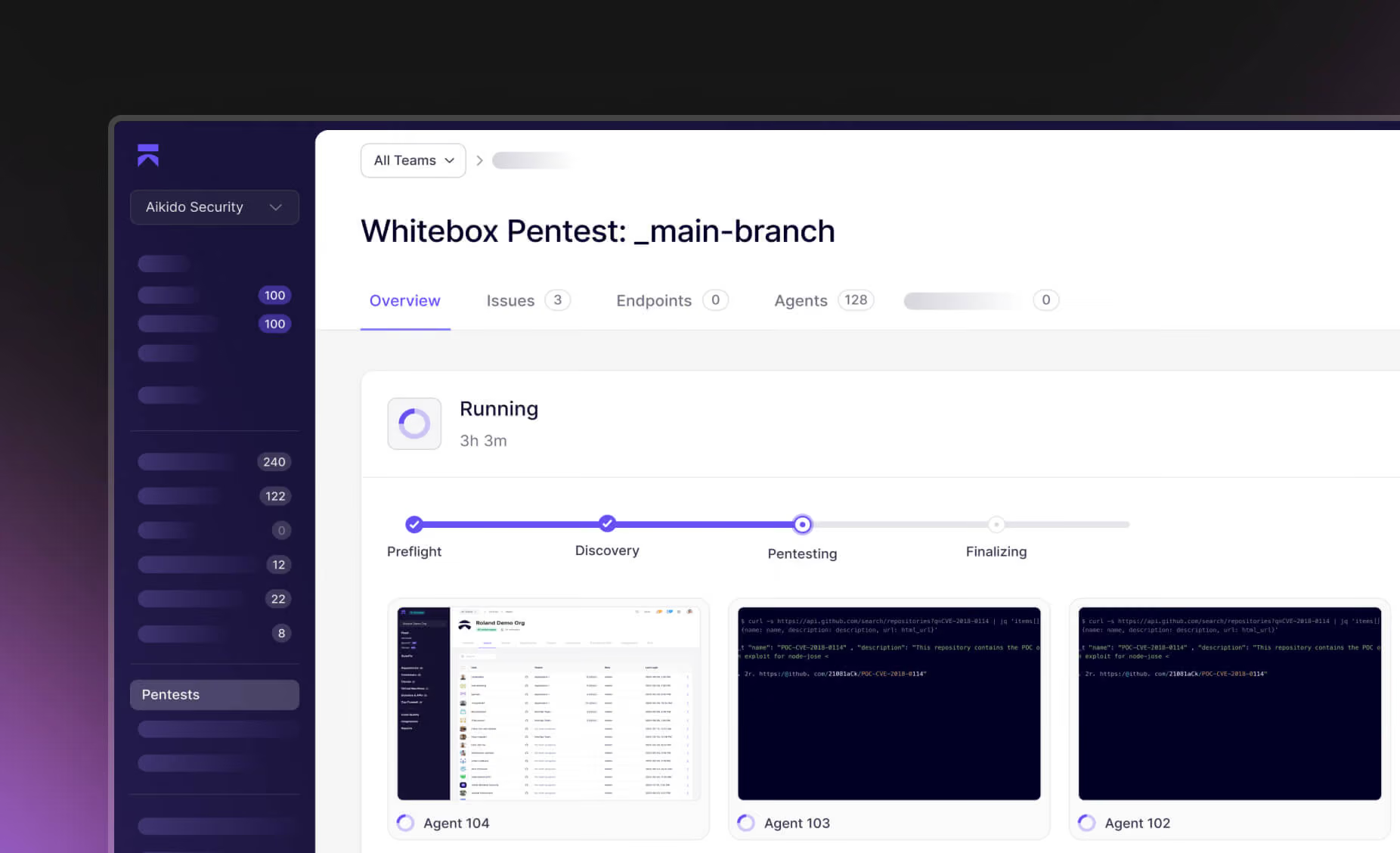
Get secure today, quickly and for free.
Connect a repo to discover what the reasoning agents find in your codebase. Or run it alongside your current SAST and see what you’re what's missing.


FAQs about DAST

Dynamic Application Security Testing (DAST) means scanning a running web application from the outside (black-box), similar to how an attacker would probe your site. It's important because it finds security issues that only show up when your app is live - for example, misconfigurations or broken authentication flows that wouldn't be apparent just from looking at code. In short, DAST lets you catch real-world vulnerabilities in your web app before attackers do.
Not exactly - it depends on the type of scan. Aikido's DAST (also called Surface Monitoring) doesn't simulate malicious payloads on your frontend itself, but it does actively test your APIs. For API scanning, it sends controlled malicious payloads to find weaknesses. It interacts with your application through HTTP and APIs, injecting test inputs and observing how your app responds (behaving like an automated attacker). AI Pentesting takes this further, running more advanced simulated attacks. This dynamic approach means it's probing your app in real time, much like an external attacker would, rather than just scanning code.
It's safe - Aikido's DAST is designed not to stress or break your production site. The scanner avoids destructive tests; for example, it does not perform brute-force SQL injection that could crash your database. It focuses on common web vulnerabilities in a gentle way, so you get security coverage without dragging down or destabilizing your app during a scan.
For most teams, we recommend running Aikido's DAST scanner on staging or production endpoints, rather than inside your CI/CD pipeline. Our current DAST is designed to scan live, internet-facing apps, so there's no strong benefit to running it in CI. Local DAST scanning (which could run in CI) is planned for release in Q4 and will likely be available for enterprise plans first. Until then, you'll get the most accurate results by pointing the scanner at an environment that mirrors production as closely as possible.
Aikido's DAST focuses on issues it can reliably detect in your live, internet-facing endpoints. This includes many OWASP Top 10 vulnerabilities for APIs, such as SQL injection, authentication and access control issues, insecure configurations, and exposure of sensitive endpoints. You can see the full and up-to-date list of checks here: Aikido Security DAST checks. Frontend-specific scans are excluded, so the findings are targeted toward server-side and API security rather than client-side vulnerabilities.
Aikido's DAST scans are fast - most complete in about two minutes, and rarely more than four. You'll start seeing results almost immediately after the scan begins, so you're not left waiting around. The exact time depends on your application's size and complexity, but the scanner is designed for quick feedback so developers can act fast.
Yes - Aikido's DAST can scan your APIs, but it does not automatically discover endpoints from your frontend. For API scanning, you can either import an OpenAPI specification (generated from code or manually) or use Zen for endpoint detection. Once configured, the scanner will test your API endpoints (including REST and GraphQL) for vulnerabilities. This means you don't need a completely separate API scanner - just make sure your endpoints are defined so Aikido can target them effectively.
Aikido's DAST uses a subset of safe OWASP ZAP scans, then adds its own de-noising and de-duplication so you only see relevant results. You get ZAP-level detection without the noise, manual setup, or config management - it's built to be fast, low-maintenance, and easy to act on.
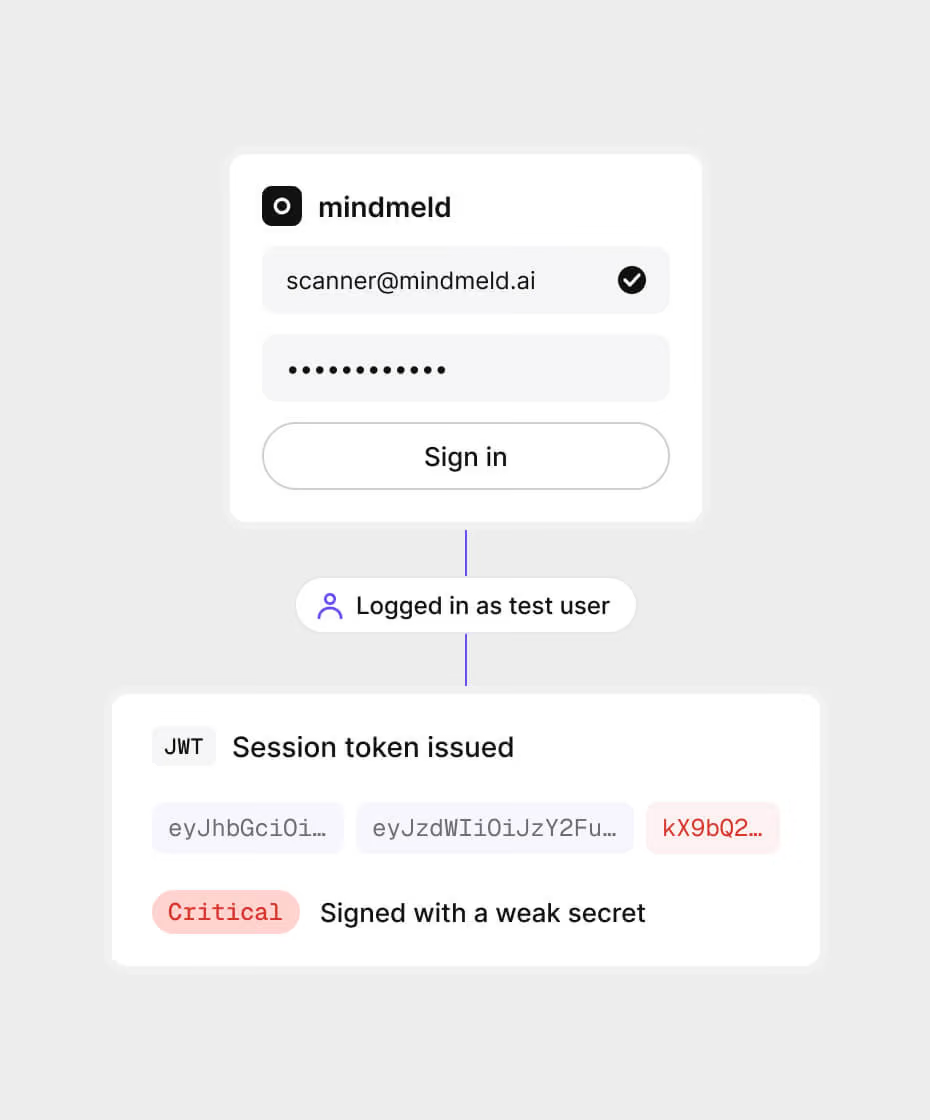
Only if you want to run authenticated checks. Aikido doesn't support login scripts, but you can provide authentication credentials so we can run additional tests - for example, checking delivered tokens for common weaknesses. For frontend scanning, the main benefit is enabling these extra checks. You can toggle on the "authenticated" rules in your settings here: Aikido DAST checks. If you don't provide credentials, the scanner will just scan your public-facing endpoints.
No - Aikido's DAST frontend scanner focuses on spotting easier-to-detect misconfigurations that could open up your web app, helping you quickly fix common risks. For deeper coverage - such as complex business logic flaws or more advanced attack simulations - tools like AI Pentesting and API Security scanning are better suited. Automated scans handle the everyday issues, while occasional manual or advanced testing ensures you catch the harder-to-spot vulnerabilities. Aikido will soon expand coverage in these areas too, bringing more of that deeper testing directly into the platform.