See every AI tool your developers use
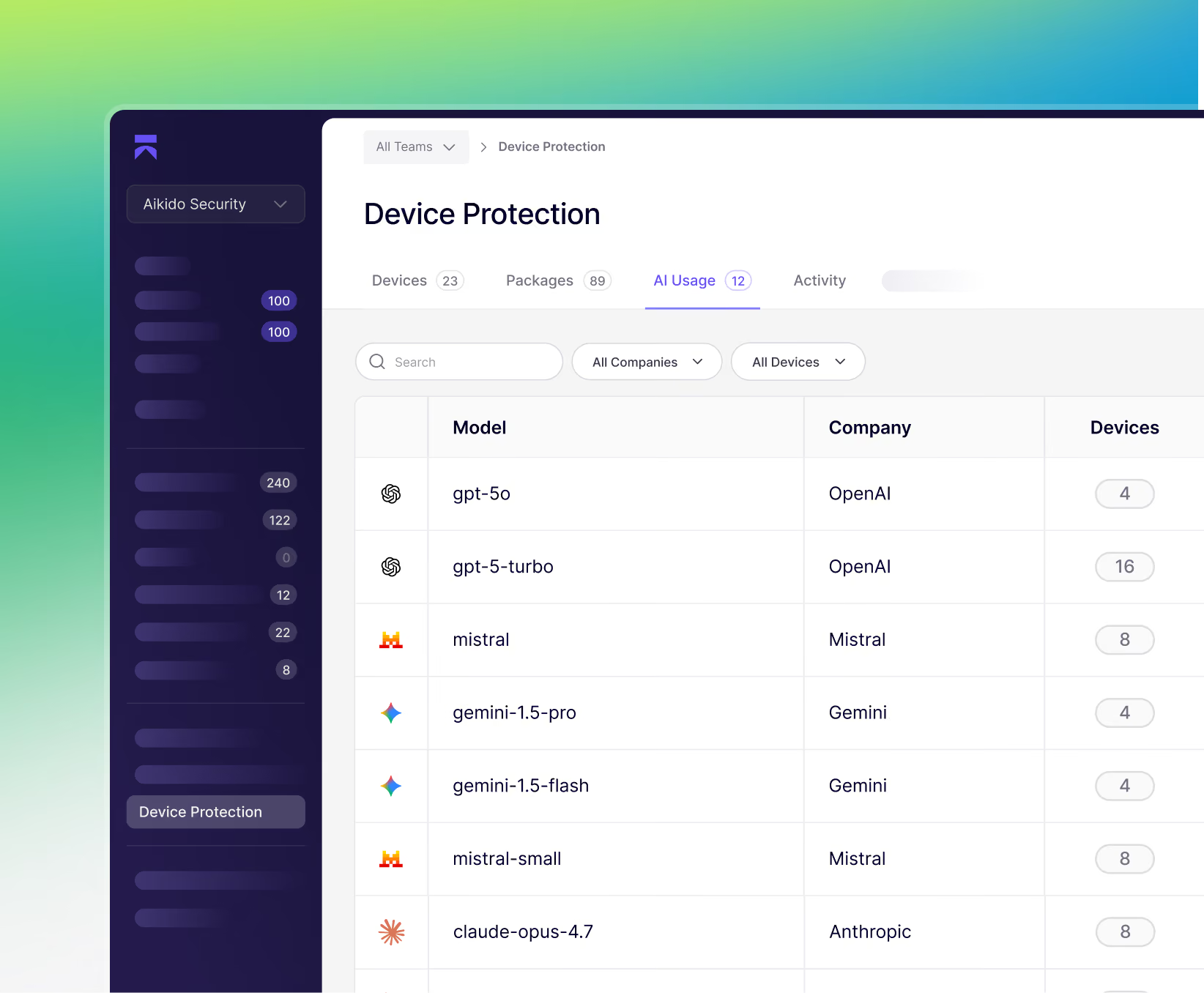
Developers add AI assistants, models, and MCP servers faster than security can track them. Aikido shows you exactly what's running on each workstation, then lets you block, approve, or set policy per tool and team.


AI tool adoption is growing faster than you can govern it
Your developers are already using AI tooling. But you don't know which tools they are using or where they are using them to access your codebase.
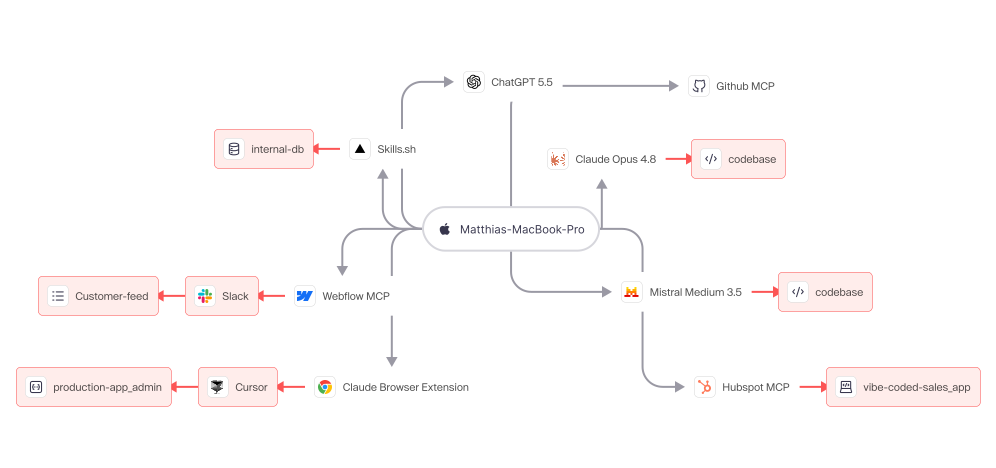
Aikido lets you monitor & manage shadow AI on your developer devices
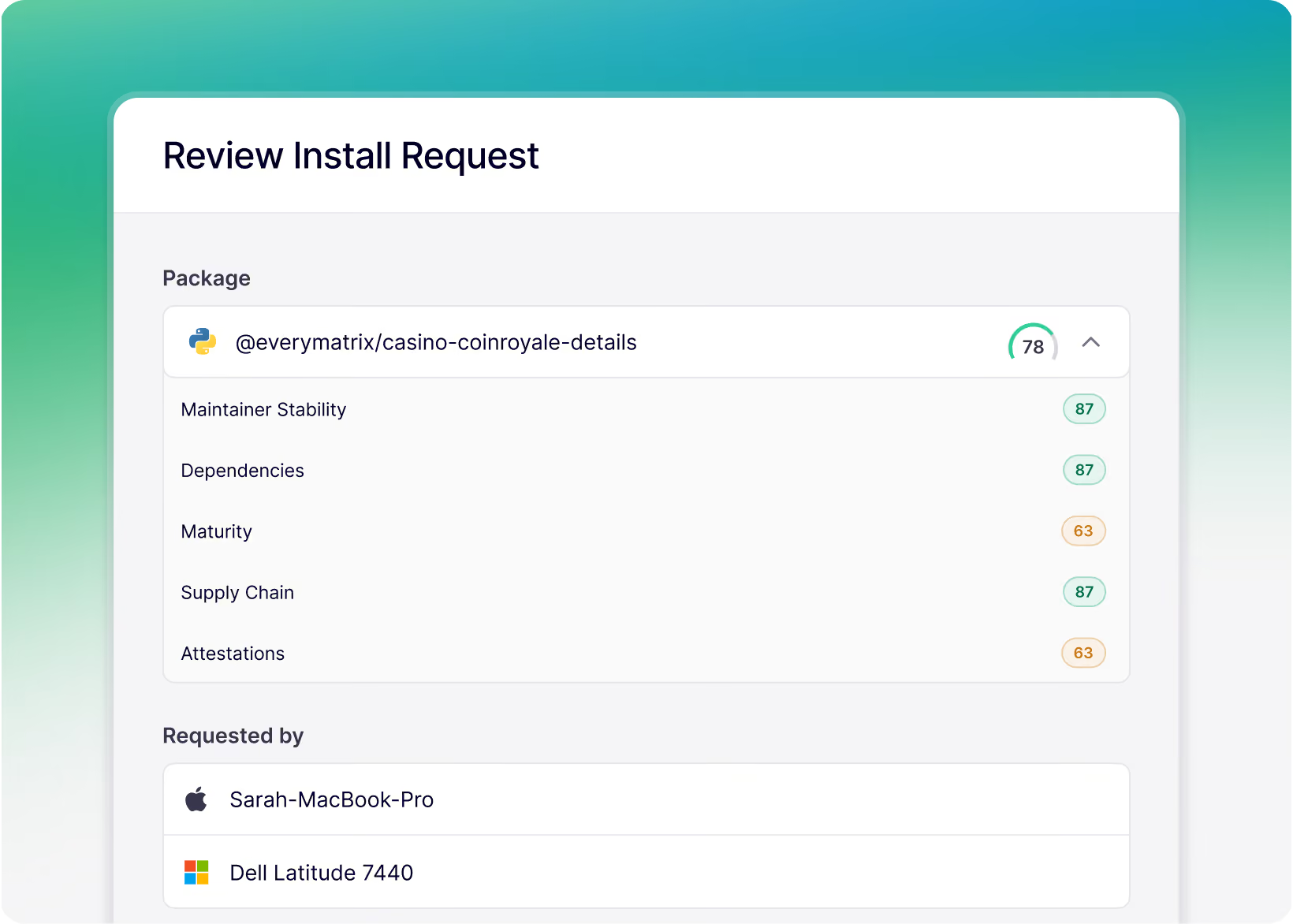
See every AI tool
The Vault is where everything lives. Organized into clear categories , it’s designed to make browsing easy. Whether you’re looking for a specific slider, animation,or utility, our quick-find search has you covered.
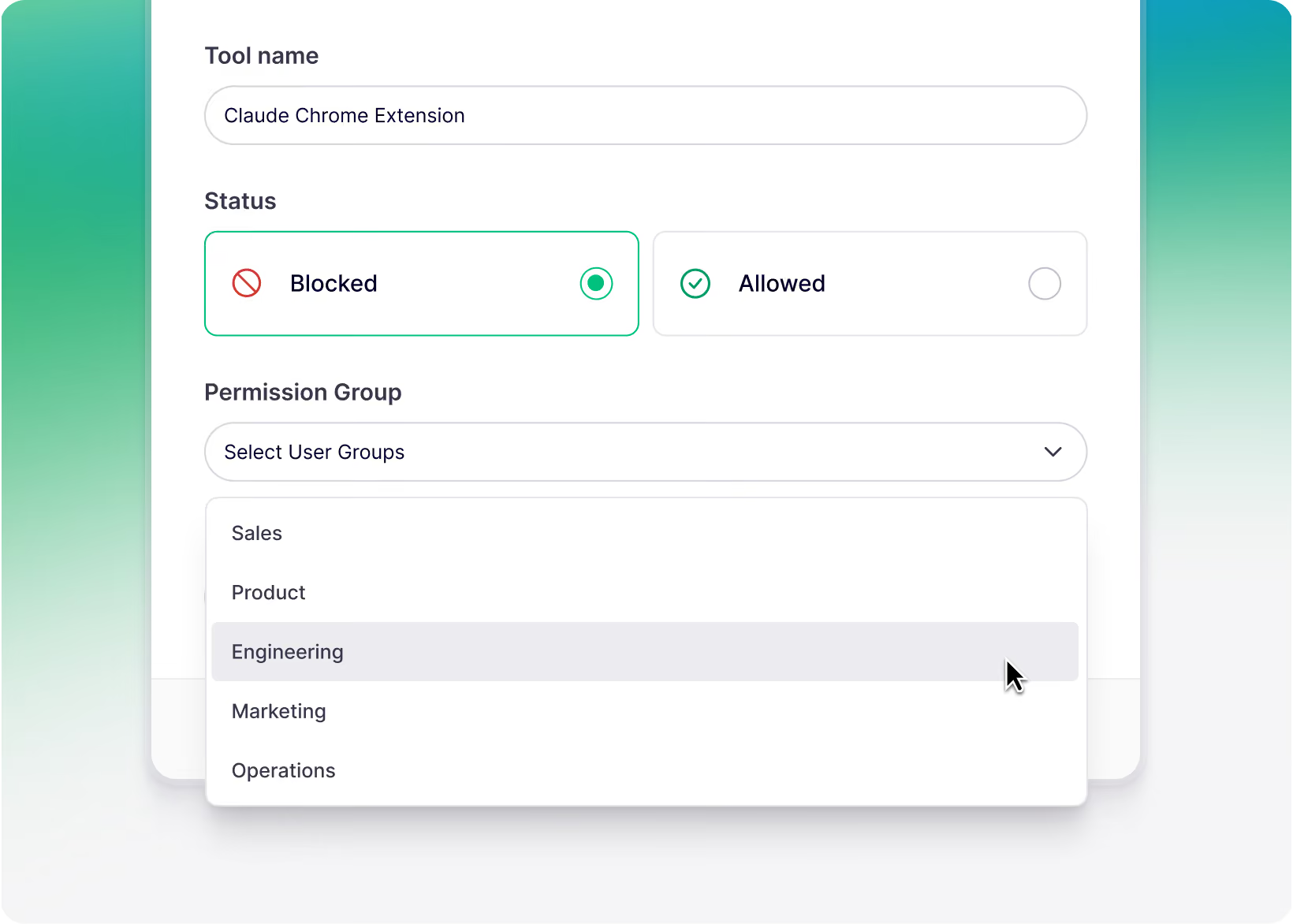
Block or approve, per tool
We also include videos that explain the concept, go deeper on the subject, or maybe might spark some new ideas for the resources that you're using.
Set policy by team
These are the foundations you’ll rely on for every award-worthy project. Master the basics, and the flashy stuff will actually have something solid to stand on.
Network blocks aren’t bullet proof, Aikido protects at the workstation level
What a network block sees

What Aikido’s device protection sees
Get a view of your entire (AI) stack





Aikido Device Protection
explained in under 5 minutes
Known malware is blocked before it touches the filesystem.
Not flagged after. Not quarantined later. Stopped before it's downloaded.
Protect every install. Build fearlessly.
Developer devices are prime targets, secure yours.
See Aikido in action
Enter your work email to view the video
.avif)
Everything you need to detect shadow AI in your organisation
Full AI discovery
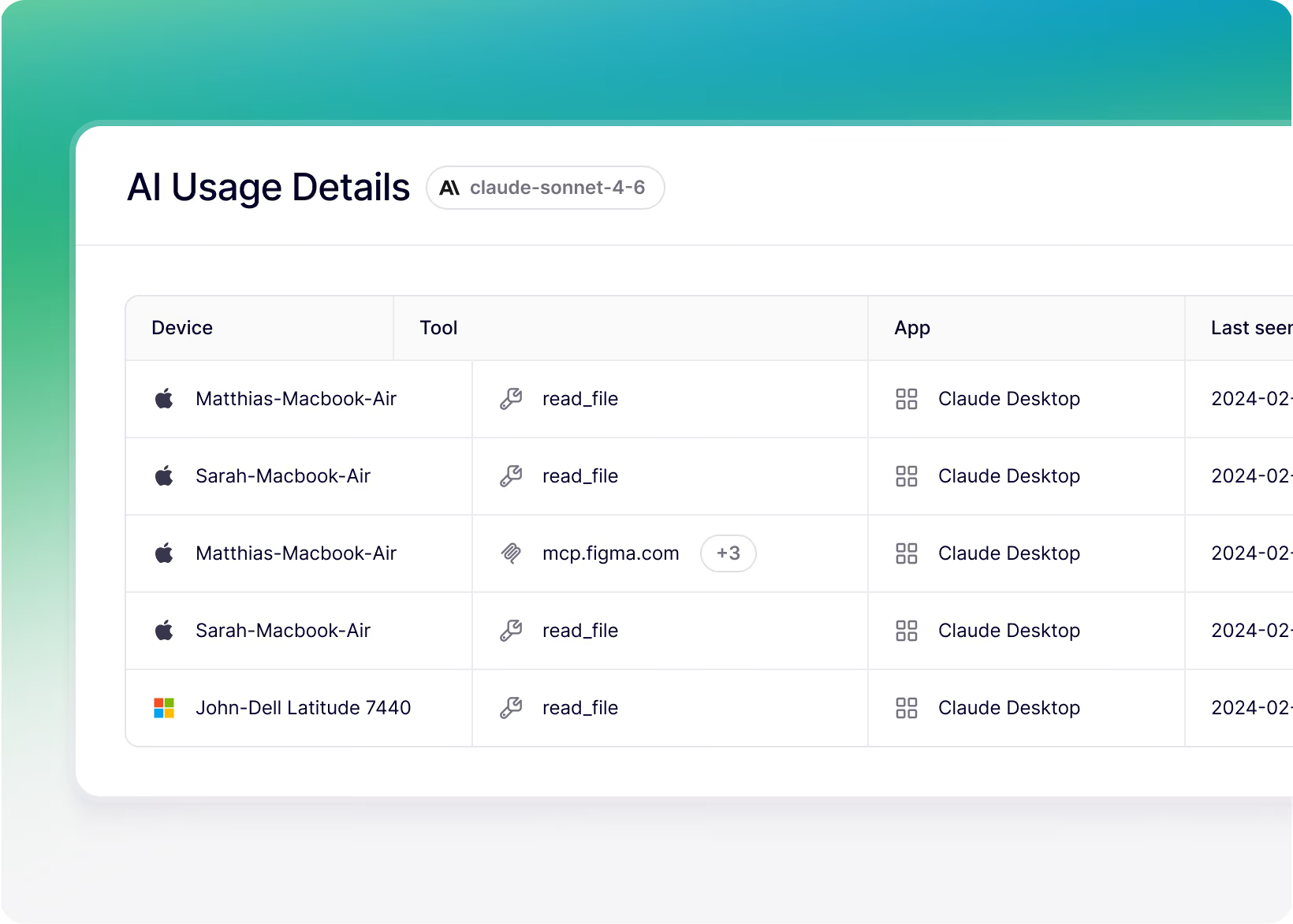
Every AI tool, the specific model, every MCP server, and AI-powered IDE and browser extensions.
Sees personal accounts too
Workstation-level traffic observation catches AI usage on corporate licenses and personal accounts alike.
Fully block, don't just observe
Govern AI tools with real enforcement, not a dashboard that only reports.
Group-based policies
Different rules for different teams. Strict where it needs to be, flexible where it doesn't.
Request & approval workflow
Developers request a new AI tool, you accept in one click. Without having to create and manage tickets.
Continuous monitoring
Ongoing, not a point-in-time audit. Whenever a new AI tool shows up, you will know.

Protect your developer devices from Shadow AI


FAQs about Device Protection

Every package published to npm, PyPI, and other registries is scanned automatically by Aikido Intel using a combination of static analysis, behavioral rules, and AI. Suspicious packages are flagged and reviewed by Aikido's in-house research team. Confirmed threats are pushed to every connected workstation in real time. For a live view of what we're detecting, visit the Aikido Intel feed.
Aikido device protection offers broad protection across many ecosystems, while a private registry is best when you need tight control within one specific ecosystem.
It intercepts HTTP traffic at the kernel level, including TLS-encrypted traffic by adding a local CA, and it is designed to work in a chain with other traffic inspection solutions.
More in depth info: https://help.aikido.dev/aikido-device-protection/miscellaneous-aikido-endpoint/how-does-endpoint-protection-work
Device Protection operates at the package, extension, and AI layer. It complements EDR rather than replacing it. EDR catches threats after they are running. Aikido stops them from running in the first place.
Network blocks are coarse and easy to route around. A developer on a personal hotspot can bypass them entirely. Aikido operates at the workstation level, per developer, per tool. You get granular control and a real audit trail.
Minimum package age holds installs of recently published packages. The default is 48 hours. This stops a common supply chain attack. An attacker publishes malicious code to npm or PyPI and tries to get developers to install it before the community can flag it.
Aikido observes traffic at the workstation level regardless of which account a developer is using. If a tool is making outbound calls to an AI service, Aikido sees it. This is true whether it is a corporate license or a personal account.
Device Protection is available on MacOS, Windows and Linux. Supported Linux operating systems are available in the help docs. WSL support will be available in Q4 2026.
Traditional virus scanners such as Norton, McAfee, and Crowdstrike Falcon primarily inspect compiled binaries for known malware signatures, while Device Protection focuses on the modern, non-binary attack surface, including JavaScript packages, IDE extensions, browser plugins, and AI skills marketplaces. These plain-text, interpreted artifacts can slip past traditional scanners, yet still run with full access to the developer environment and, by extension, the software supply chain.
Protect every install. Build fearlessly.
Developer devices are prime targets, secure yours.