Aikido

Ship security fixes while developers keep building.

Aikido doesn’t stop at the PR. AutoShip completes the last mile of code delivery, shipping fixes from CI to production to autonomously secure your software. Aikido does the security work. Devs get back to building.
Trusted by 150k+ orgs
|
Loved by 300k+ devs
|
4.7/5
Lovable
Pendo
Revolut
Soundcloud
Niantic
n8n
Deel
Visma
Handshake
Joe & the juice
Runway
Too Good to go
NiCE
Belfius
Lovable
Pendo
Revolut
Soundcloud
Niantic
n8n
Deel
Visma
Handshake
Joe & the juice
Runway
Too Good to go
NiCE
Belfius
THE PROBLEM

Getting security fixes into production is hard.

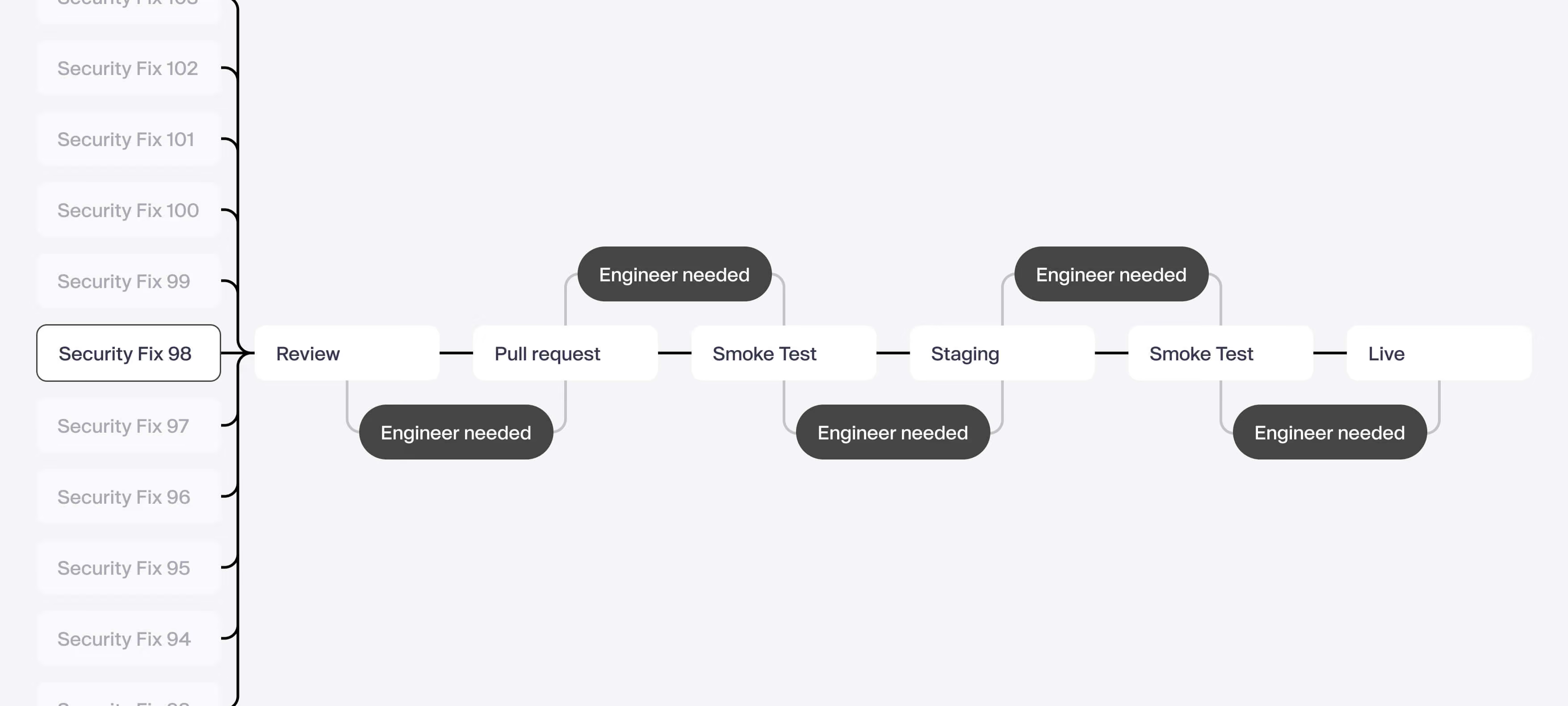
Writing the PR to fix an issue is one thing, but fixes don’t deploy themselves. They require teams to review, test, and validate them, taking developers away from building.
AIKIDO AUTOSHIP

Aikido ships security fixes for you

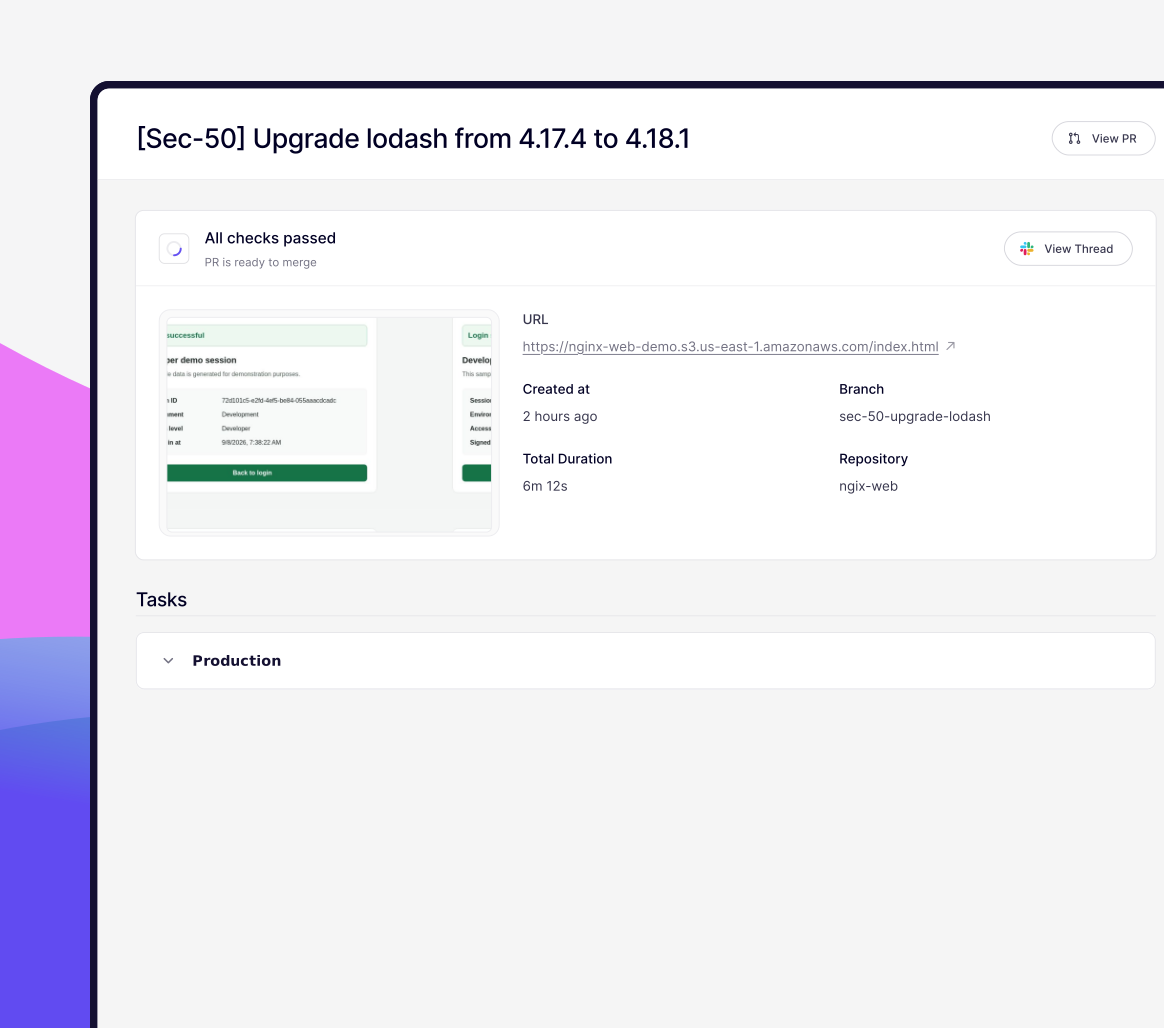
Aikido AutoShip deploys security fixes from CI to staging to production, autonomously.
Eliminating security work from developers entirely.

Resolves failed builds

If a patch causes a compilation or test failure, AutoShip investigates the failure and updates the fix automatically.

Proves the fix works

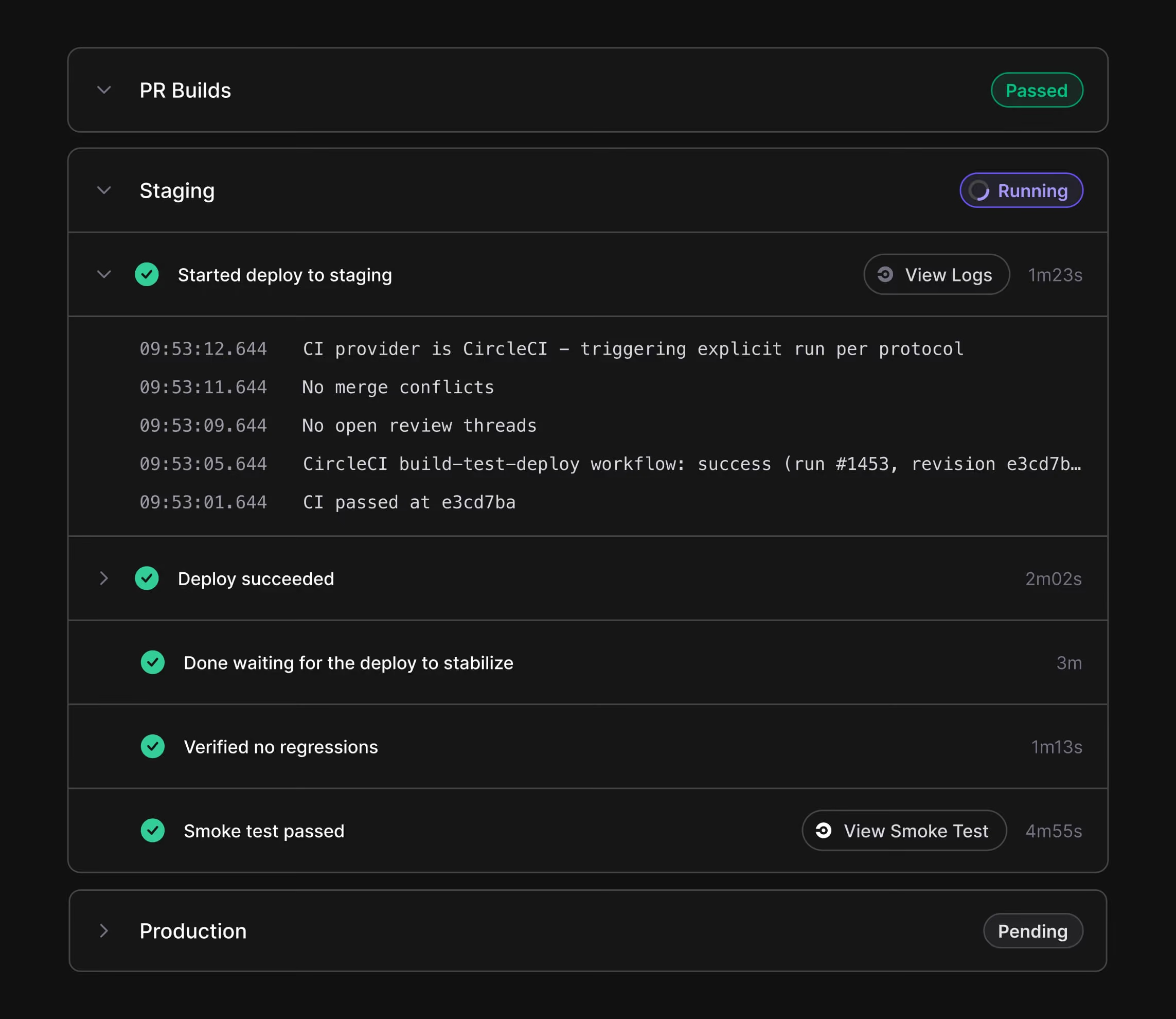
AutoShip deploys to staging, watches for new errors and runs tests, so nothing broken reaches production.

Monitors production and rolls back

After deployment, AutoShip validates the release in production. If monitoring detects a regression, it automatically rolls back.
Anyone can automate deployment. Only Aikido can make the fix safe to ship.

Aikido INTEL

We guarantee no malware gets shipped

Real-time supply chain intelligence feed
Detect malware & vulnerabilities within minutes.
Aikido Intel found the Shai hulud, Axios, Team PCP breaches
Discover Aikido Intel
Aikido Libraries

We guarantee our patches won’t break your build

Aikido backports CVE fixes to the exact version you use
Removing breaking changes all together
Same package, version string & APIs
Discover Aikido Libraries

How AutoShip works

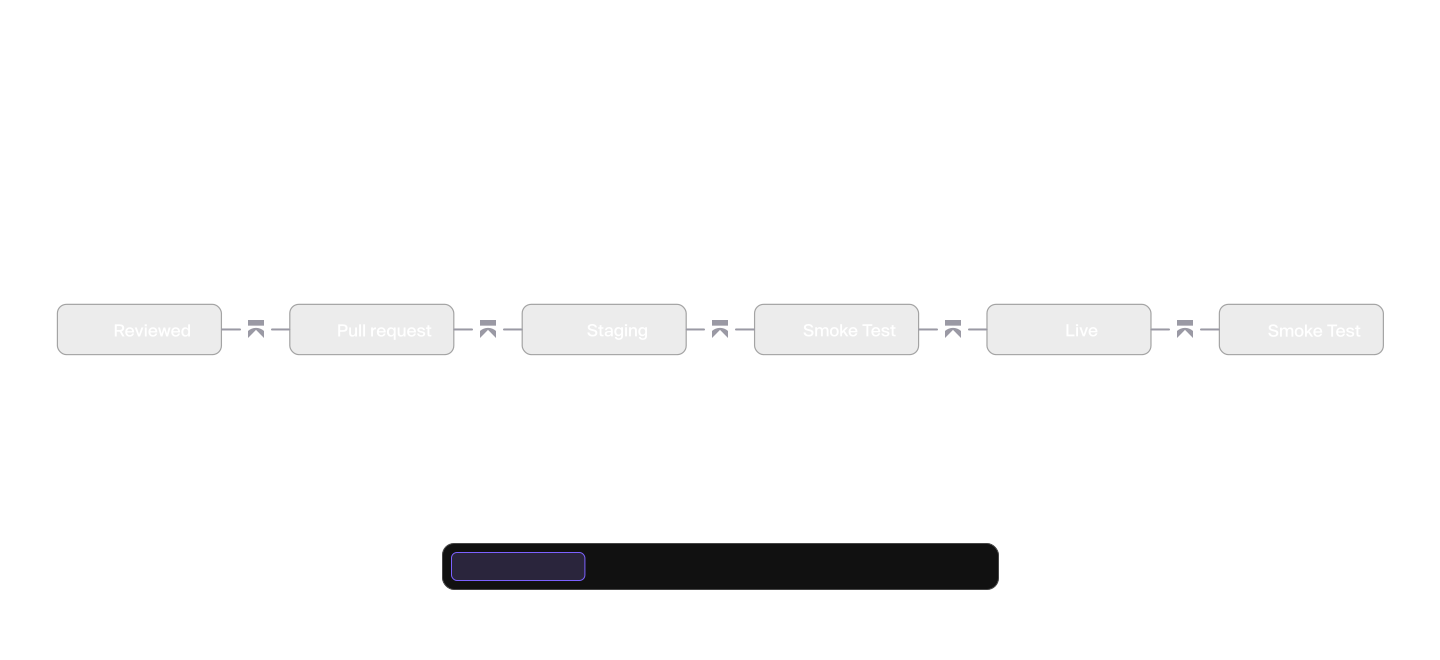
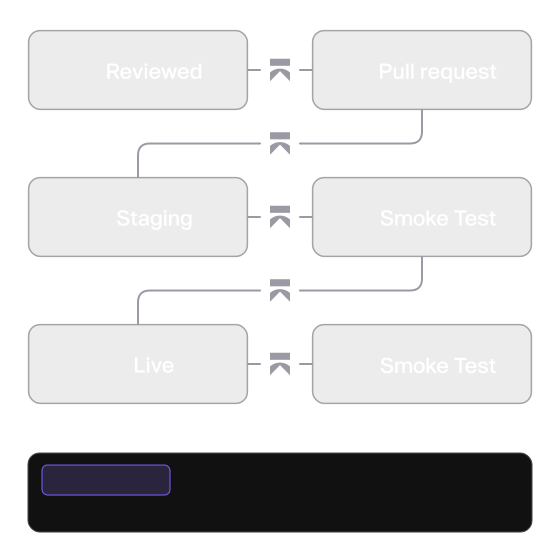
Add a label to the pull request. From there AutoShip pushes the change through your build, your staging environment and production, checking at each step that nothing broke.

Checks, fixes and deploys
If CI fails, AutoShip works out why, writes a fix and pushes it to the PR branch.
Tests in staging
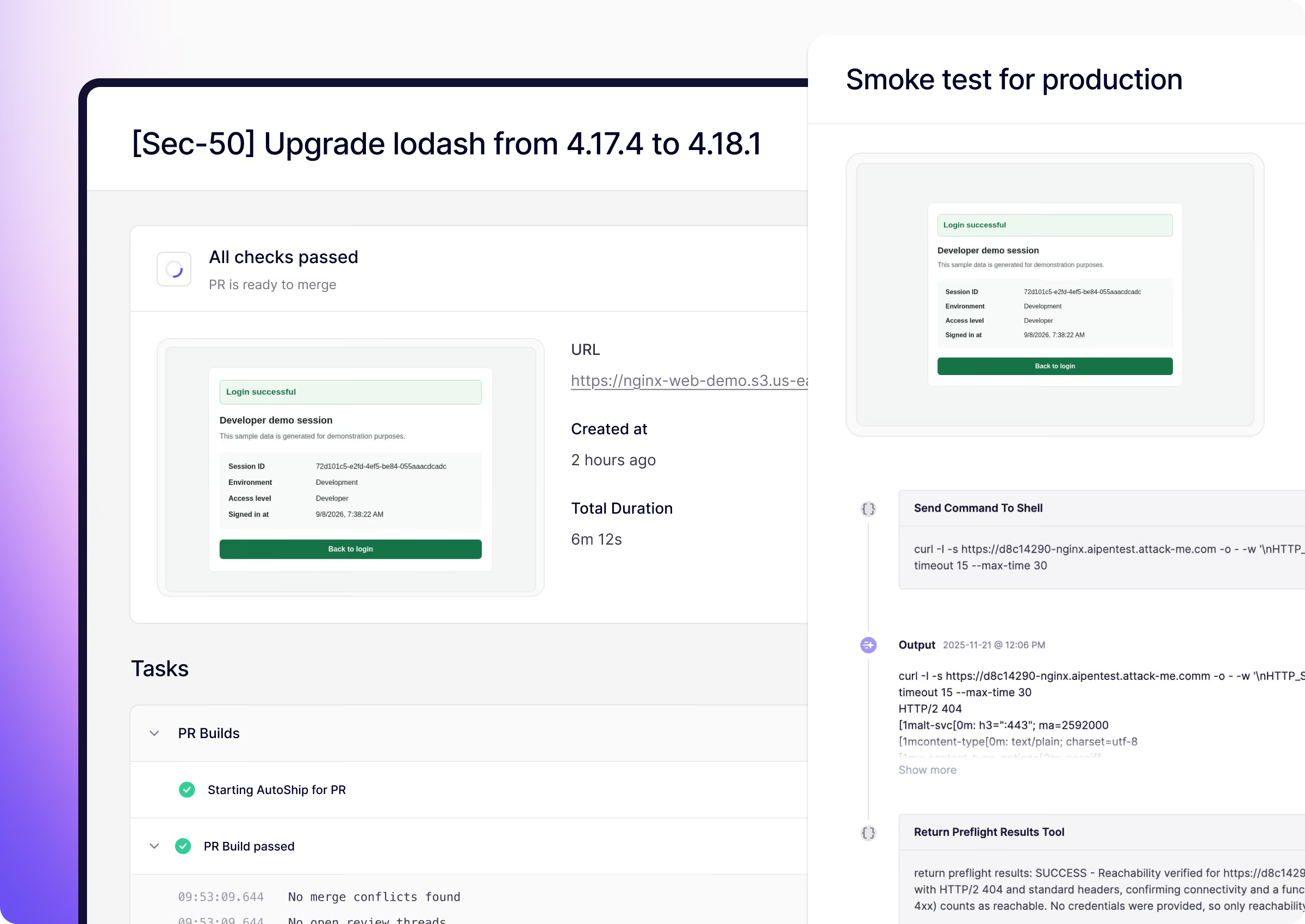
You describe the user flow in plain words, AutoShip agents generate and run a thorough smoke test.
Deploys to production
AutoShip monitors your production logs and instantly rolls back the deploy if there are any regressions.

Why teams use AutoShip

Take the load off engineering

No manual staging deploys, no manual smoke tests, no manual production push.

Burn down your CVE backlog

Turn proposed fixes into closed vulnerabilities instead of accumulating CVEs to triage.

Skip the audit crunch

Fixes ship when ready, so you don't accumulate security debt.

Set your own pace for automation

Roll out in your CI/CD and then staging and production as you gain confidence.

AutoShip your security fixes

Let agents handle the drag of shipping security fixes. Review, test and ship your fixes autonomously. Jump in where you want or let Aikido decide.

No credit card required | Scan results in 32secs.
Trusted by 150k+ orgs
Faq

FAQs about AutoShip

Do I have to let AutoShip deploy to production on its own?

No. You control how far it goes. Teams commonly start with AutoShip running only inside CI, then add staging validation, and enable automatic production deploys later once they are comfortable. Automatic production deployment is always something you opt into.

How does AutoShip make sure a fix doesn't break my application?

Before anything reaches production, AutoShip deploys the change to staging and runs the smoke test you define, such as your checkout or cart flow. You set the scope of what gets checked, so the validation reflects what matters for your app. A fix only moves forward if those checks pass.

What happens if the fix breaks a build or a test?

AutoShip resolves compile and test failures as part of the run rather than sending the change back to a developer. The aim is to keep the fix moving through the pipeline without someone stepping in at each stage.

Which tools does AutoShip work with?

AutoShip works with GitHub for code hosting, CircleCI and GitHub Actions for CI/CD, and Sentry and CloudWatch for monitoring, with progress updates posted to Slack. The set of supported integrations is expanding, and you can request new ones from inside the product.

Is AutoShip only for security fixes?

Yes. AutoShip is built for security remediation, not general feature development. Validating a security change is more contained than testing new functionality, which is what lets it run the process reliably from end to end.

Does AutoShip use my existing smoke tests?

AutoShip creates its own smoke tests from your prompt, and the (optional) login credentials you provide. Full details of the smoke test activity and request logs are reported in the Aikido UI.