tl;dr If you leak a secret, rotate it immediately. Deleting a file, rewriting git commit history or deleting your repository won't protect you. Attackers routinely scan the internet for secrets, so assume they already have a copy. Use Betterleaks or Aikido Secrets Detection to find leaked secrets in your repos, and Aikido Device Protection to find them on developer machines.
In May, LiteLLM developers accidentally committed an administrative key to a public GitHub repository. Attackers used that credential to compromise their infrastructure months later.
LiteLLM’s post-mortem documents the timeline of their actions to fix the leak. One sentence from the report stuck out to me:
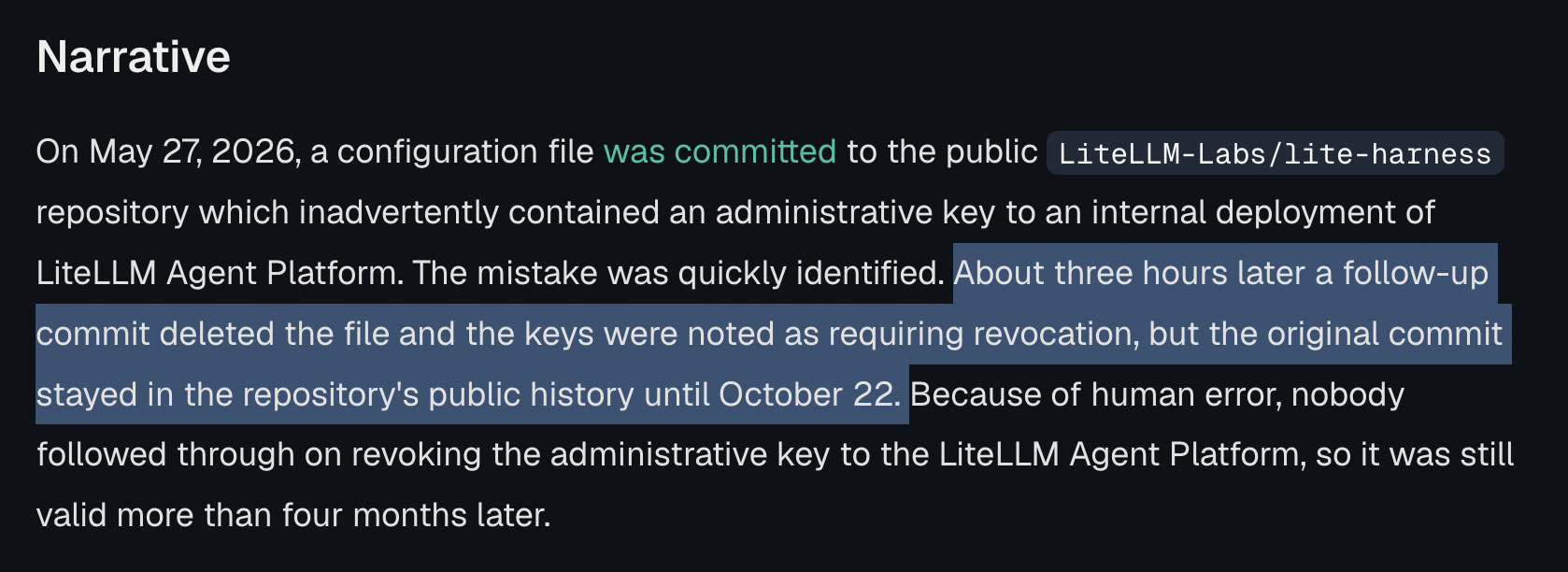
“About three hours later a follow-up commit deleted the file [that leaked the secret] and the keys were noted as requiring revocation, but the original commit stayed in the repository's public history until October 22.”
LiteLLM caught the leak within 3 hours. Their first corrective action was this Pull Request that simply deleted the file. Months later, on October 22, they rewrote git history to remove the commits that leaked the credential.
Those two actions, while common, reflect general misconceptions among developers about secret leakage in git history. Neither step LiteLLM took actually prevents anyone from viewing the leaked data. In fact, the commit leaking the credential is still visible today (don’t worry, they’ve since rotated it!).
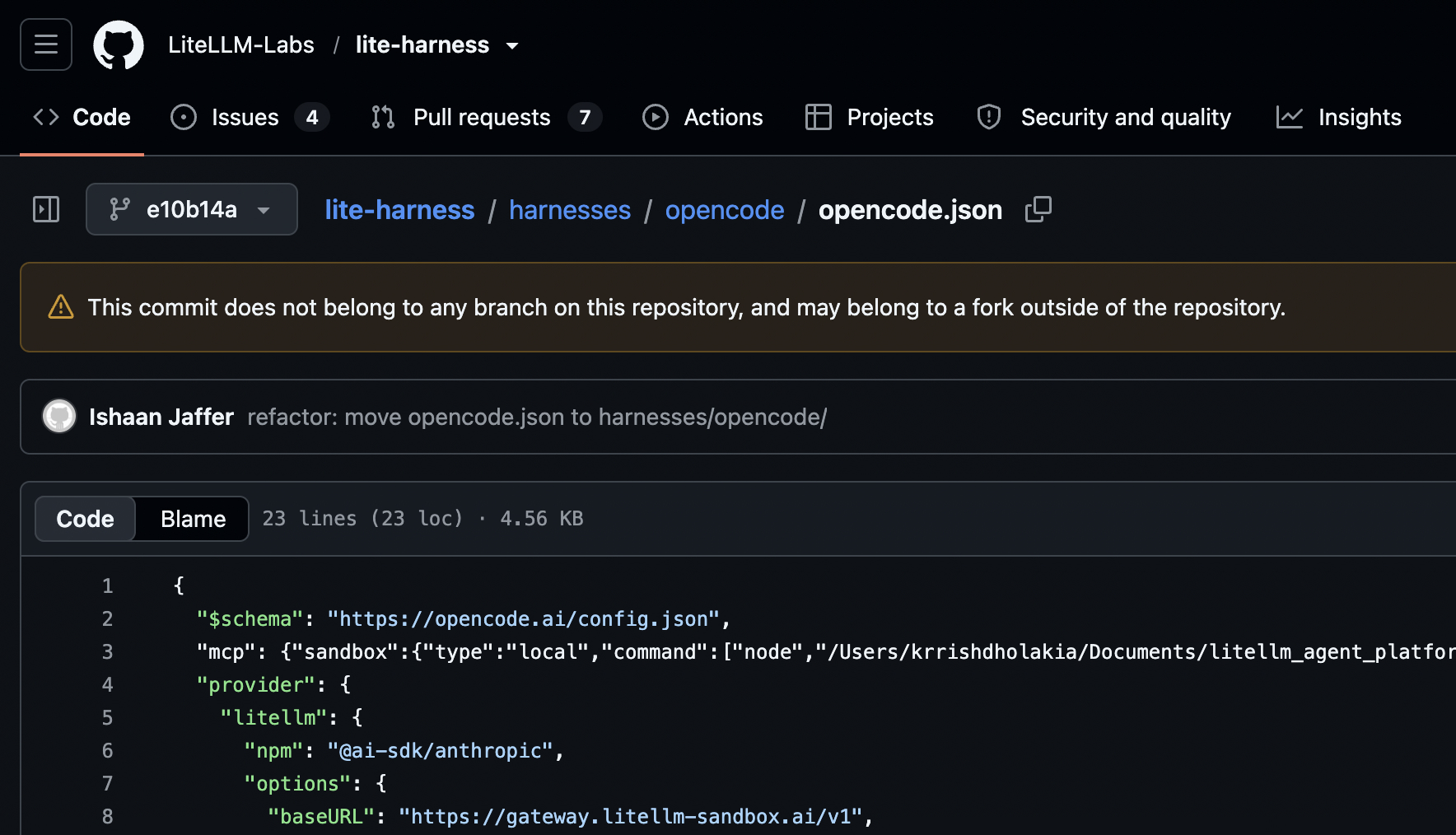
The only way to fully fix a leaked credential is to rotate that credential. Once it’s public, it’s no loner a secret, and won't be again.
Common Misconceptions about Leaked Secrets in Git
The experiments below each test a common "fix" for leaked secrets in git repos:
None of these actions fully protects you from threat actors discovering and using a secret you leak. Even if it’s only in public for just a few minutes.
Misconception #1: Delete the file
LiteLLM took this approach immediately after discovering the leak and it’s probably the most common reaction. The developer recognized a mistake in their code, so they “fixed” it by deleting the offending file in a new commit. As we’ll see below, secret scanners parse git history and scan deleted files.
- Create a new local git repo. Commit a README. Then commit a file with a secret in it.
mkdir tmp_repo
cd tmp_repo
git init
echo "# README" > README.md
git add README.md
git commit -m "initial commit"
# fake leaked key
echo "secret_token=ZQ5Cl16U8kmc4uOxS581xDWr" > file.txt
git add file.txt
git commit -m "exposing secret in file.txt"- Delete that file. Commit again.
rm file.txt
git add .
git commit -m "removed exposed secret in file.txt"- Scan using Betterleaks. You’ll see it detects a secret in git history. (Instructions for setting up Betterleaks on the GitHub page.)
betterleaks git .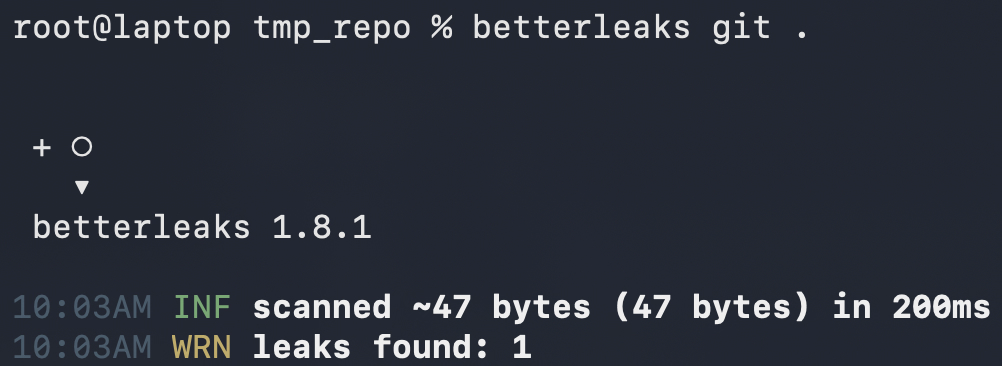
Misconception #2: Rewrite git history
The next instinct is usually to "erase" the leak from git history. LiteLLM attempted this on October 22 by force pushing a rewritten history that excludes the relevant commits. On the surface this seems to work, since those commits aren’t reachable from any branch. Unfortunately, GitHub still serves "deleted" commits to anyone who has their SHA-1 hash.
- Record the commit SHA-1 hash where you exposed the secret.
git log --format=%H --grep="exposing secret in file.txt" -1Note: SHA-1 hashes are 40 characters, which is way too long to guess. However, GitHub allows users to provide a short version in their UI, which resolves to the full 40 characters. The short version can be as short as 4 characters (0-9a-f), which makes these hashes more easily discoverable.
- Push the local repo from above to GitHub. (Create the repo on the GitHub website if the first command doesn’t work.)
git remote add origin https://github.com/<github-username>/tmp_repo.git
git branch -M main
git push -u origin main- Reset your git head to the first commit. Force push to GitHub.
git reset HEAD~2 --hard
git push --force
Note: There are different ways to rewrite commit history. This is a simple demo, so all we’re doing is resetting our repository back to the first initial commit and then force pushing it.
- Delete your local repo.
cd ..
# rm -r tmp_repo # double check your directory name before running this- Clone the remote.
git clone https://github.com/<user>/tmp_repo.git
cd tmp_repo- Review your git history in the cloned version. It will only show one commit.
git log- Fetch your “deleted” commit directly from GitHub. View the “deleted” file.
git fetch origin <sha1_hash_from_step_1>
git checkout <sha1_hash_from_step_1>
cat file.txt
If you visit the “deleted” commit in the browser, you’ll see a banner up top that says “This commit does not belong to any branch on this repository…”, yet we can still see it.
https://github.com/<user>/tmp_repo/commit/<sha1_hash_from_step_1>
Misconception #3: Delete the repo
As a last resort, developers often delete the entire repository. Unfortunately, this isn’t sufficient either. First, you have zero visibility into who cloned your repository. Second, if anyone forked your repository, GitHub will keep a copy of your “deleted” commit indefinitely.
- Ask a friend to fork the repository we created above.
- Delete your repository.
- Visit the deleted commit (via hash) on your friend’s forked version.
https://github.com/<friend>/tmp_repo/commit/<sha1_hash_from_step_1>The commit containing your leaked data will live indefinitely on GitHub until the last fork is deleted.
What if no one saw it?
If those experiments weren’t enough to convince you that you need to rotate a credential that is exposed publicly, watch our colleague Mackenzie leak a key live at a conference, and then check how many actors scanned his key within just a few minutes. Researchers, SaaS/Cloud platforms, and threat actors are all scanning for secrets constantly. Assume that the moment it’s public, someone has seen it.
Rotate your exposed keys
Deleting a file, rewriting history, and deleting a repo all leave a leaked secret reachable. The only action that fully protects your account is credential rotation:
- revoke the leaked one
- issue a new one
- update everywhere the old one was used
While credential rotation stops future misuse, it doesn’t do anything about misuse that already happened, and a leaked key can sit for months before someone finds it. LiteLLM's key was live for over four months before an attacker used it to pull a GitHub token and ship a malicious release.
After you rotate, check for signs the old key was already used:
- The key or token's own usage and access logs
- Recent commits to main and any protected branches
- CI and workflow config changes, and recent pipeline runs
If you can't rule out misuse, treat it as an incident.
How Aikido helps
Aikido helps you check if you have leaked secrets. Customers get secrets detection built into the Aikido platform, and anyone can run Betterleaks, the free open source engine that powers it.
Aikido Secrets Detection and Device Protection
Connect your GitHub, GitLab, Bitbucket or Azure DevOps repositories, public or private, and Aikido Secrets Detection checks them for API keys, passwords, tokens and other exposed credentials. It looks at current code by default, and you can turn on full Git history checks to catch secrets that were added and later removed, like the deleted file from misconception #1.
The Betterleaks engine pairs known credential patterns with techniques for catching generic secrets. For supported credential types, Live Secret Detection checks whether a leaked secret is still active and adjusts the issue’s severity to match. Secrets AutoTriage uses context to separate real credentials from example or test values.
Aikido also flags secrets earlier in development. IDE extensions and a pre-commit hook warn developers before a secret reaches a commit. In CI/CD, Aikido can block a build or PR that contains one.
Aikido Device Protection adds a layer on developer machines. Its agent looks through local files on the device, such as shell history, for hardcoded secrets. File contents stay on the device. When the agent finds a secret, Aikido receives the type of secret and a few characters of the value, enough to recognize the finding.
Betterleaks
Anyone can run Betterleaks on its own. Aikido sponsors the project, and it’s free under the MIT license. The original author of Gitleaks built it as a drop-in replacement for Gitleaks.
Reminder: Whichever tool finds a leaked secret, rotate it. Aikido flags active credentials and recommends rotating them; revoke and replace the credential with the service that issued it. Deleting the secret from your latest commit leaves it in Git history, as the experiments above show.