The worst bug is the one that ships because nobody caught it in review. It breaks in production, and now you're fixing it under pressure instead of during a five-minute PR check.
That's the case for code quality tooling, and it gets stronger the faster your team moves. When a handful of developers are juggling several projects and pushing features daily, messy code, silent bugs, and drifting styles slip in, and each one quietly slows everything down later. A good code quality tool reviews every line, catches security vulnerabilities before they reach production, and keeps the codebase readable and maintainable, whether you're a two-person startup or an enterprise running dozens of services.
This piece breaks down six of the best code quality tools for 2026, from AI-powered reviewers to full analysis platforms, and who each one actually fits.
Top Code Quality Tools
Before we go indepth, below is a quick snapshot of six top code quality tools for 2026 that help teams write better, cleaner code.
- Aikido security Code Quality: This tool automates code review and improves code quality with custom rules.
- Snyk Code: This code quality tool scans your codebase to identify and fix security vulnerabilities early.
- Codacy: Helps maintain coding standards and tracks technical debt across projects.
- SonarQube: This code quality tool offers comprehensive static code analysis with multi-language support.
- Veracode: Delivers enterprise-grade security testing for modern applications.
- DeepSource: This detects issues automatically and suggests fixes to keep your codebase clean.
TL;DR:
Aikido Security reviews every pull request and secures what's in it. The AI review gives inline PR feedback, one-click fix suggestions, and custom rules that learn from your team's past PRs, catching the logic bugs and null dereferences a standard review tends to miss. A deeper layer reasons about business logic on each change, so access-control bugs like IDORs get caught while the pull request is still open. The same reasoning runs across the whole repository, surfacing real logic flaws before a live target even exists to test against.
Findings come with fix recommendations for secure code fixes and single-click suggestions for SAST and IaC issues. IDE plugins catch secrets and code problems as you type, before anything reaches the repository. And it doesn't stop at the pull request. Dependencies, cloud, and runtime are covered in the same platform.
{{cta}}
What Are Code Quality Tools?
Code quality tools are software solutions that help developers and teams write cleaner, more reliable, and more secure code. They automatically check your codebase to identify potential bugs, performance issues, security risks, and deviations from best practices.
In simpler terms, these tools act like automated reviewers that catch issues early before they become expensive problems later.
High-quality code isn’t just about whether your software works. It’s about how easy it is to read, test, and maintain. That’s why the best code quality tools focus on improving:
- Readability: Helping teams write code that’s clear and easy to follow.
- Maintainability: Ensuring updates or fixes don’t break existing features.
- Efficiency: Keeping performance smooth and resource use minimal.
- Security: Catching potential vulnerabilities before deployment.
- Testability: Making it easier to validate that the code behaves as expected.
For small and growing teams, these tools are invaluable. Instead of spending hours combing through pull requests, developers get instant feedback, and teams can enforce consistent standards without slowing down releases.
Best 6 Code Quality Checkers For Small Businesses
1. Aikido Security

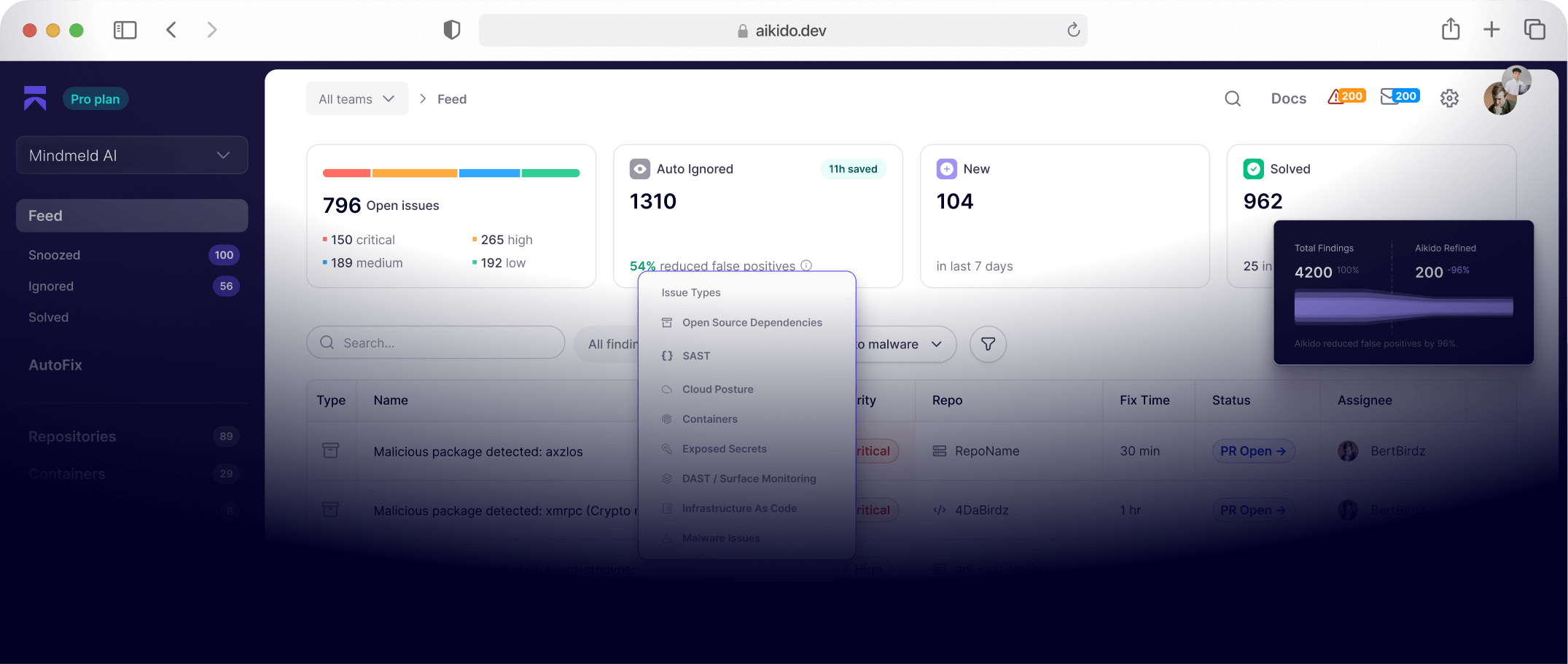
Aikido Security is a software security platform that pairs AI reasoning with traditional code quality rules. It reviews every pull request across three products that work at different depths. Code Quality handles the day-to-day review, Deep PR Review runs full reasoning on every PR as it opens, and Code Security Audit turns that same reasoning on code you've already shipped.
Code Quality is where most teams start. It analyzes every pull request for bugs, security risks, and logic problems, then suggests fixes before the code merges, running on every commit without adding a step to anyone's day. Connect GitHub, GitLab, or Bitbucket (Azure DevOps is in the works) and analysis runs natively in the workflow, with issues and fix suggestions surfacing right in the pull request.
Where it separates itself is what its rules are built to find. Aikido applies a growing library of intelligent rules that catch real-world problems: unsafe command concatenation that opens the door to injection, hardcoded secrets, exposed API keys before they reach production. These combine static analysis with AI context awareness, so they hold up even in less common languages like PowerShell, Haskell, and Zig. Under the hood it uses SAST (Static Application Security Testing) to review source and catch vulnerabilities early in the development lifecycle, and every rule is built to identify a genuine security threat rather than a stylistic nit. Most code quality tools treat security as a side feature; Aikido treats it as the point. Paired with AI-powered triage and AutoFix, it filters out false positives and generates ready-to-merge pull requests for common issues like dependency vulnerabilities and insecure configurations.
Deep PR Review is the layer for teams shipping faster than they can read. Coding agents now open more changes in a day than a team can review, and a diff-level pass wasn't built for that volume. Deep PR Review reads each pull request the way a senior engineer with unlimited time would. Before it flags anything, it takes in your whole codebase, related repositories, existing static results, and the comments already on the change. That context is what lets it reason about business logic and catch access-control bugs like IDORs while the pull request is still open, well beyond what a linter or a fast human pass will see.
Code Security Audit turns that same reasoning on code you've already shipped, following data flow and permission checks across services to find where the logic breaks down. Its sharpest trick is chaining: it takes several individually low-severity bugs and works out the single privilege-escalation path they add up to, the kind of multi-step exploit an attacker would actually build. Every finding shows what's exploitable and how someone would reach it, with a full reasoning trace, and it runs on your source with no test environment to wire up.
Together the three cover the pull request, the review of it, and the code already in production. And code quality is one part of a wider platform: dependencies, cloud, DAST, and malware detection live in the same place, each a product in its own right rather than a lightweight add-on. The analytics dashboard tracks improvement over time, from bug density to test coverage, so small teams can show measurable progress in code health.
Features:
- Customizable rule sets: turn checks on or off, enable recommended sets, or write team-specific rules to match your standards and risk tolerance.
- Deep PR Review: reasons about business logic on every pull request, catching IDORs and broken access control that SAST and a fast human review both miss.
- Code Security Audit: reasons about shipped code, tracing data flow and permission boundaries across files and services to surface flaws and multi-step exploit chains, with no environment to wire up.
- Secrets detection and SCA: finds exposed secrets, flags vulnerable dependencies, and generates SBOM-ready output for supply-chain hygiene.
- Native integrations with GitHub, GitLab, and Bitbucket CI/CD pipelines, IDEs, and Slack and Jira, plus a CLI for local runs.
- Dashboards that track code health over time (bug density, active checks, rule adoption) so teams can measure improvement.
- Cloud-first with an on-prem option for compliance-heavy environments, and role-based access for larger teams.
Best for:
- Enterprise teams that want code review, deeper reasoning, and security in one workflow rather than stitched-together tools.
- Teams shipping AI-generated code faster than humans can review it, who need an independent layer on every PR.
- A first repo through to a complex estate: the platform starts simple and holds up as teams and codebases grow.
Pros:
- Three products covering the pull request, the review, and shipped code, all reasoning about business logic rather than matching patterns.
- Covers SAST, DAST, CSPM, API security, and malware detection across the platform.
- AI-generated remediation and AutoFix pull requests speed up secure coding.
- Fits inside developers' existing GitHub, GitLab, and Bitbucket workflows.
- Cuts false positives by weighing exploitability and business logic, not just code patterns.
2. Snyk Code
Snyk Code is the static analysis (SAST) component of the broader Snyk developer security platform. Built on technology from DeepCode (acquired by Snyk), it uses machine learning to identify security vulnerabilities and code quality issues in real time. The platform is cloud-based and focuses heavily on developer experience integrating directly into IDEs, Git systems, and CI/CD pipelines to make scanning as seamless as possible.
Under the hood, Snyk Code analyzes source code patterns using AI trained on millions of open-source commits. This helps it detect insecure or inefficient code early in the development lifecycle and suggest fixes before deployment. The tool supports popular languages, with rules tailored to common frameworks like React, Express, Django, and Spring.
While Snyk Code delivers fast, accurate scans and helpful fix recommendations, some users find the interface overwhelming due to the volume of information presented. Scanning larger projects can also slow CI/CD pipelines, and pricing may feel high for startups compared to simpler tools.
Key Features:
- AI-powered static analysis: Built on DeepCode’s machine learning engine trained on millions of code examples, improving detection accuracy and reducing false positives.
- Multi-language support: Works across JavaScript, Python, Java, C#, PHP, Go, and more with framework-specific rules.
- IDE and CI/CD integration: Plugins for VS Code, IntelliJ, and Visual Studio let developers catch issues directly in their editors.
- Unified platform: Connects with other Snyk modules (SCA, container, IaC) for a single view of security posture.
- Fix suggestions: Provides code examples or safer function alternatives to help developers remediate issues quickly.
3. DeepSource
DeepSource is a modern code analysis platform that helps developers spot and fix code quality and security issues before they pile up. It integrates directly with your repositories like GitHub, GitLab, and Bitbucket to analyze pull requests automatically and suggest improvements.
One of its biggest draws is the autofix feature, which can automatically correct certain issues for you. So instead of just flagging bad patterns, DeepSource can also clean them up like a smart assistant that reviews your code and helps you learn better practices as you go.
Features:
- Static code analysis: Scans your codebase and pull requests to catch bugs, style violations, and maintainability issues—no CI setup required.
- Security scanning (SAST): Detects common vulnerabilities and helps teams stay compliant with standards like OWASP® Top 10 and CWE Top 25.
- Autofix and suggestions: Goes beyond detection by suggesting or even applying fixes automatically, complete with examples of “bad” and “good” code.
- Code coverage insights: Measures how much of your code is tested and highlights untested lines after every pull request.
- Infrastructure-as-Code (IaC) checks: Prevents security misconfigurations in Terraform or other infrastructure files before deployment.
- Low false positives: DeepSource claims a less than 5% false-positive rate, making its reports more actionable and less noisy.
4. Codacy
Codacy is an automated code review and quality management platform built for scaling teams. It analyzes code across multiple languages, flagging issues around maintainability, security, and performance before they reach production. With deep integration into GitHub, GitLab, and Bitbucket, Codacy helps enterprises enforce consistent coding standards across large engineering teams.
Codacy fits best in enterprise environments where large teams need automated reviews at scale. Its flexibility and depth make it a solid choice for enforcing consistent standards across projects. However, smaller teams may find its setup and cost heavy compared to lighter tools focused purely on code security or quality. For companies that value deep customization and visibility across repositories, Codacy delivers both but it takes time and tuning to get the most out of it.
Features:
- Automated code quality checks: Scans every pull request for code smells, complexity, and style issues using popular linters like ESLint, PMD, and Checkov.
- Security and coverage analysis: Combines static application testing (SAST), software composition analysis (SCA), and secret scanning for end-to-end visibility.
- Customizable rules: Teams can adjust coding rules and tools per project, allowing flexibility in enforcing internal standards.
- Performance insights: Through Codacy Pulse, engineering managers can track code quality trends, review bottlenecks, and technical debt across teams.
- Extensive integration support: Works with 40+ languages and connects to CI/CD pipelines for continuous feedback.
5. SonarQube
SonarQube, developed by SonarSource, is one of the most established platforms for automated code quality and security analysis. It helps engineering teams detect bugs, code smells, and vulnerabilities across a wide range of languages, combining static analysis with actionable reporting to maintain clean, maintainable, and secure codebases.
Features:
- Code quality and security together: Uses customizable quality gates to measure bugs, vulnerabilities, test coverage, and code duplications, giving teams a clear, unified view of code health.
- Wide language support: Analyzes over 30 programming languages, including Java, Python, C#, JavaScript, C/C++, Go, and Swift. Advanced security scanning (like taint analysis) is available in paid tiers.
- Continuous integration: Works with popular CI/CD tools like Jenkins, GitHub Actions, and GitLab CI to run automatic code reviews during builds and flag violations before merging.
- IDE integration: Through SonarLint, developers can see issues directly in their editor, receiving instant feedback as they write code.
- Extensibility and plugins: Offers an active plugin ecosystem, enabling custom rules, metrics, and integrations tailored to specific enterprise needs.
6. Veracode
Veracode is one of the longest-standing platforms in application security testing. It provides cloud-based tools for scanning code, applications, and dependencies for vulnerabilities, all without needing complex local setups. Its strength lies in combining multiple testing approaches (SAST, DAST, and SCA) in a single platform, giving security and development teams a unified view of risk.
Key Features:
- All-in-One Security Testing: Combines static, dynamic, and composition analysis to identify vulnerabilities across source code, compiled binaries, and open-source libraries.
- Cloud-Based Scanning: Runs scans on Veracode’s servers, so teams don’t need to manage infrastructure or rule updates.
- Policy Governance: Allows organizations to enforce security standards across projects and generate compliance-ready reports for audits.
- Integrations: Works with Jenkins, GitHub, GitLab, and other CI/CD tools, and includes an IDE plugin (Veracode IDE Scan) for faster, incremental checks.
- Actionable Reporting: Displays findings with path traces and remediation guidance, helping developers understand and fix vulnerabilities efficiently.
Choosing the Best Code Quality Analysis Tool
Picking the right code quality analysis tool depends on your team’s needs, whether it’s automation, security, or flexibility. Some tools focus on deep security scans, while others, like Aikido Security’s AI code reviewer, offer smart, context-aware feedback that understands not just patterns, but business logic and intent behind your code.
Enterprises may need deeper integrations and scalability, while smaller teams might prioritize ease of use and cost. The key is finding a tool that fits naturally into your development process without adding extra complexity. With the right choice, code reviews become faster, more effective, and less of a bottleneck, helping teams maintain high-quality, secure code with less effort.
The following are a few key things to look out for:
1. Ease of Setup and Use
A tool should be easy to get started with and simple enough for your team to adopt quickly. You don’t want to spend days figuring out configurations before your first review.
Platforms like Aikido Security shine here. They connect directly to GitHub or GitLab and start checking pull requests almost immediately, so you can focus on writing code, not managing setup.
2. Seamless Integration
The ideal tool should integrate naturally with your existing workflow. The fewer context switches your developers make, the more efficient your process becomes. Look for tools that run directly in your PRs or IDEs and can post results to Slack or Jira for quick follow-up.
3. Actionable Results
Good tools go beyond listing errors. They help you understand why something’s an issue and how to fix it. Whether through autofix suggestions, detailed explanations, or guided remediations, actionable insights turn code reviews into learning moments. This is where Aikido’s AI-powered autofix and clear, human-like recommendations really stand out because you don’t just see the problem; you know what to do next.
4. Real-Time Feedback
Instant feedback helps developers catch issues while they’re still in context. Tools that analyze pull requests or offer in-IDE scanning keep your workflow fast and iterative. Even if a tool doesn’t operate in real time, it should deliver results quickly enough that it doesn’t block reviews or deployments.
5. Customizable Rules and Policy Controls
No two teams write code the same way. Choose a tool that lets you tailor rule sets, enable or disable certain checks, and define what “good code” means for your team.
Tools that support AI-tuned rule customization, like Aikido’s rule tuning feature, make it easy to balance developer freedom with quality standards.
6. Reporting and Visibility
Dashboards and trend reports aren’t just for management, they help teams measure improvement over time. Look for tools that visualize key metrics such as bug density, test coverage, or recurring issues. Aikido, for instance, makes it simple for small teams to show measurable progress and maintain accountability across releases.
7. Scalability and Collaboration
As your codebase and team grow, your tool should grow with you. Cloud-based tools that support multiple repositories, user roles, and permissions help teams collaborate effectively without slowing down.
8. Pricing and Value
Finally, choose a tool that matches your scale and budget. Some tools cater to large enterprises, while others offer predictable pricing for smaller teams. The goal is to get reliable checks, clear insights, and automation, without paying for features you don’t use.
Conclusion
Code quality tools aren’t just about keeping your code neat, they’re also serve as the first line of defense against bugs, inefficiencies, and security risks that could slow your team down. In 2026, maintaining clean, secure code isn’t a nice-to-have; it’s the standard every serious development team needs to meet.
From all-in-one platforms like SonarQube and Veracode, to developer-friendly analyzers like DeepSource, there’s a tool for every team size and workflow. The best choice depends on what matters most to you, be it deep security coverage, automation, simplicity, or speed. What’s important is picking one that fits naturally into your pipeline, helping you ship with confidence instead of adding friction.
If you’re looking for a balance between smart automation and simplicity, Aikido Security is worth exploring. Its AI code reviewer helps teams catch issues early, get clear remediation guidance, and keep codebases efficient without extra setup. You can start for free in just a few clicks, no complex configuration, no credit card, no hassle.
In the end, good code isn’t just written, it’s continuously improved. With the right code quality tool by your side, you can focus on what matters most: building great software that’s reliable and secure.