

Every fix ships as a pull request you trust
Aikido turns SAST, SCA, IaC, and container security findings into merge-ready PRs.
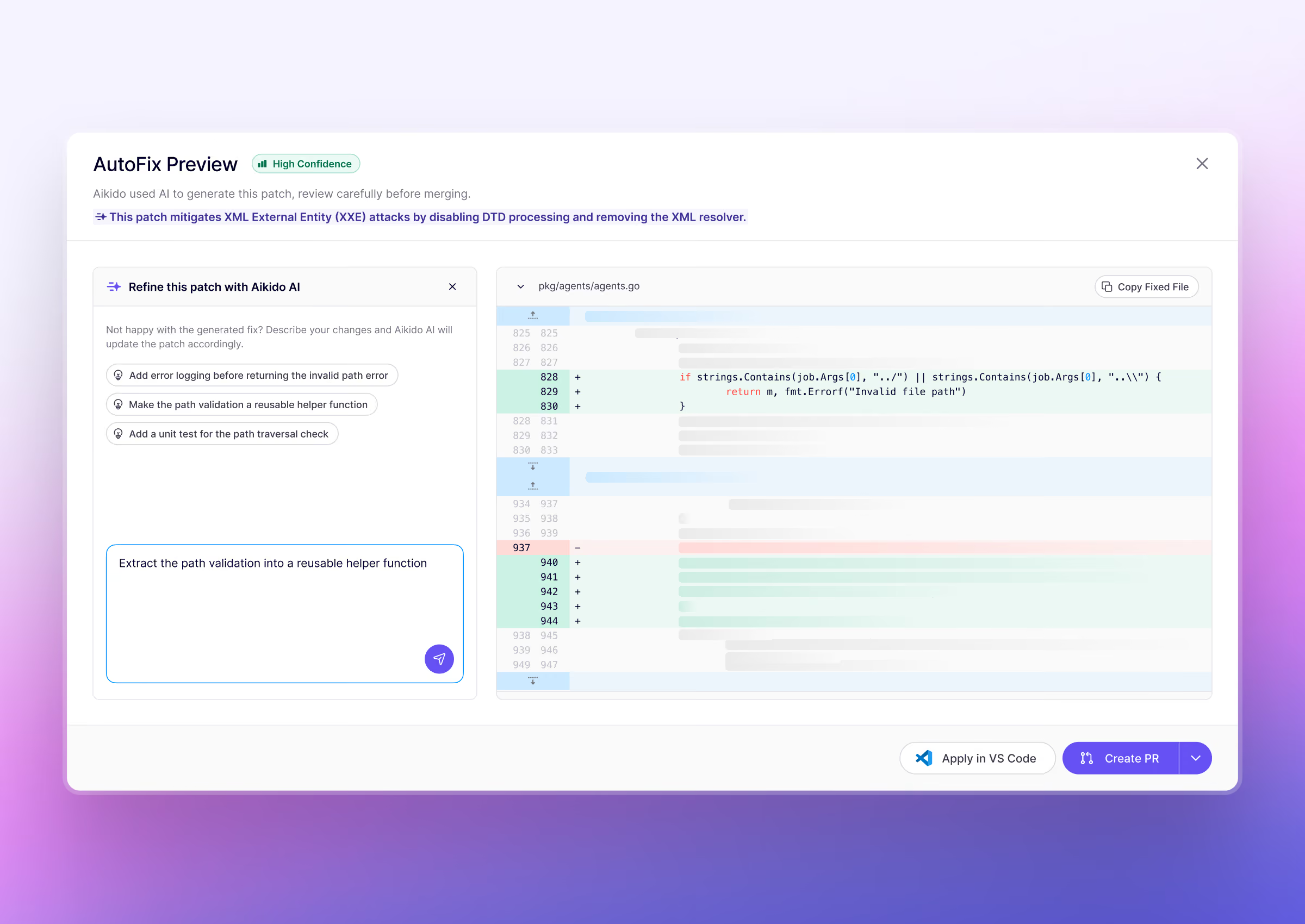





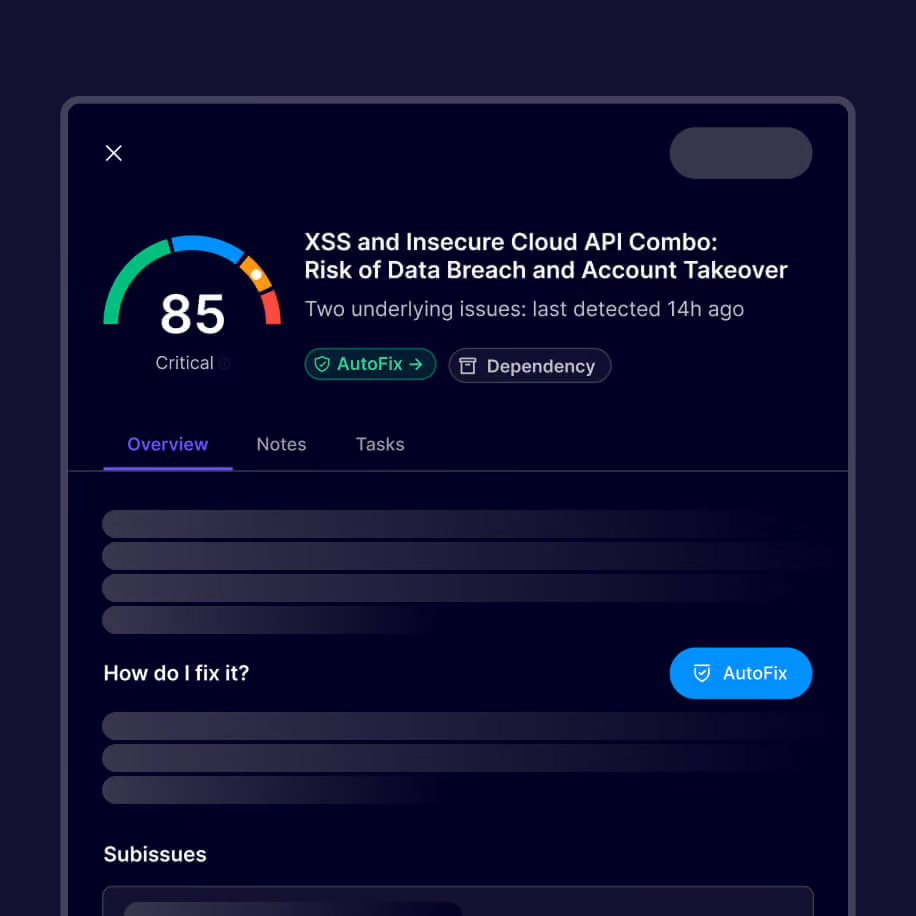
Create instant auto-fixes for every security finding that your engines surface
Fix CVEs without breaking your build
Most autofix tools give you one option: upgrade to the latest version. Aikido takes the smallest safe version bump when one exists. When that’s too risky, Aikido Libraries backports the fix onto the exact version you're already running.
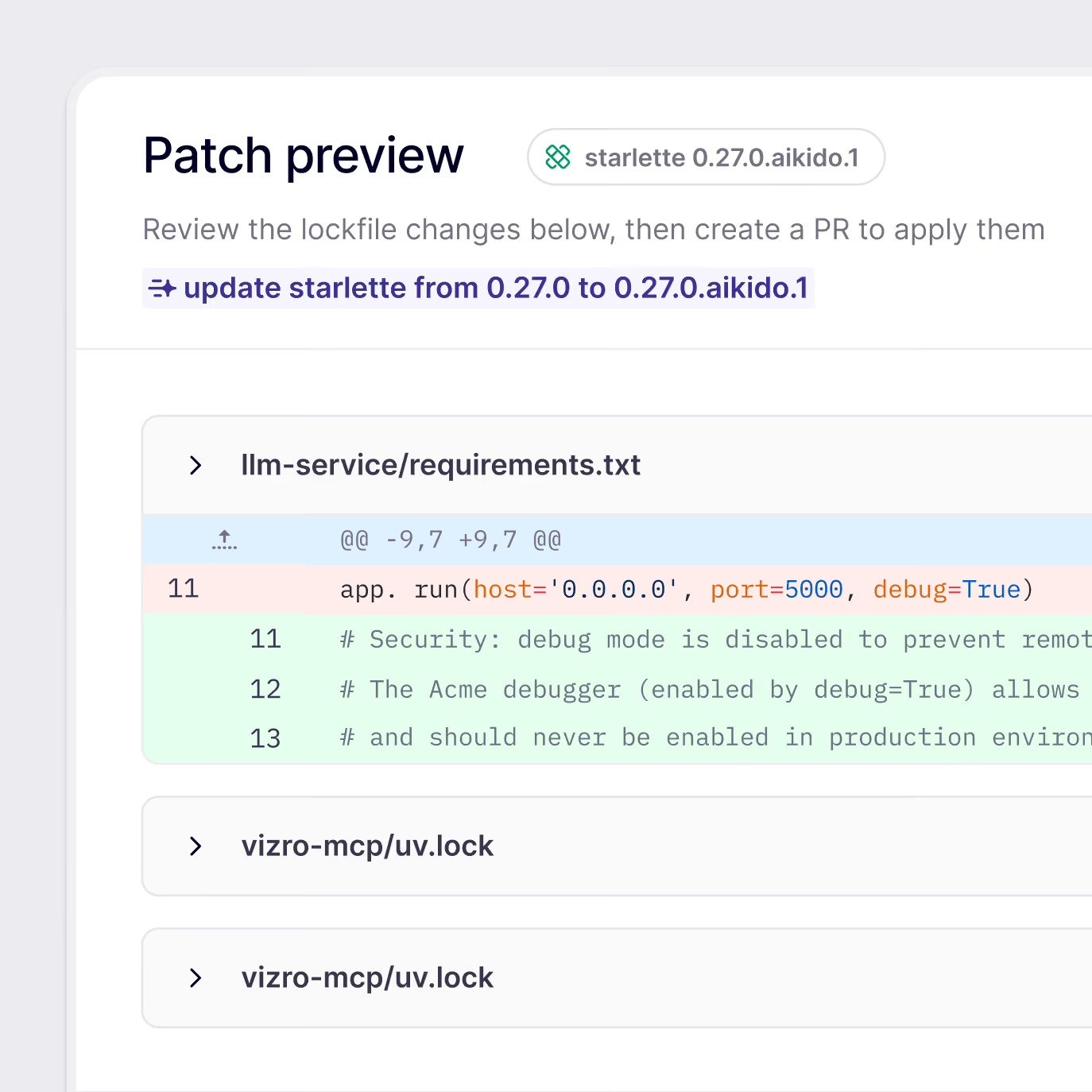
SAST fixes in seconds
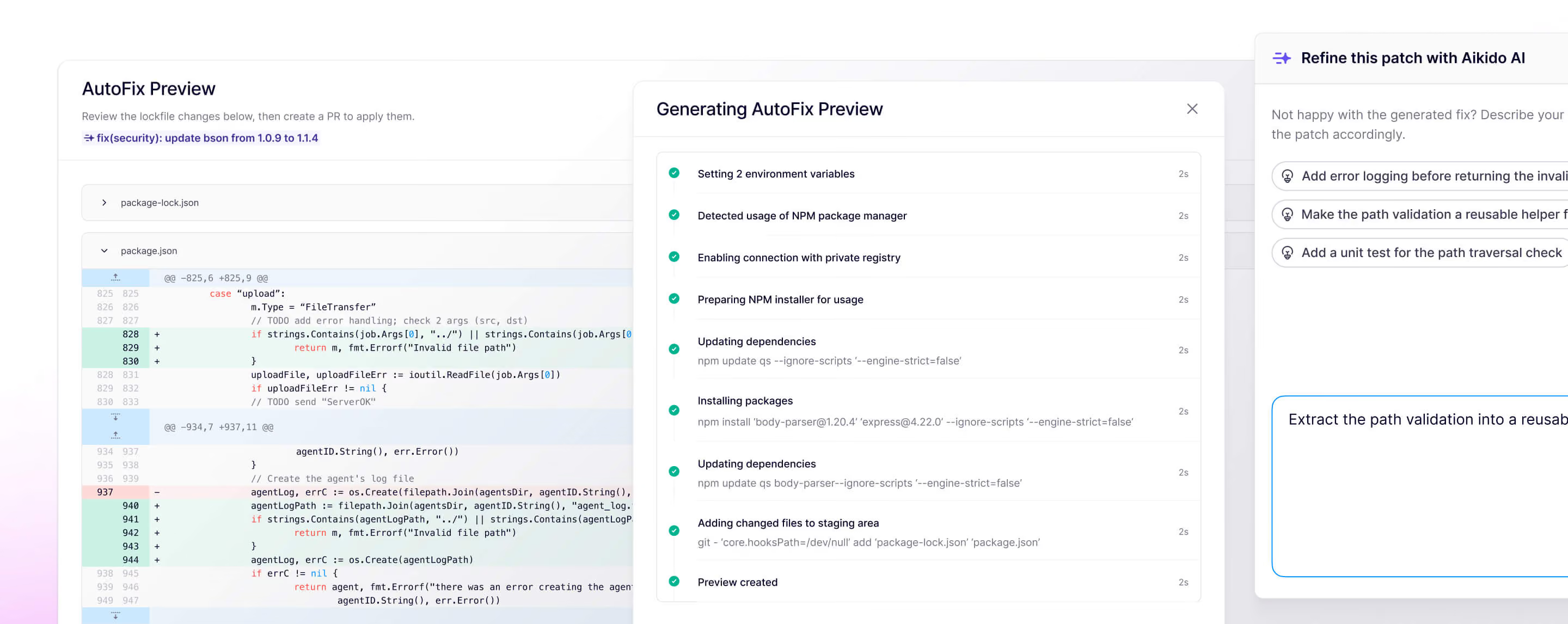
Aikido generates most SAST fixes in under 5 seconds. Preview it, then create a PR or apply it straight from your IDE. Every fix carries a confidence score, so you know exactly what's shipping before it does.
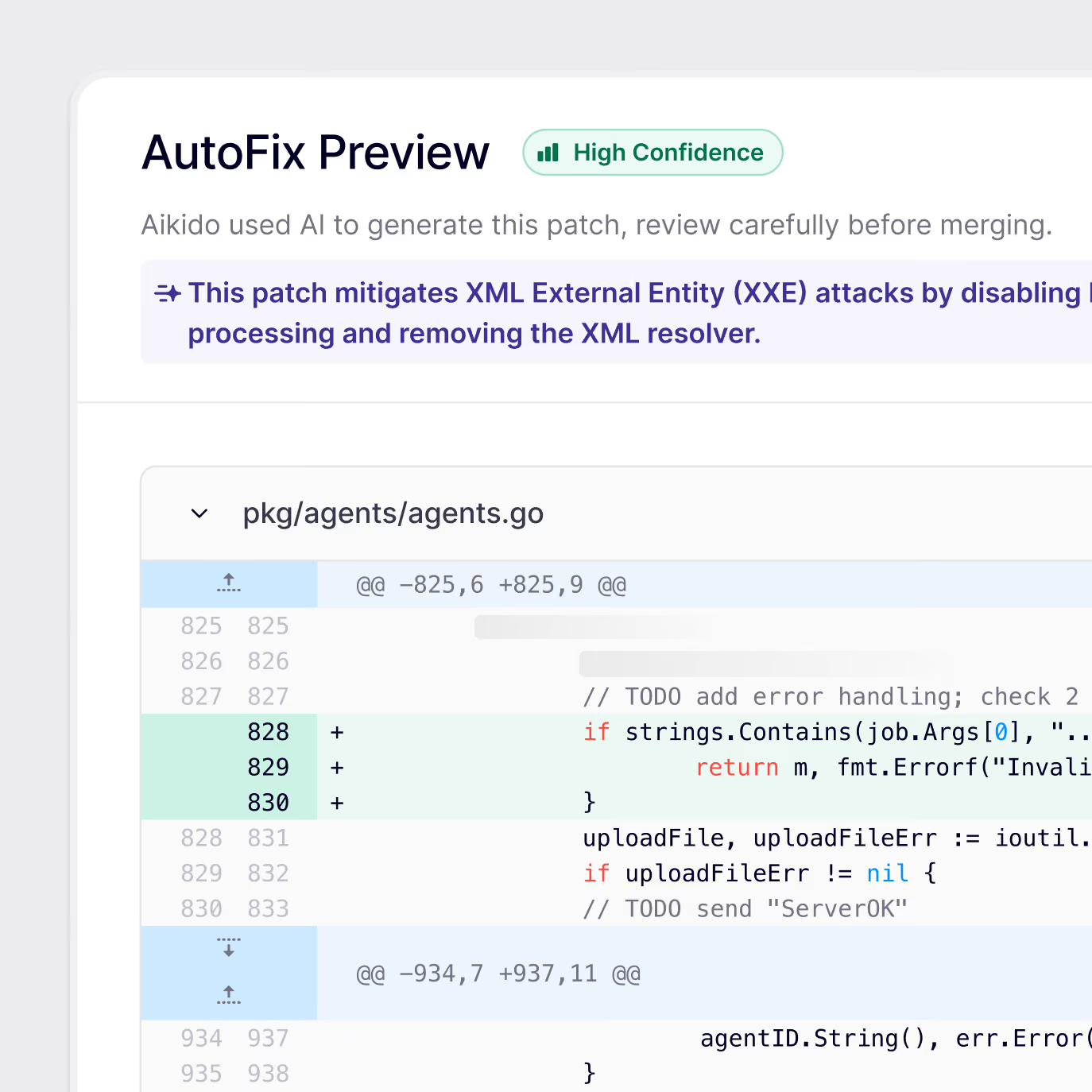
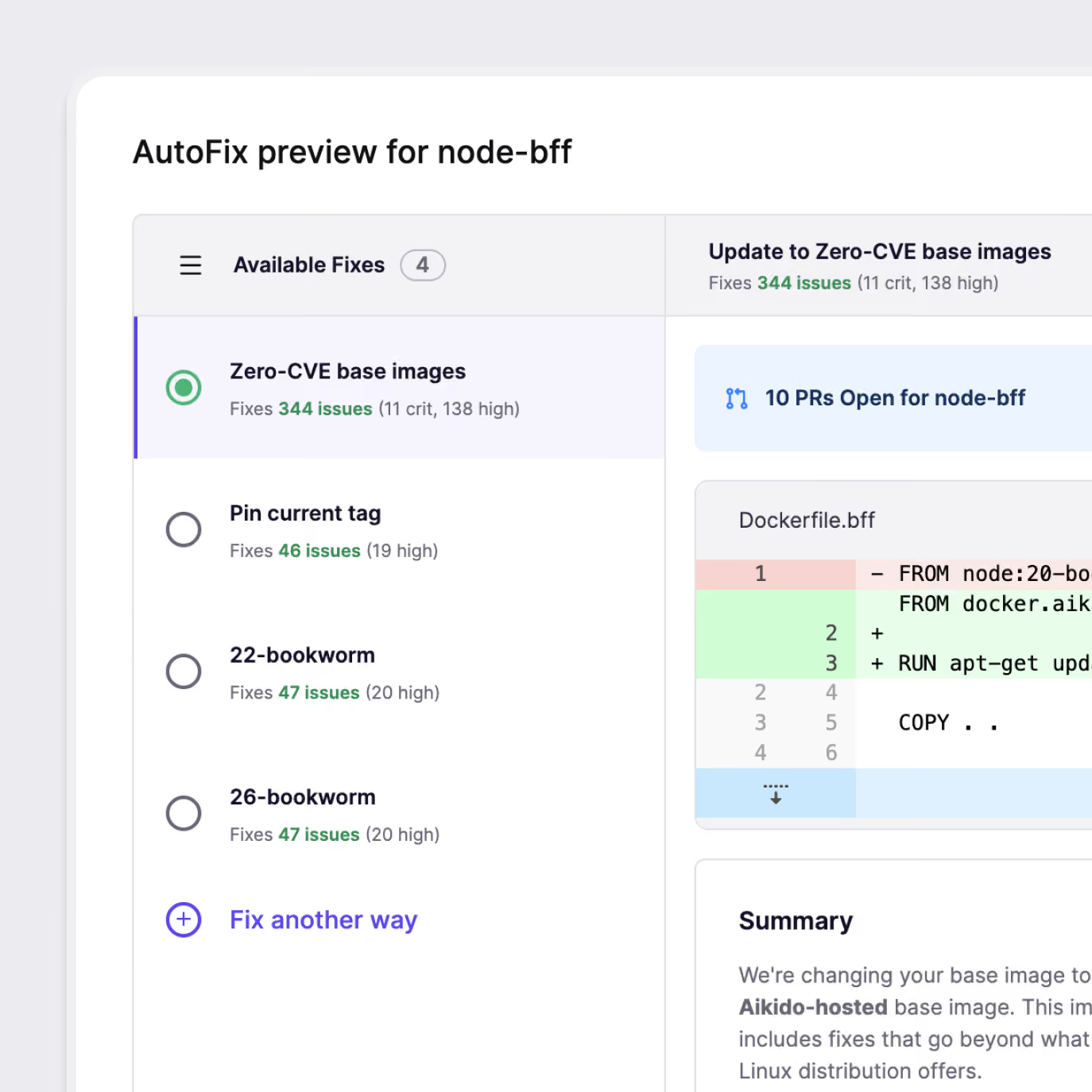
Why Aikido excels at fixing CVEs
Incredibly fast
AutoFix opens a ready-to-merge PR the moment a CVE is found.
Fully automated
AutoFix classifies each CVE and opens the fix PR itself, grouped by repo and lockfile.
Doesn’t break your build
Aikido Libraries backports the patch into the exact version you're already running. Without breaking changes.
Works the way you want
Add custom instructions and set your own branch names, commit messages and merge rules. AutoFix uses them every time.

AutoFix your findings, for free

Detect, refine, and ship fixes in minutes
.avif)
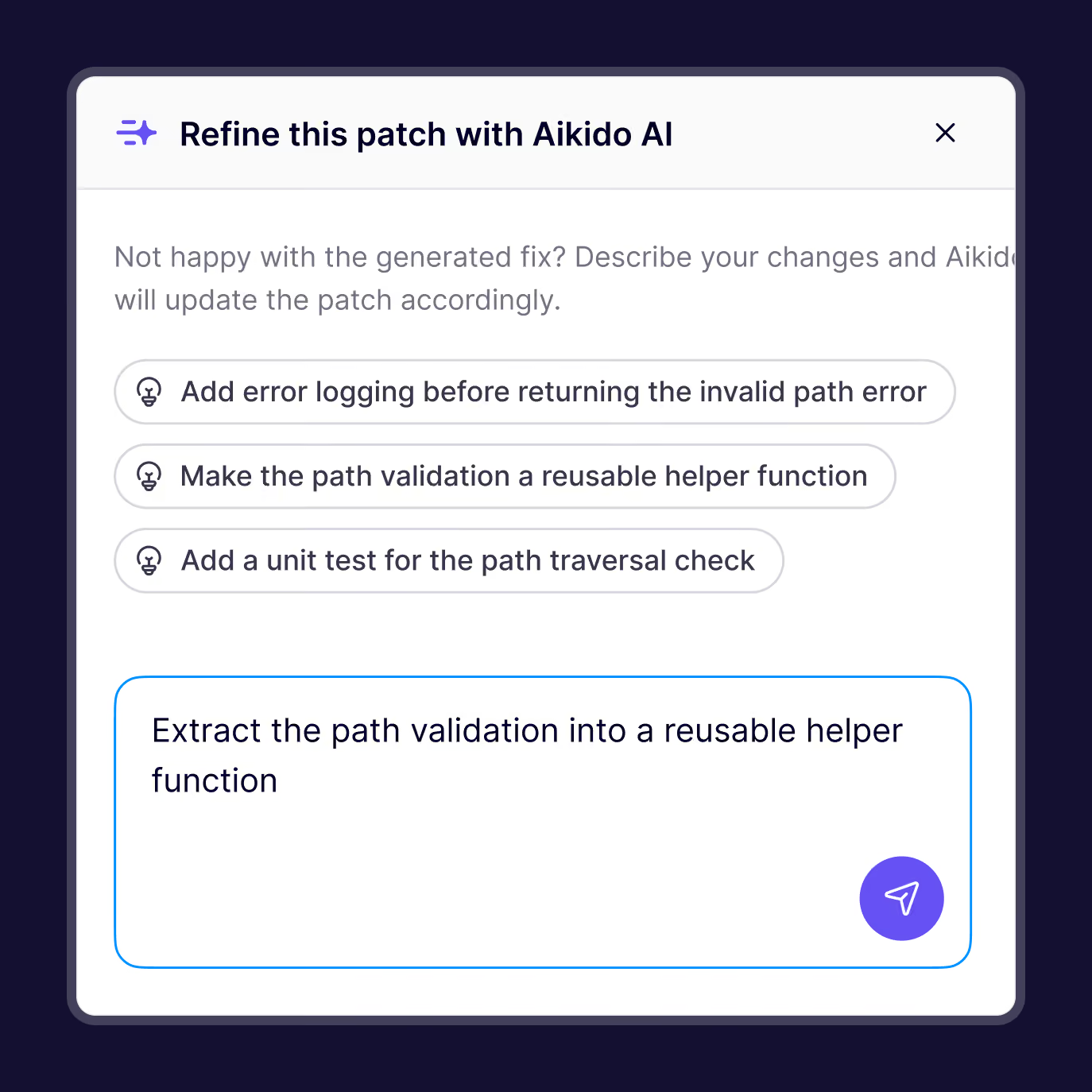
Refine without leaving Aikido
Maybe the patch needs a different error-handling pattern, or a test added alongside it. Tell Aikido AI what to change and it updates the same patch. You stay inside Aikido: no switching tools or pasting the finding into a separate chatbot. Once it looks right, merge it to close the finding.

“If you're struggling to buy just one vulnerability scanning tool at an affordable price that checks the most boxes - this is the one I'd buy”
James BerthotyCyber Security Expert at latio.tech

“The fastest time we fixed a vulnerability was just 5 seconds after detection. That is efficiency.”
Aufar SukmajayaBack End Developer
Keep auto-fixing anywhere you work
.avif)
Autofix directly in your IDE
Aikido IDE AutoFixes code in real time. Fix issues with 1-click suggestions as your code is written, or generated.
.avif)
Autofix directly in your PR
Stop insecure code before it merges. Gate pull requests based on severity and type. Aikido adds inline comments so developers get instant, line-level security feedback.
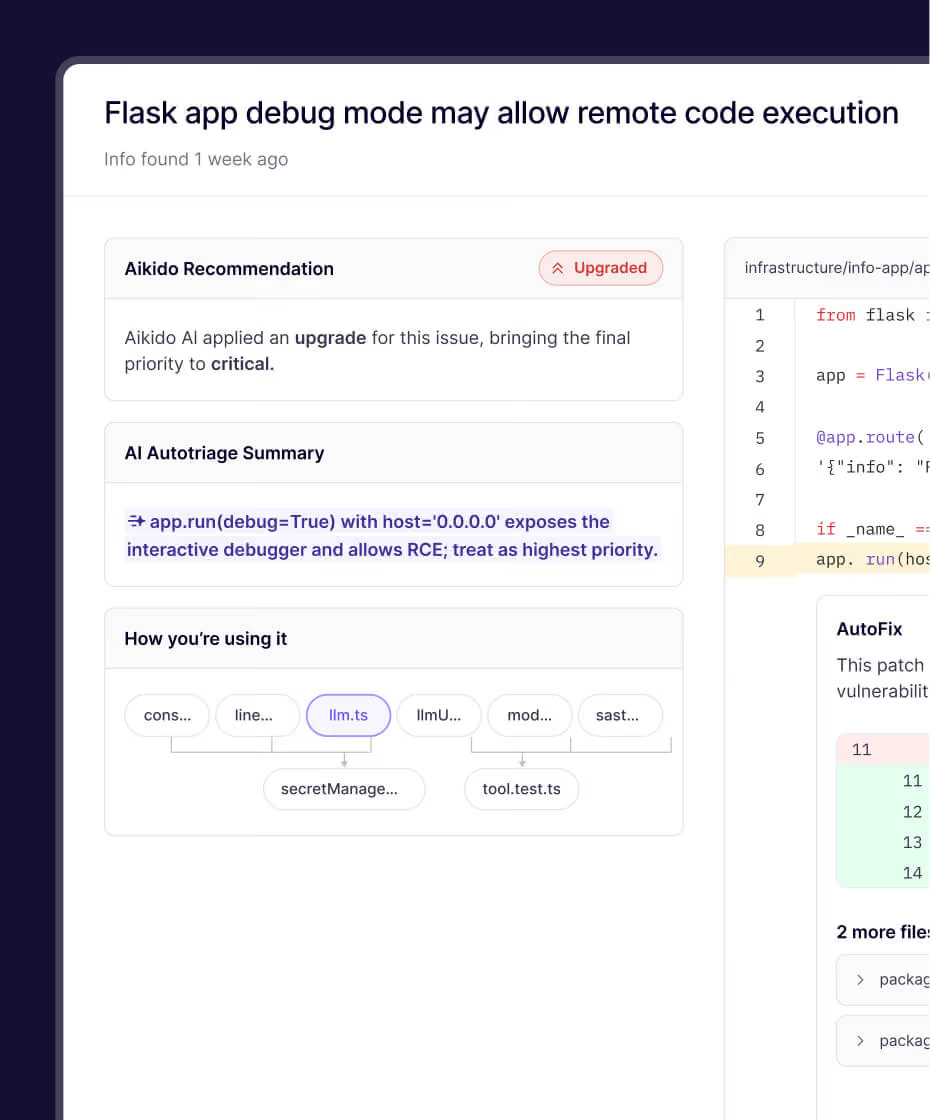
Autofix pentest & Code Analysis findings
When an AI pentest or AI Code Analysis identifies an issues, AutoFix generates a review-ready patch that you can merge or refine.
"The combination of low false positives and AutoFix saves our teams hours every week."
%201.svg)
Save hours, autofix your findings.
Secure your code, cloud, and runtime in one central system.
Find and fix vulnerabilities fast automatically.
FAQs about Aikido AI autofix

Yes - you can export a full SBOM in CycloneDX, SPDX, or CSV format with one click. Just open the Licenses & SBOM report to see all your packages and licenses.
Yes - you can connect a real repo (read-only access), or use our public demo project to explore the platform. All scans are read-only and Aikido never makes changes to your code. Fixes are proposed via pull requests you review and merge.
We can’t & won’t, this is guaranteed by read-only access.
Aikido does not store your code after an analysis. Some analyses, such as SAST and Secrets Detection, require a git clone operation. More detailed information can be found on help.aikido.dev.
Of course! When you sign up with your git, don’t give access to any repo & select the demo repo instead!