

You can still do code reviews manually, but AI-powered tools can catch more issues, faster, and help your team move efficiently.
Aikido’s 2026 State of AI in Security & Development report found that 73% of teams still depend on manual reviews, often causing delays and missed issues.
If AI helps you write code, it makes sense to use it for reviews too. Building automated checks into the pipeline helps teams scale securely without slowing down. As Julian Deborré, Head of Engineering at Panaseer, shared in Aikido’s report, “AI helps us write code faster, so it makes sense for AI to review it too.”
The better AI code review tools read a change against the rest of the codebase and reason about what it might break elsewhere.
While CodeRabbit remains popular, it does have its issues. This guide highlights the best 2026 CodeRabbit alternatives and how they excel in accuracy, security, and pricing flexibility. We compare:
- Aikido Security:
- Panto AI
- CodeAnt AI
- Qodo Merge
- CodeFactor
- Greptile
- GitHub Copilot
- SonarQube
TL;DR
Aikido Security reviews every pull request and secures what's in it. The AI review gives inline PR feedback, one-click fix suggestions, and custom rules that learn from your team's past PRs, catching the logic bugs and null dereferences a standard review tends to miss. A deeper layer reasons about business logic on each change, so access-control bugs like IDORs get caught while the pull request is still open. The same reasoning runs across the whole repository, surfacing real logic flaws before a live target even exists to test against.
Findings come with fix recommendations for secure code fixes and single-click suggestions for SAST and IaC issues. IDE plugins catch secrets and code problems as you type, before anything reaches the repository. And it doesn't stop at the pull request. Dependencies, cloud, and runtime are covered in the same platform.
Pricing is a free tier plus flat-rate plans, so teams start immediately and scale without hidden fees. Deeper reasoning and fixes in one place make Aikido the strongest CodeRabbit alternative here.
Top CodeRabbit alternatives in 2026
Here's how Aikido compares to CodeRabbit for teams evaluating code review tools:
What are code review tools?
Code review used to mean a teammate reading your diff and leaving comments. AI code review tools do that part faster, but the best ones go further. They trace what a change touches elsewhere, and flag the logic and access-control problems a quick human pass waves through. The weak ones just restate what a linter already told you. CodeRabbit handles file-by-file review well. Once your codebase spans more contributors and repos, the question becomes which tool still gives you high-signal feedback at that size.
What is CodeRabbit?
CodeRabbit is an AI-powered code review assistant that gives context-aware feedback on pull requests. It connects with GitHub, GitLab, Azure DevOps, and Bitbucket, spotting bugs, style issues, and missing tests.
For example, CodeRabbit reviews each pull request using trusted linters and security analyzers, then turns the results into useful comments. Public repositories can use its Pro features for free, which makes it popular among small teams and open-source contributors.
As projects grow and codebases become more complex, some teams may want deeper insights, stronger security checks, or more advanced reporting than CodeRabbit currently offers.
Why or when to look for CodeRabbit alternatives?
With AI code review tools, developers can automate much of the review process while maintaining quality and context. CodeRabbit, for example, works well for simple file-by-file reviews and catching common issues. It integrates smoothly with platforms like GitHub, adding AI-generated comments directly into pull requests. You can also pair it with linters such as Semgrep by adding a `semgrep.yml` file and configuring CodeRabbit to use it. This setup helps identify unsafe patterns and missing standard checks. For small teams or simple projects, that’s often enough.
As your codebase grows with more services, modules, and contributors, you may start needing a code review tool that offers more advanced support. You might want one that:
- Filters out unnecessary comments and focuses only on high-impact feedback.
- Learn from your team’s past reviews and improve its accuracy over time.
- Provides feedback that is more context-aware and easier to act on.
Here are seven top CodeRabbit alternatives, highlighting their features, pricing, and key pros and cons to help you make the best choice for your team.
The top 8 CodeRabbit alternatives
When your codebase spans multiple services, languages, and environments, you need more than a tool that only checks lines of code. The alternatives below provide deeper analysis, solid integrations, and flexible rules that fit complex, enterprise-level projects.
Let’s get started.
1. Aikido Security
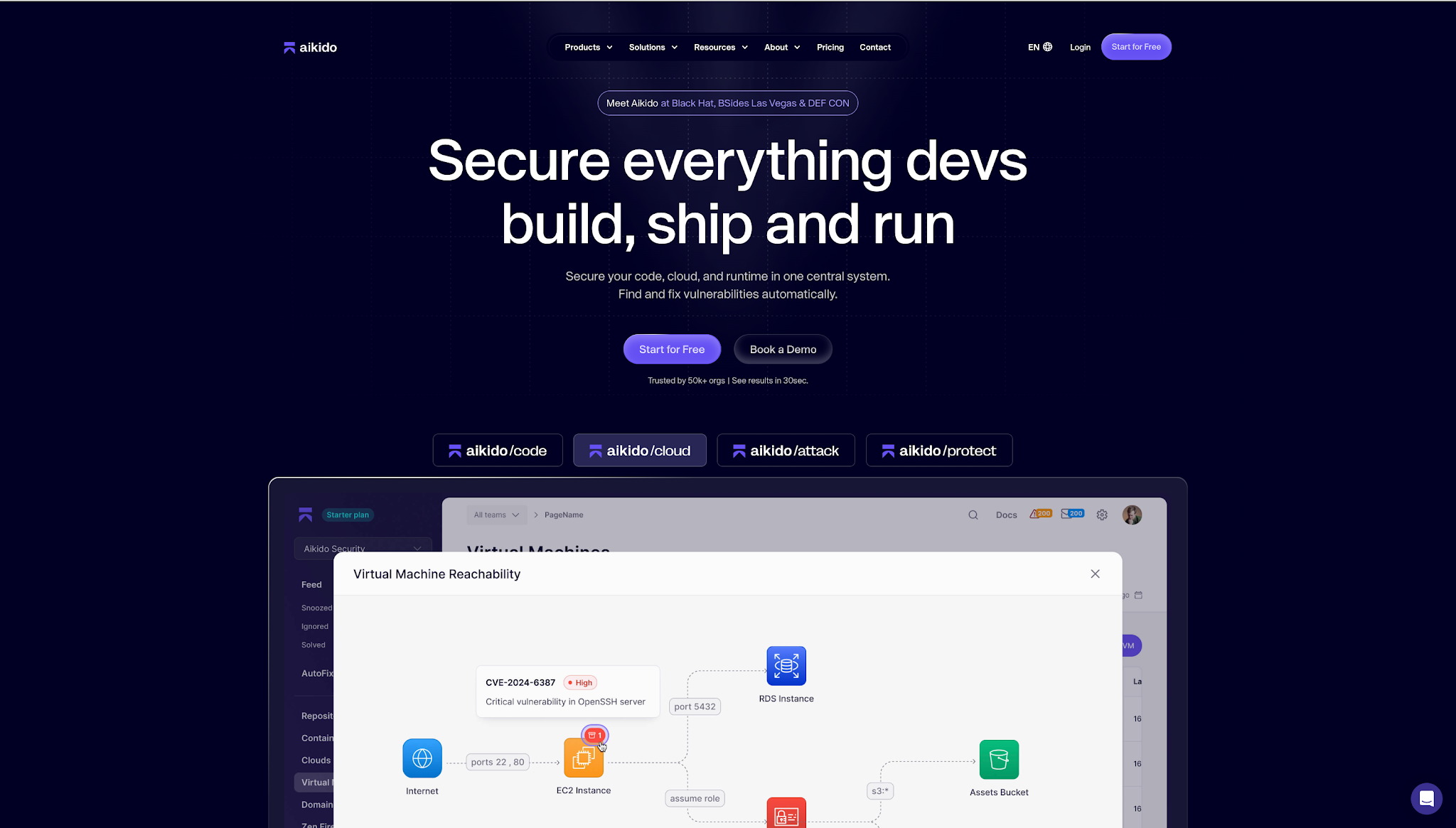
Aikido Security reviews every pull request and secures what's in it, across three products that work at different depths. Code Quality handles the day-to-day review. Deep PR Review runs full AI reasoning on every pull request as it's opened. Code Security Audit applies that same reasoning on code you've already shipped. The reviews run across your version control and IDEs, reading each change against the wider codebase rather than the diff alone.
Code Quality
Code Quality produces inline PR comments and one-click fixes on every change, with custom and predefined rules you enforce across the team. Connect a repo and it runs on smart defaults, no config. On every pull request it gives instant, context-aware feedback, learns your codebase from past reviews, and applies the custom rules you've defined so developers get high-signal comments that actually matter.
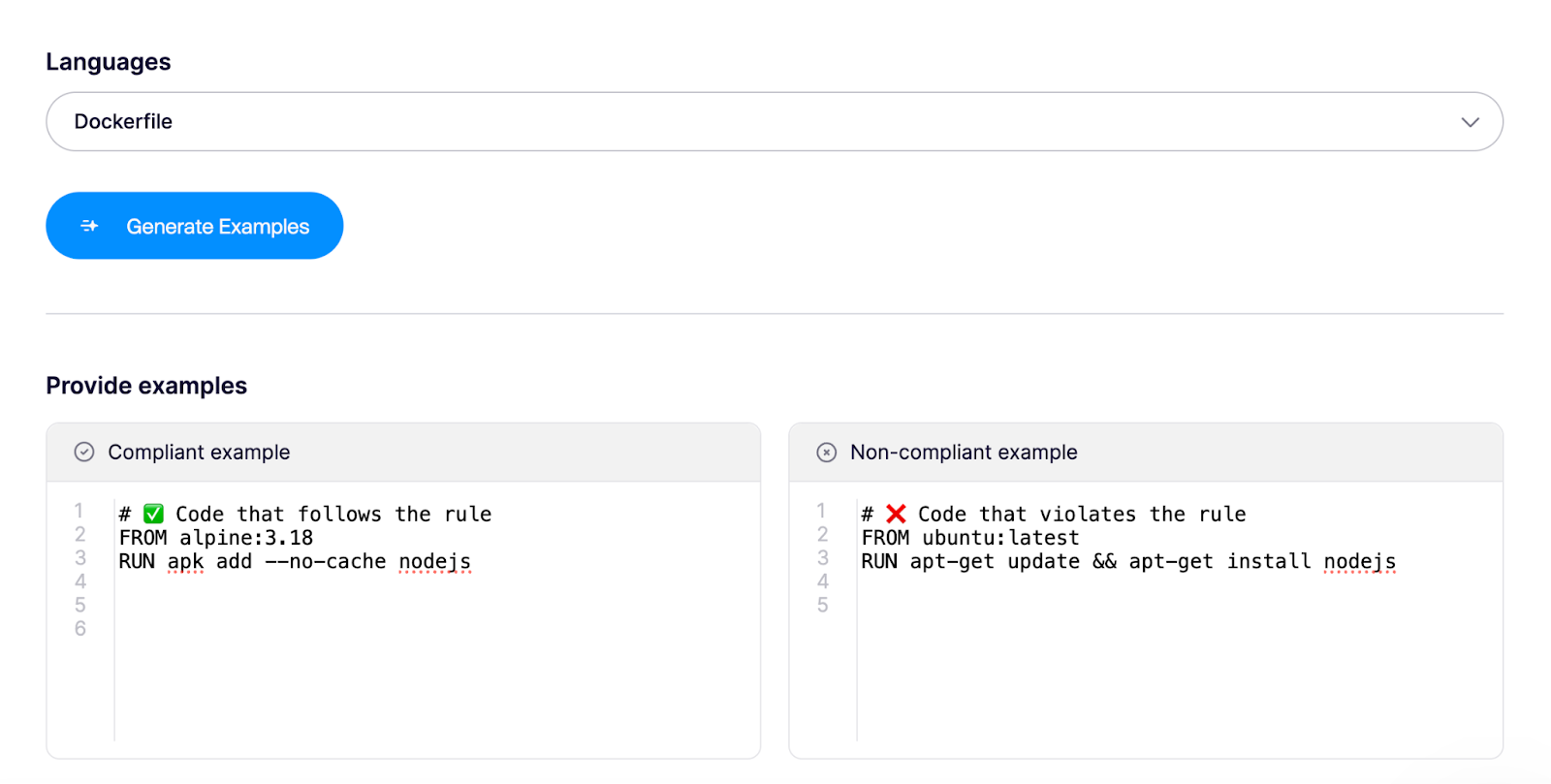
Say you want a rule that allows only Alpine base images in Dockerfiles. You create one by giving compliant and non-compliant examples, so Code Quality knows what to look for on top of industry best practices.
Beyond custom rules, one common challenge with code review tools is getting them to understand the specific context of a project. Every organization works differently, and Aikido gets that. You teach the system your team's coding standards, best practices, and exceptions, so it reflects how your team actually writes and reviews code. You can add context like:
"We store dates as UTC in the database but always display them in the user's local time; all conversion logic is in utils/timezone.js, so don't flag timezone conversions as redundant."

And you can fine-tune that context for specific repositories. Because Code Quality is system and language agnostic, you review, comment, and approve changes right inside your environment.
Deep PR Review
Coding agents now open more changes in a day than a team can read, and a diff-level pass wasn't built for that volume. Deep PR Review is the independent layer that reads each pull request the way a senior engineer with unlimited time would. Before it flags anything, the agents take in the structure of your whole codebase, related repositories, existing static results, and the PR comments already on the change, then block the risky ones before they merge. That context is what lets it reason about business logic and catch access-control bugs like IDORs while the pull request is still open, well beyond what a linter or a fast human pass will see.
Code Security Audit
Some vulnerabilities have sat in a codebase for years because they never matched a known pattern. Code Security Audit turns Deep PR Review's reasoning on code you've already shipped, following data flow and permission checks across services to find where the logic breaks down. Its sharpest trick is chaining: it takes several individually low-severity bugs and works out the single privilege-escalation path they add up to, the kind of multi-step exploit an attacker would actually build. Every finding shows what's exploitable and how someone would reach it, with a full reasoning trace, and it runs on your source with no test environment to wire up.
Features
- AI-powered code review: Aikido evaluates code the way a developer would, weighing whether it reads clearly and performs well on top of flagging security flaws. The system learns from your team's past pull requests and suggests custom rules based on how your best engineers already work.
- Deep PR Review: Reasons about business logic on every pull request, catching IDORs, broken access control, and other flaws that SAST and a fast human review both miss. It reviews each change as it's opened, reasoning about what that change affects elsewhere in the codebase.
- Code Security Audit: Reasons about what your code is supposed to do, tracing data flow, ownership checks, and permission boundaries across files and services. It surfaces the flaws SAST misses, IDORs, broken access control, and multi-step exploit chains, and runs on your source with no environment to wire up.
- Multi-File Context Analysis: The platform tracks tainted user input from top-level controllers across multiple files. It catches null dereferences and the kind of runtime errors a diff-only review never sees, because it follows the data across files.
- Custom Rule Creation: Teams build custom rules to catch risks unique to their codebase. Rules use the Opengrep format and target specific languages or all files. You define what matters and enforce it consistently.
- Context-Aware Risk Assessment: Aikido adjusts issue severity based on whether your repository connects to the internet or processes sensitive data. Critical vulnerabilities in public services get different priority than internal tools.
- Inline Pull Request Feedback: Aikido adds inline comments with line-level security feedback directly in pull requests. Developers see what needs fixing and why, exactly where they review code.
Best For:
- Enterprise teams that want review to catch real logic and access-control flaws.
- Teams shipping AI-generated code faster than humans can review it, who need an independent layer on every PR.
- Organizations that want one place for code review, security, and fixes rather than stitching tools together, from a first repo to a complex estate.
Pros
- Custom rules in Opengrep format that hold consistently across hundreds of repos, so the same standards apply whether you're reviewing one service or an estate of them.
- Review that reasons about business logic and access control, catching IDORs and broken permissions that a linter or a fast human pass misses, with remediation guidance inline.
- IDE plugins for VS Code, Cursor, Windsurf, JetBrains, Android Studio and Visual Studio, so developers get that feedback where they already work.
- Flat-rate pricing with 10 users included and no hidden fees for support, usage or lines of code.
Hosting model:
- Saas (Software-as-a-service)
- On-Premise
Gartner rating: 4.9/5.0
Aikido Security reviews
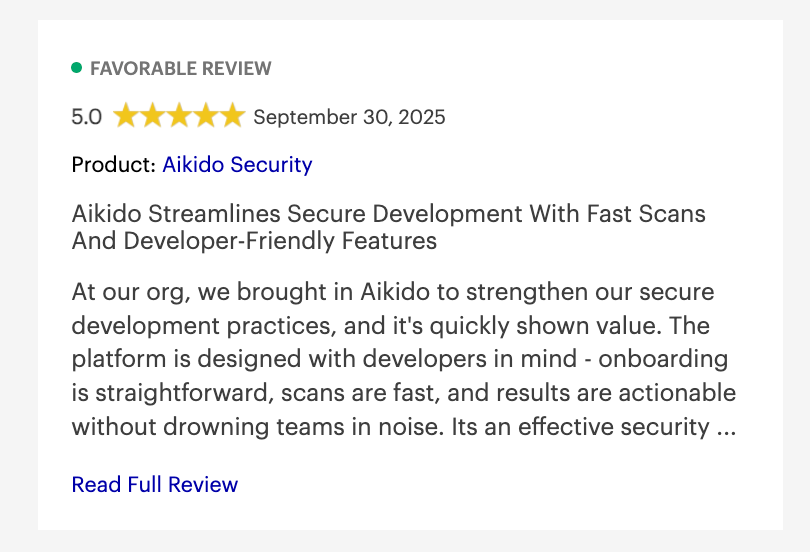
Beyond Gartner, Aikido Security also has a rating of 4.7/5 on Capterra and SourceForge. Users consistently praise its intuitive interface and smooth integration into CI/CD pipelines.

2. Panto AI
Panto AI is a strong CodeRabbit alternative that combines AI-powered pull request review with deep application security testing to catch bugs, vulnerabilities, and business logic issues before they reach production. Unlike assistants that help you write code faster, Panto is built as a code reviewer that flags risky code at merge time.
It integrates with GitHub, GitLab, Bitbucket, and Azure DevOps, and connects to Jira and Confluence to understand what the code does and why it was written. Beyond code review, Panto also offers QA automation and mobile QA testing, turning natural-language flow descriptions into deterministic test suites that run on real devices, self-heal when UIs change, and plug into CI/CD pipelines.
Panto performs 30,000+ SAST checks across 30+ programming languages on every pull request, covering code quality, security vulnerabilities, IaC misconfigurations, secret detection, SCA, and SBOM generation. A reinforcement learning module improves suggestion quality based on team feedback.
Key Features
- Business Context Integration: Panto connects to Jira and Confluence to align every PR review with the underlying ticket, spec, or documentation.
- Security-First PR Review: Panto runs deterministic SAST checks alongside AI analysis on every PR, covering secrets, IaC risks, and dependency vulnerabilities in one pass.
- Team Visibility Dashboard: Engineering managers get a dedicated view into review bottlenecks, developer workload distribution, and recurring code quality patterns. DORA metrics and security insights are tracked across repositories, and reports can be generated for compliance requirements like SOC 2, ISO 27001, and PCI-DSS.
Best For: Panto AI is a fit for engineering teams that want a single platform covering code review, application security, and mobile QA, without having to stitch together multiple tools or pay enterprise-tier prices to get there.
Pros
- Covers code review, SAST, SCA, IaC, secrets, and mobile QA in one platform, with no separate toolchain needed.
- Business context from Jira and Confluence produces reviews that catch logic-level and domain-specific issues.
- Reinforcement learning from team feedback reduces noise and improves suggestion relevance over time.
- Competitively priced at $15/dev/month with strong security depth; free for open-source projects.
Cons
- Best value is realized in team settings; individual developers may not fully utilize the broader platform capabilities.
- Documentation is still expanding as the product grows, which can slow initial setup for less common configurations.
- Mobile QA pricing (starting at $999/month for the Scale plan) may be a stretch for very early-stage teams.
3. CodeAnt AI
Codeant AI combines artificial intelligence with SAST to detect critical code issues and vulnerabilities. It performs line-by-line analysis, generates pull request summaries, and integrates with GitHub, GitLab, Bitbucket, Azure DevOps, and IDEs like Visual Studio Code and JetBrains. The platform also offers customizable rules and real-time AI code reviews to help teams maintain secure, high-quality code.
CodeAnt AI detects and auto-fixes over 5,000 code quality issues and security vulnerabilities across IDEs, pull requests, and CI/CD pipeline. It includes over 30,000 deterministic checks alongside AI-based checks for 30+ programming languages.
Features
- Custom Rules in Plain English: Teams write custom rules in plain English without needing scripting or DSL knowledge.
- Bulk Fix Capability: Teams clean up codebases with bulk fixes handling up to 200 files in a single click.
- Control Center Dashboard: The Control Center visualizes codebase health and helps teams fix the most impactful issues. Teams export audit-ready summaries in PDF or CSV formats.
Best for: CodeAnt AI is good for teams that want to ship faster without trading off quality or security.
Pros
- Cuts down manual review time significantly, boosting speed and developer productivity.
- Detects both code-quality issues (dead code, duplication, complexity) and security risks (SAST, secrets, IaC) in one platform.
- Gives real-time feedback on pull requests with summaries, chat-style interactions, and actionable suggestions.
Cons
- A full set of features can be pricey for smaller teams or individual developers.
- Some users report occasional false positives or noise in suggestions, which may require manual tuning.
- Because it's heavily cloud-based and optimized for pull-requests in repo workflows, it may lack offline or local pre-commit support.
CodeAnt AI Security reviews
CodeAnt AI’s 4.9/5 rating is based on only 5 reviews, meaning the sample size is too small to represent consistent, real-world performance.
4. Qodo Merge
Qodo Merge is an open-source tool designed to simplify pull request reviews. It analyzes PRs, adapts to your coding style, and suggests improvements accordingly. Reviews can be triggered manually or run automatically, saving time in the review process, and it integrates smoothly with platforms like GitHub to provide quick analysis and actionable recommendations for better code quality.
Qodo Merge uses advanced AI to understand your code, pull requests, and broader codebase context. It integrates with Jira, Linear, and Monday dev to provide compliance ratings based on how closely code changes align with ticket requirements.
Features
- Automated PR Description Generation: Qodo Merge automatically generates PR descriptions with summaries, labels, and step-by-step walkthroughs using the /describe command. Reviewers understand changes faster.
- AI-Powered Code Review: The platform provides instant code analysis, surfaces issues, and suggests improvements. Reviews run automatically on every PR with configurable feedback.
- Ticket Compliance Integration: Qodo Merge integrates with Jira, Linear, Monday dev, and GitHub Issues to surface ticket data alongside code changes. The platform assigns compliance levels based on how closely changes align with ticket requirements.
- PR Chat with Chrome Extension: The Chrome extension enables private AI chat sessions directly in the Files changed tab. The extension doesn't send code to external servers.
Best for: Qodo Merge is best for teams and companies that need to enforce organization's best practices and compliance with engineering policies across their PR workflow.
Pros
- Speeds up pull-request reviews by automating feedback and identifying issues early.
- Integrates with GitHub, GitLab, and Bitbucket for easy setup and collaboration.
- Provides context-aware insights that help maintain consistent code quality across teams.
Cons
- Requires some setup and learning to use advanced features effectively.
- Premium and enterprise plans can be costly for small teams.
- Occasionally generates false positives or suggestions that need manual review.
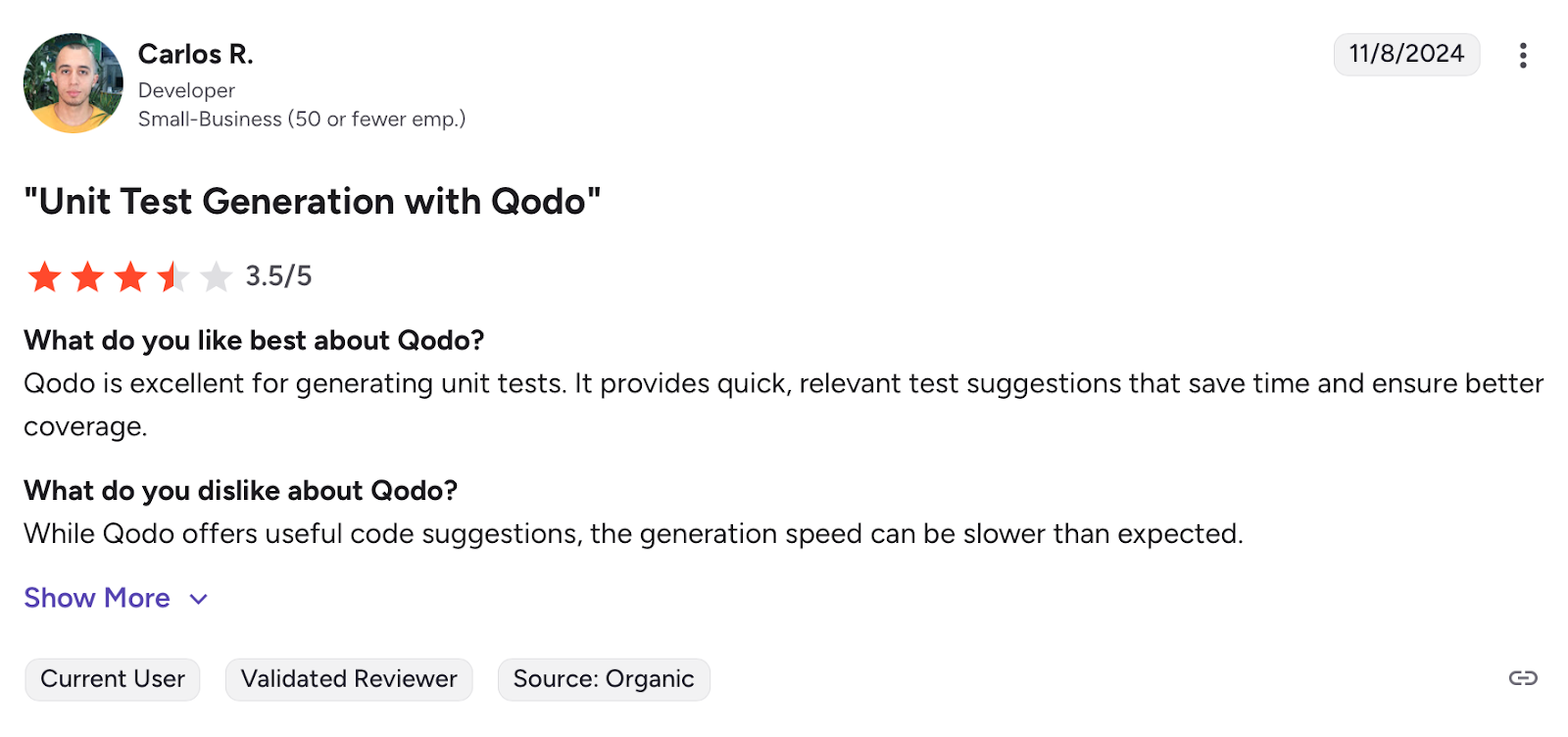
Qodo Merge Security reviews
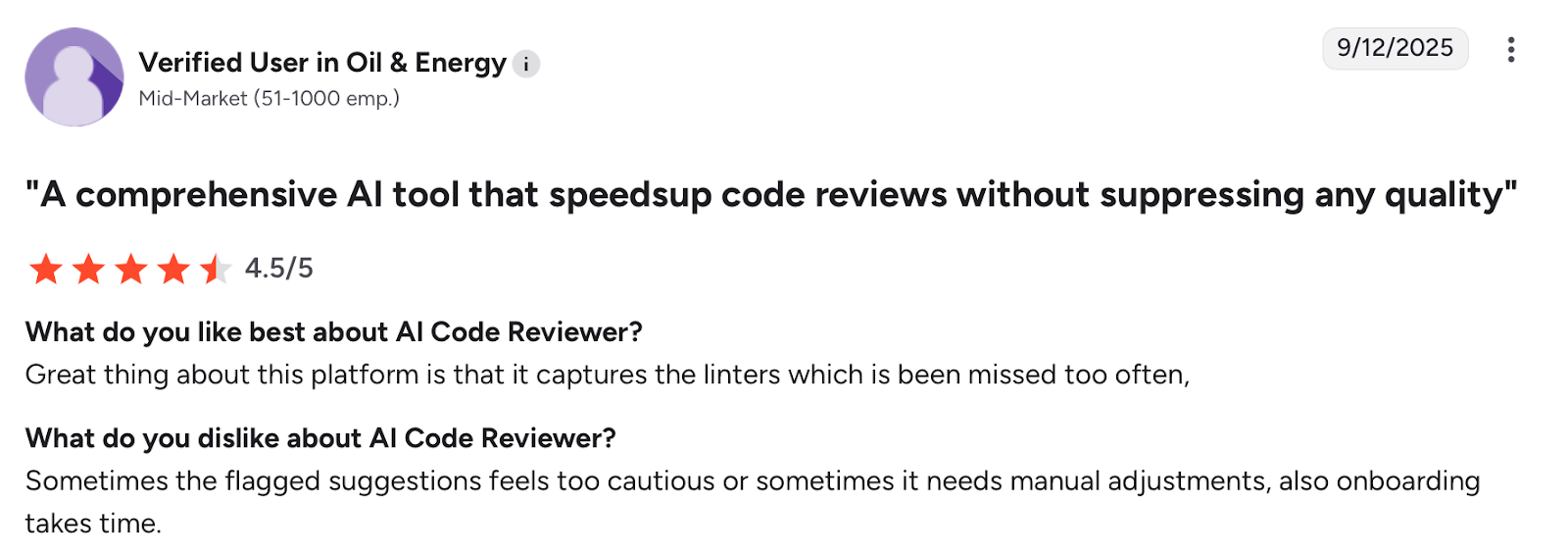
On Gartner Peer Insights, Qodo Merge holds an impressive 4.5 out of 5 rating in the “AI Code Assistants” category, based on feedback from 34 users.
5. CodeFactor
CodeFactor automatically tracks code quality with every GitHub or Bitbucket commit and pull request, helping developers save time in code reviews and tackle technical debt. It instantly reviews every commit or PR and provides actionable feedback within seconds. The platform requires zero setup time and allows teams to customize rules, get refactoring tips, and ignore irrelevant issues.
CodeFactor supports over 20 programming languages including JavaScript, Python, Java, Go, Ruby, PHP, Swift, and Kotlin. The tool can autofix certain issues on-demand or automatically, supporting ESLint, PHP_CodeSniffer, Stylelint, RuboCop, and SwiftLint. It prioritizes the most critical issues based on code size, file change frequency, and file size, so teams fix only what's important.
Features
- IDE Integration: CodeFactor displays results in Atom and VS Code with live analysis and feedback while coding. Developers catch issues during development, not during pull request reviews.
- Centralized Dashboard: The dashboard provides a glance of code quality for the whole project, recent commits, and the most problematic files. CodeFactor tracks new and fixed issues for every commit and pull request. Engineering leads monitor quality trends across repositories.
- Customizable Rules: Teams customize rules, get refactoring tips, and ignore irrelevant issues. Teams filter issues by language, category, or type to tackle what's most important. Reviews adapt to team standards.
- Team Communication Integration: CodeFactor integrates with Slack to send code quality notifications for every commit in a branch or pull request. It also supports MS Teams integration to keep teams updated. Notifications reach teams where they already communicate.
Best for:
- CodeFactor is best suited for engineering teams that publish frequent commits or have multiple contributors, where maintaining consistency can easily slip through manual reviews.
Pros:
- The platform offers actionable feedback, highlighting issues such as code duplication, complexity, and potential bugs.
- Users can define custom rules and configure the analysis to fit their project's specific needs.
- A free tier is available, making automated code reviews accessible for individual developers and small teams.
Cons:
- Setting up and configuring CodeFactor to align with specific project requirements may require time and effort.
- CodeFactor focuses on static code analysis and does not provide code coverage metrics, so additional tools may be needed.
- Support for less common or proprietary languages may be limited, requiring custom configurations or alternative tools.
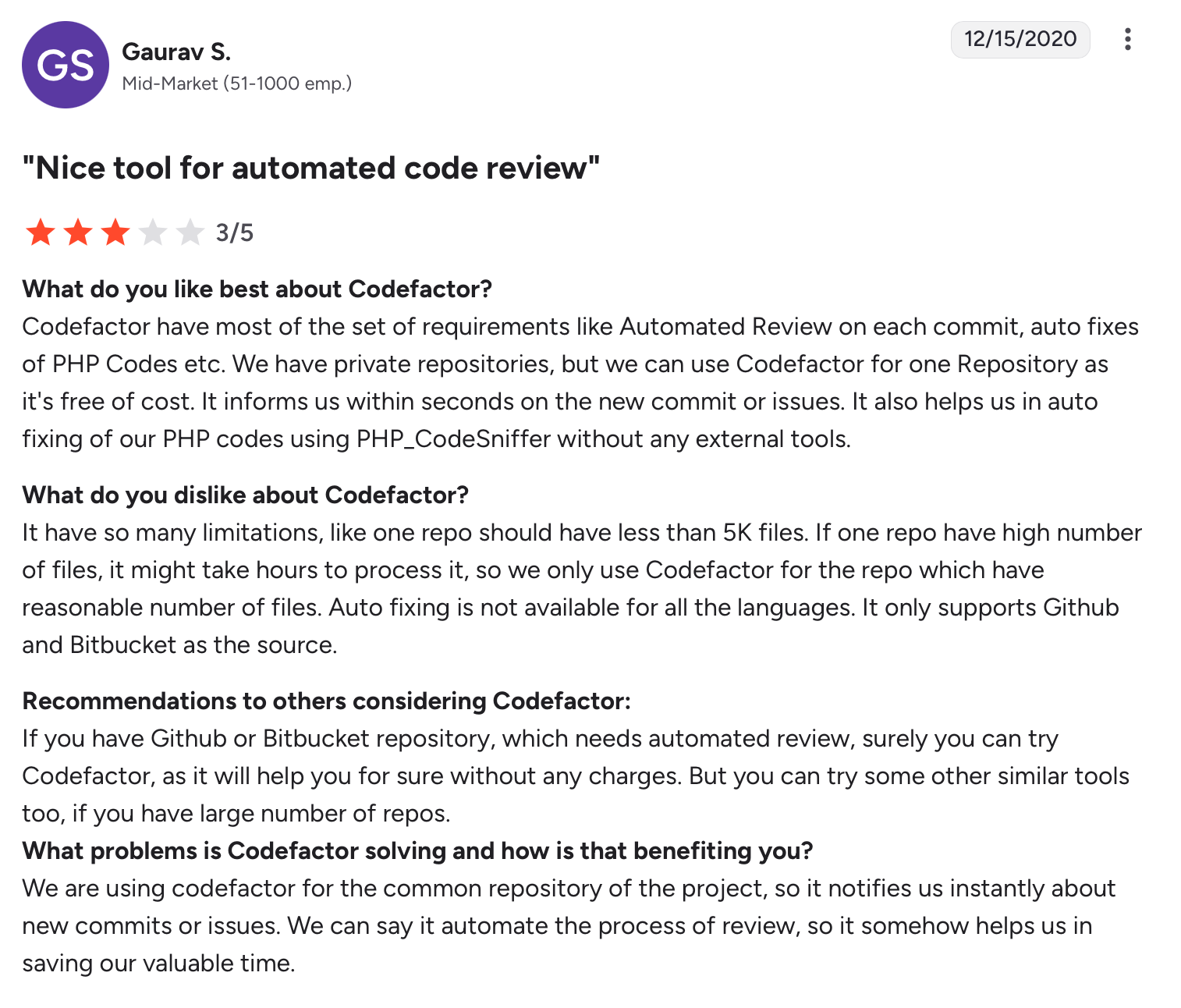
CodeFactor Security reviews
CodeFactor earns a rating of 3.8/5 based on a small sample of reviews. It’s a useful tool if you fit those strengths, but its rating and review volume suggest you should assess it carefully for your context.
6. Greptile
Greptile is a code review tool that specializes in providing full context of the codebase during reviews. By analyzing the entire repository, it helps developers understand how specific changes impact the broader system. Greptile is designed to reduce blind spots in reviews, offering insights into dependencies, functionality, and potential issues that might not be obvious from isolated changes.
Greptile generates a detailed graph of functions, variables, classes, files, and directories, showing how they're connected and using this context to evaluate code changes during reviews. The platform learns from thumbs up/down feedback and integrates with Jira and Notion to provide context-aware feedback based on related tickets.
Features
- Inline Comments and Bug Detection: Greptile leaves inline comments to identify bugs, antipatterns, and repeated code. Comments appear directly in GitHub and GitLab pull requests.
- Click-to-Accept Suggestions: Greptile provides click-to-accept suggestions to fix minor issues in PRs.
- Pattern Repository Support: In the greptile.json file, you can specify a patternsRepo field with related repos that might add helpful context.
- Enterprise-Grade Security: Greptile is SOC2 Type II compliant, encrypts all data, and doesn't train on customer code. The platform supports self-hosting in your own VPC or air-gapped environment.
Best for: Teams that want to move beyond surface-level code reviews.
Pros
- It learns from developer feedback, refining its suggestions over time.
- It reliably catches real bugs, making it valuable for teams that prioritize code safety.
- Offers flexible hosting with unlimited repos and an enterprise self-hosting option for compliance needs.
Cons
- Early use may bring extra suggestions until the AI adapts to team patterns.
- It’s less ideal for small projects that don’t need deep analysis.
- Enterprise features come at a higher cost, which may deter smaller teams.
Greptile Security reviews
While Greptile does not yet have a widely published numerical rating like “4.5 / 5 based on X reviews” on major review platforms.
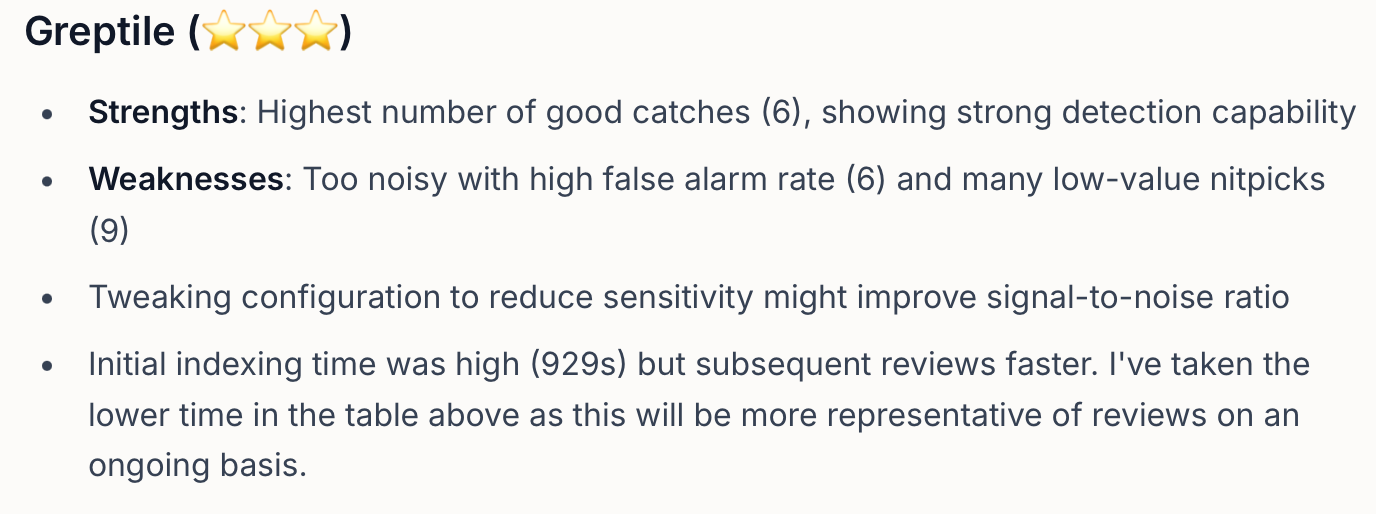
A user says Greptile is too noisy with high false alarm rate
7. GitHub Copilot
GitHub Copilot , a notable contender among CodeRabbit alternatives for AI code review, is powered by OpenAI and helps developers by suggesting code snippets or even generating full functions from comments. It integrates directly into your IDE, providing real-time suggestions to accelerate coding and improve workflow efficiency.
While it's helpful for individual developers and small teams, enterprises benefit most from its ability to speed run repetitive coding tasks at scale. However, it can occasionally produce overly complex or irrelevant suggestions.
Features
- Copilot Chat Interface: The chat interface is available on GitHub website, GitHub Mobile, supported IDEs (VS Code, Visual Studio, JetBrains, Eclipse, Xcode), and Windows Terminal. Developers articulate coding problems in natural language and receive immediate, context-aware solutions. Debugging happens conversationally.
- Code Review Assistance: GitHub Copilot provides AI-generated code review suggestions to help write better code. Reviews become more consistent across teams.
- Custom Instructions: Teams specify custom instructions to personalize chat responses based on preferred tools, organizational knowledge, and coding best practices. Custom instructions ensure consistency across codebases. AI aligns with team standards.
- GitHub Copilot Extensions: Copilot Extensions are GitHub Apps that integrate external tools into Copilot Chat and can be developed by anyone. Teams extend Copilot with custom integrations.
Best for:
Developers and teams aiming to code faster, and enhance productivity with intelligent, context-aware suggestions.
Pros:
- Works across many languages and frameworks with smooth IDE integration.
- Eases onboarding and helps developers learn new languages through contextual hints.
- Improves overall code quality with best-practice-based recommendations.
Cons:
- Sometimes provides inaccurate or context-limited code suggestions.
- Raises concerns around licensing, copyright, and data use.
- The higher cost of paid plans can discourage small teams or individual developers.
GitHub Copilot Security reviews
On G2, GitHub Copilot holds an average rating of 4.5 out of 5 stars from 166 user reviews.
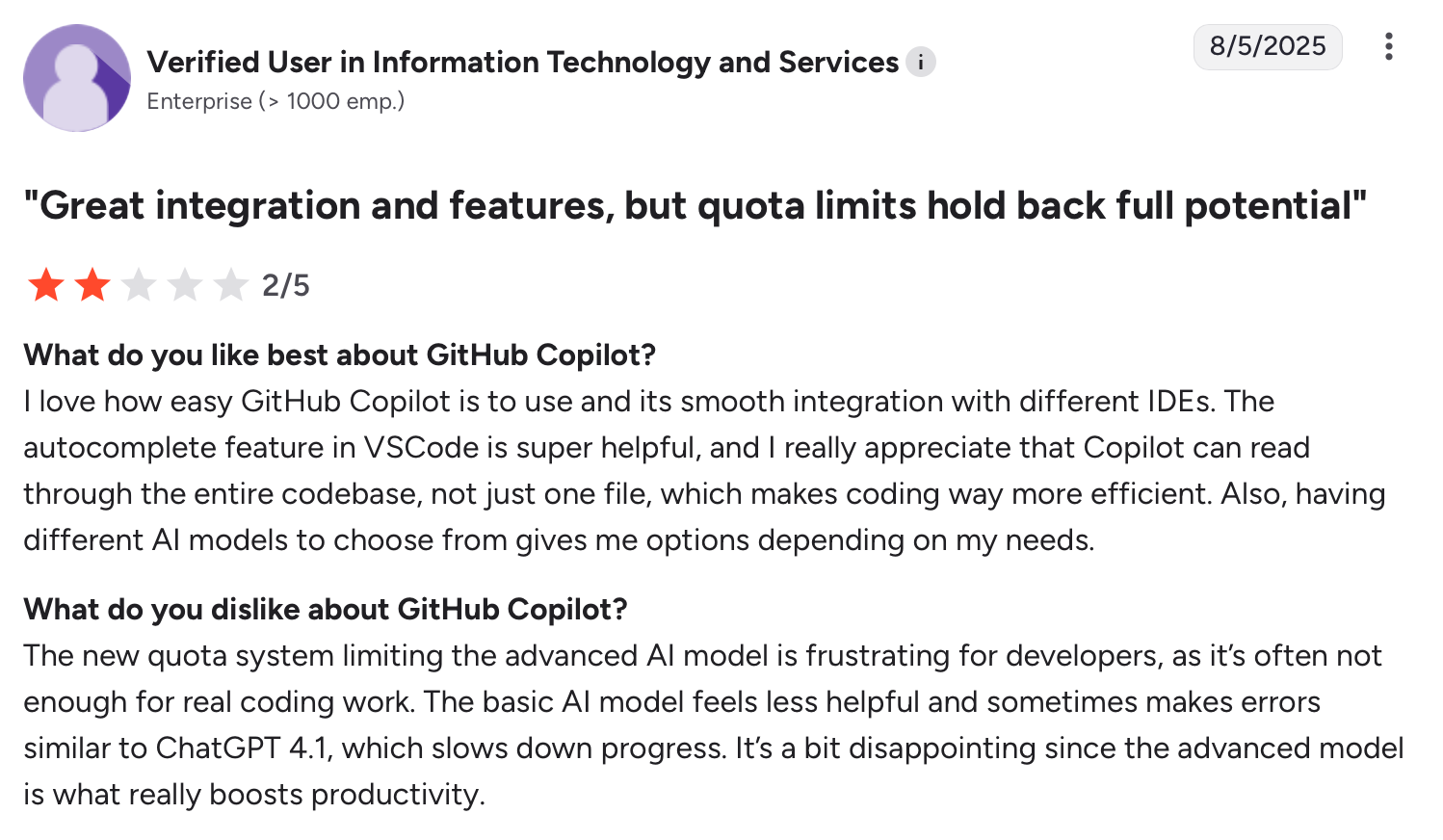
GitHub Copilot is limited by occasional AI errors.
8. SonarQube
SonarQube is an open-source platform that integrates into software development workflows, ensuring continuous code quality and security through automatic reviews. It detects bugs, vulnerabilities, and code smells across over 35 programming languages with over 6,500 rules. Quality gates prevent substandard code from reaching production while dashboards offer real-time insights for monitoring code health.
Features
- Comprehensive Security Scanning: SonarQube's SAST engine finds critical vulnerabilities across popular languages including Java, JavaScript, Python, C++, and C#. Security issues get caught early.
- Quality Gates: Quality gates enforce minimum standards and automatically block code with issues from reaching production. Substandard code never gets released.
- SonarQube for IDE: SonarQube for IDE brings automated reviews into VS Code, IntelliJ, Visual Studio, and Eclipse with immediate feedback. Engineers fix problems as they write code.
- Connected Mode: Connected Mode joins SonarQube Server with IDE, sending notifications when quality gates change or issues are assigned. IDE and server stay synchronized.
Best for:
SonarQube is best for teams and organizations that want to embed code health and security directly into their development lifecycle.
Pros:
- It reduces technical debt using clear quality gates and practical fix suggestions.
- It supports 35+ languages and integrates easily with IDEs, version control, and CI tools.
- Organizations can enforce consistent coding standards with SSO, portfolio management, and audit logs.
Cons:
- Setting up and maintaining rules can take time and effort for larger teams.
- Managing big codebases or on-prem installations can increase costs and resource use.
- It focuses on static analysis only, so teams still need additional testing tools for full coverage.
SonarQube Security reviews
On Capterra, SonarQube holds an average rating of 4.5 out of 5 stars from 65 user reviews.
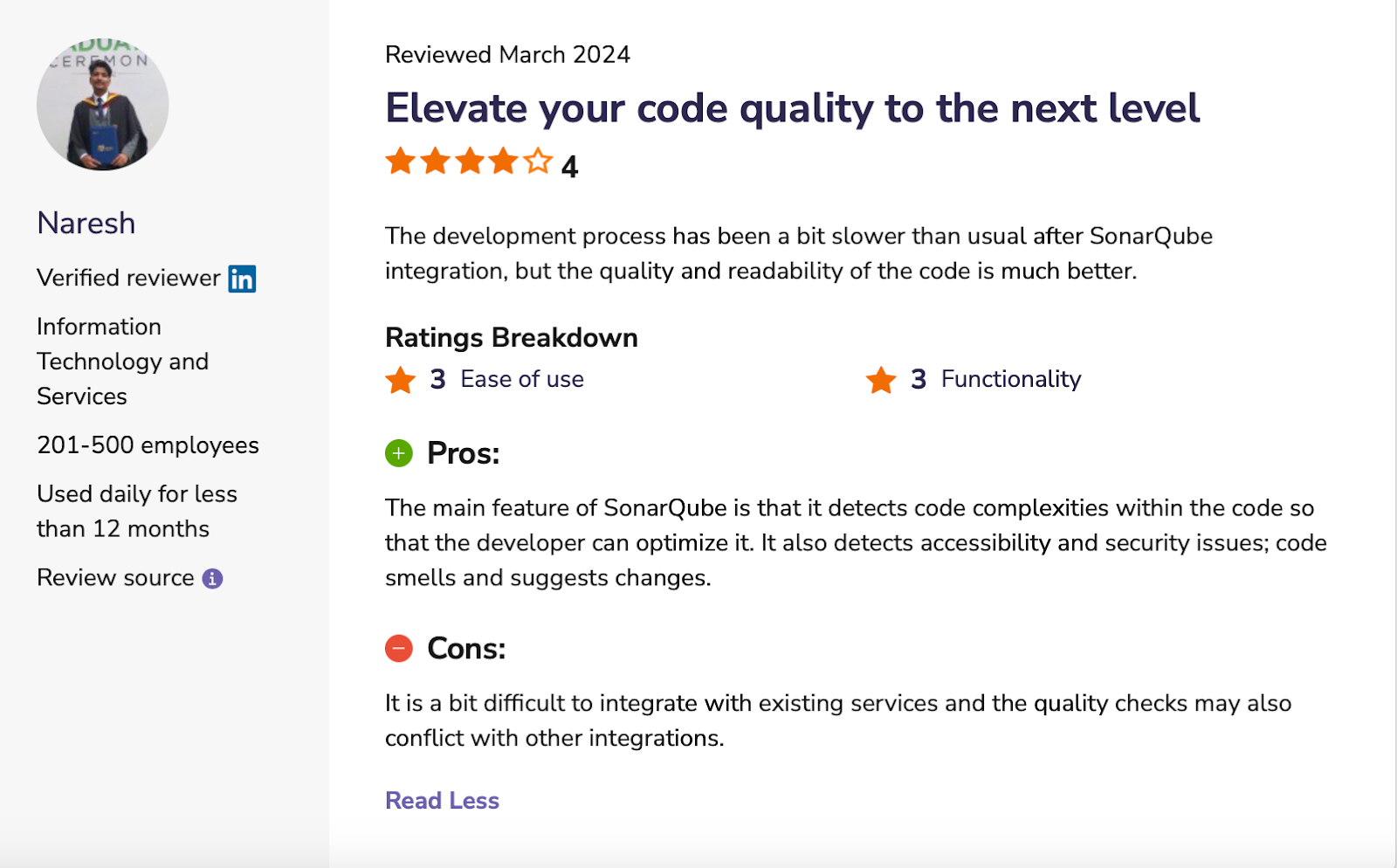
A user says SonarQube can slow development
Pros:
- Works across many languages and frameworks with smooth IDE integration.
- Eases onboarding and helps developers learn new languages through contextual hints.
- Improves overall code quality with best-practice-based recommendations.
Cons:
- Sometimes provides inaccurate or context-limited code suggestions.
- Raises concerns around licensing, copyright, and data use.
- The higher cost of paid plans can discourage small teams or individual developers.
GitHub Copilot Security reviews
On G2, GitHub Copilot holds an average rating of 4.5 out of 5 stars from 166 user reviews.
Comparing the top CodeRabbit alternatives
Here’s a clear comparison of how these alternatives perform across key criteria:
Choosing the best CodeRabbit alternative for your workflow
CodeRabbit delivers solid AI code reviews, but for many teams, it falls short for teams that need deeper insights and scalability. The good news? You've got stronger alternatives.
Whether you're drowning in false positives or want a review that knows which of your repos are actually exposed, Aikido Security gets you there with AI-powered code reviews that provide faster, more focused feedback on pull requests. It learns from your team's past reviews and automatically suggests custom rules based on how your best engineers work.
Want smarter code reviews with real protection? Try Aikido for free or book a demo today.
FAQ
Why should I consider Aikido over CodeRabbit?
Aikido offers smarter, context-aware code reviews with stronger security checks, minimizing noise and focusing only on high-impact feedback. It’s designed for growing teams and complex codebases, giving you real protection and actionable suggestions.
Can Aikido integrate with my existing workflow?
Yes. Aikido integrates with popular platforms like GitHub, GitLab, Bitbucket, Azure DevOps, and 100s more ensuring your team can adopt it without disrupting current processes.
How does Aikido improve code quality compared to CodeRabbit?
Aikido goes beyond simple line-by-line checks. It reads each change against the wider codebase and learns your team's standards from past PRs, so the feedback reflects how you actually work.
Is Aikido suitable for small teams or solo developers?
Absolutely. Aikido scales to any team size. Small teams benefit from automated yet precise code reviews, while larger teams can manage multiple contributors with advanced reporting and customizable rules.


