

Infrastructure as Code (IaC) changed how teams build cloud infrastructure: repeatable, versioned, and automatable. But with that power comes new risks. IaC security scanning—or IaC scanning—lets you find misconfigurations in your YAML, HCL, and other infra files before they reach production. This post explains how IaC scanning works, common cloud mistakes it catches (and misses), where to plug it into your software lifecycle, and which tools to consider.
How IaC works (quick primer)
IaC lets you declare infrastructure in files instead of clicking in cloud consoles. That shift makes environments reproducible and auditable: commit, plan, apply. Two broad IaC styles exist:
- Declarative — you describe the desired end state (e.g., “I want an S3 bucket with versioning and private access”). Tools such as Terraform and Pulumi reconcile current vs desired state when you run them.
- Imperative — you script the step-by-step process to reach that state (e.g., Ansible playbooks). You control every action the tool takes.
Both declarative and imperative IaC are legitimate targets for IaC scanning. Understanding how your IaC is applied (manual apply vs continuous reconciliation like Kubernetes) helps you reason about risk and drift.
Example: Terraform vs Kubernetes
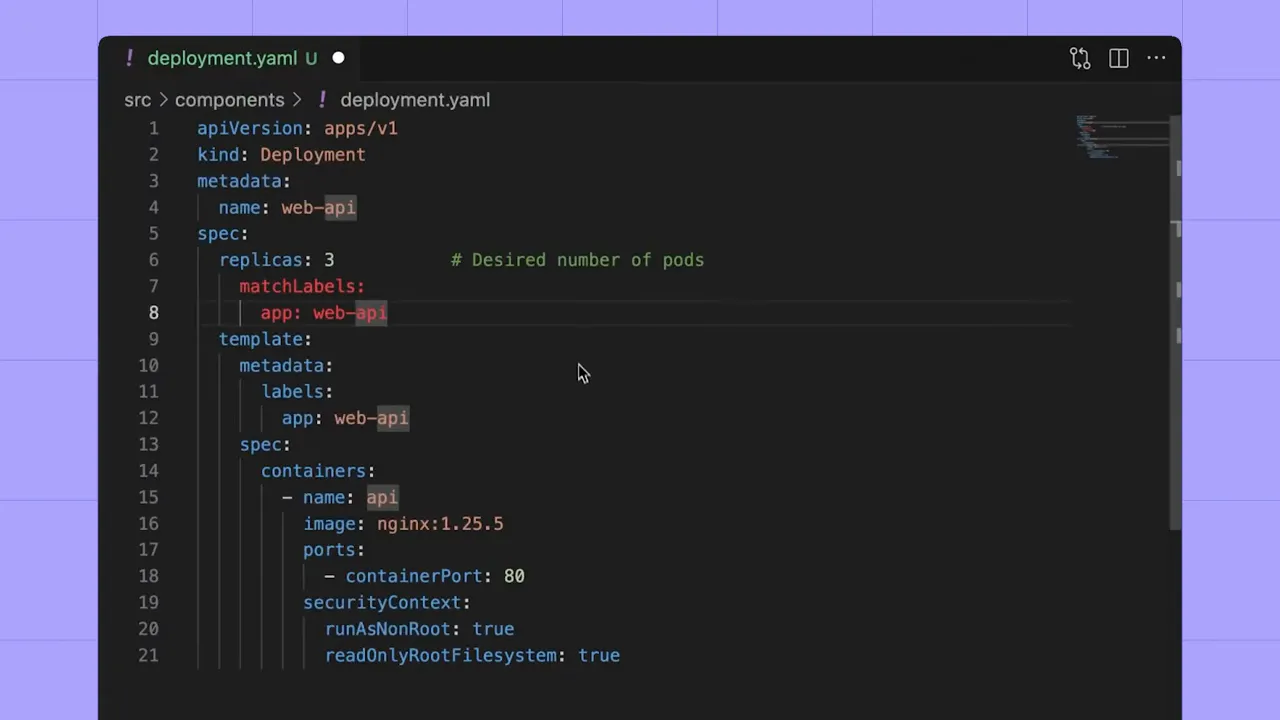
Terraform plans and applies changes when invoked; Kubernetes controllers continuously reconcile declared state with running workloads. That means a misconfiguration committed to a Kubernetes manifest can be enforced constantly, whereas a Terraform mistake persists until someone runs an update.
What IaC scanning actually does
At its core, IaC scanning is static analysis for infrastructure files. Scanners parse HCL, YAML, and other formats to identify patterns that indicate insecure configuration:
- Publicly accessible storage (e.g., open S3 buckets)
- Open network ports and overly wide CIDR rules
- Overly permissive IAM roles or policies
- Missing encryption (in transit or at rest)
- Privileged containers running as root
- Unpinned or undeclared container images
- Disabled logging and monitoring
Disabled logging doesn't let attackers in directly—but it destroys visibility. That alone makes it a major security risk.
Common IaC mistakes (and why they matter)
Here are the misconfigurations that show up most frequently in audits and breach reports:
- Exposed data storage: misconfigured buckets often result in data leakage.
- Loose network rules: broad CIDRs and open ports widen attack surface.
- Excessive privileges: an over-permissive IAM role enables lateral movement and exfiltration.
- Partial encryption: encrypting only at rest but not in transit (or vice versa) leaves gaps.
- Privileged containers: containers running as root dramatically increase blast radius.
- Missing observability: turning off logs or monitoring means attacks go undetected.
What IaC scanning can and cannot do
IaC scanning is powerful because it’s the earliest automated checkpoint you can add to security. Catching issues in files before they are committed or applied reduces remediation cost and prevents insecure deployments.
But IaC scanning has limits:
- It’s static: it doesn’t see runtime state or relationships across services once deployed.
- It can miss manual changes made directly in cloud consoles (drift).
- Individual developers can run local scans that never make it back to a centralized repo—creating blind spots.
To cover runtime issues and drift you need Cloud Security Posture Management (CSPM) or runtime scanning. IaC scanning and CSPM are complementary: IaC scanning prevents problems before deploy; CSPM finds issues that appear in production.
Popular open-source IaC scanning tools
There are several mature open-source scanners. Which one you pick depends on your stack and workflow:
- Checkov — rich rules for Terraform, Kubernetes, CloudFormation, and more.
- Terrascan — focused on Terraform and policy-as-code checks.
- Trivy — fast, lightweight scanner that covers IaC, container images, and more.
Running a scanner locally is simple: install the tool, run it against your repo, and review the findings. Here’s the typical workflow when using Trivy locally:

Results usually include clear rule names, file locations, and remediation hints—enough for a developer to make changes quickly.
Where to integrate IaC scanning in your SDLC
To maximize coverage and minimize bypass, embed IaC scanning at multiple points:
- Developer workstations: fast feedback during coding (pre-commit or local runs).
- Pre-merge / Git hooks: prevent insecure commits from being pushed.
- CI/CD pipelines: enforce checks on every PR and commit using GitHub Actions, CircleCI, GitLab CI, etc.
- Centralized scanning in Git: the single source of truth should be your repository—automated scans at commit/merge time ensure consistency.
Make the Git repository the control plane for IaC policy. When scanning is only local, different developers may diverge—leading to security gaps.
Beyond open source: modern features that accelerate remediation
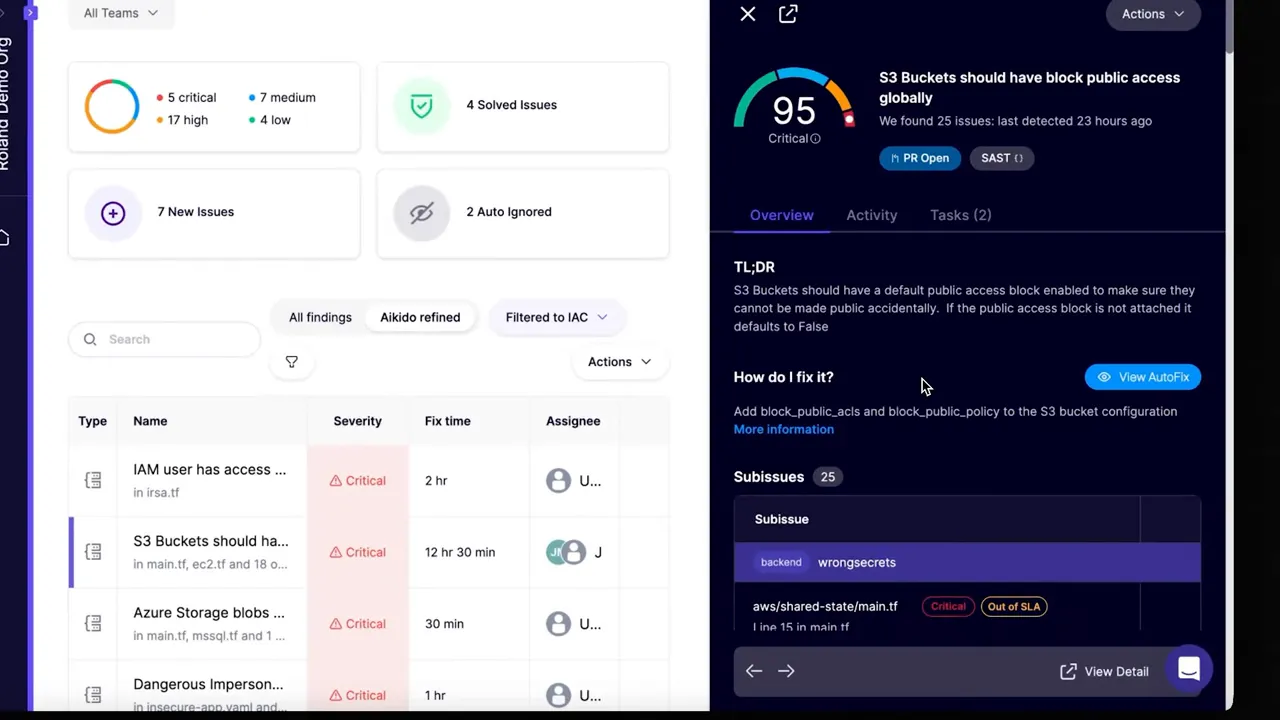
Commercial IaC platforms add workflow and AI-driven features that reduce manual work and false positives:
- AI AutoFix: generate code fixes automatically and create pull requests that remediate misconfigurations.
- Context-aware ignore rules: suppress findings in known test environments or where a risk is acceptable.
- Centralized dashboards and filtering: triage and prioritize findings across teams and repos.

AutoFix can be a productivity multiplier—developers receive suggested code changes and can merge safe fixes with a single workflow. But always pair generated fixes with code review and tests to avoid unexpected behavior.
Practical checklist to get started with IaC scanning
- Pick a primary scanner that covers your stack (e.g., Trivy, Checkov).
- Run scans locally during development and add pre-commit hooks.
- Enforce scanning in CI/CD on every PR and commit.
- Make your Git repo the single source of truth and block direct console changes where possible.
- Complement IaC scanning with CSPM/runtime checks to detect drift and manual changes.
- Consider platform features like AutoFix and contextual ignores to scale remediation.
Conclusion: IaC scanning is essential—but not sufficient
IaC scanning is the earliest, most cost-effective way to stop misconfigurations from becoming incidents. It finds common issues like public buckets, open ports, and over-permissive IAM before they reach production. However, static scanning won’t replace runtime posture management—use IaC scanning as a crucial first layer in a layered cloud security strategy.
Start by adding scanners to developer workflows and CI, centralize checks in Git, and pair IaC scanning with CSPM to cover runtime gaps. Over time, automate fixes and improve signal-to-noise with contextual rules so teams can move fast—and stay secure.
Try out Aikido Security today!


