

TL;DR: Aikido now supports Docker Hardened Images. A scan that used to return hundreds of CVEs collapses to the handful that actually apply, because Docker's VEX attestations filter out everything they've verified as non-exploitable. Zero additional setup.
Container security has a noise problem
You scan a container image and get back a list of 50, 100, sometimes hundreds of CVEs. You open a few. Some look scary. Most are irrelevant. Some have already been patched by the image maintainer. Others exist in parts of the image that can never actually be reached in your environment. But your tool doesn't know any of that. It just flags everything and hands the problem to you.
So you spend your afternoon doing triage instead of shipping. You try to figure out which alerts actually matter. You close the ones that seem low risk. You snooze the ones you'll deal with "later." And then next week, the same thing happens again.
This isn't a security problem. It's a signal-to-noise problem. And it's one of the main reasons developers stop trusting their security tools altogether. When everything is flagged, nothing feels urgent. That's a dangerous place to be.
What Docker Hardened Images are
Docker Hardened Images are purpose-built, often distroless, and ship with only the software the workload needs. The attack surface is smaller by construction and patches land faster than upstream in many cases. They also come with something most base images don't: VEX attestations.
VEX stands for Vulnerability Exploitability eXchange. It's a standard way for image maintainers to communicate which CVEs are not actually exploitable in a specific image and why. Maybe the vulnerable component isn't present in this build. Maybe the code path that would make it dangerous doesn't exist in this context. Docker does the analysis and publishes the result for every hardened image they maintain.
They scan the image, find the CVE in a package, and flag it regardless. So you adopt a more secure image, run your first scan, and your feed turns red. More alerts than before. It looks like you made things worse, even though the exact opposite is true.
How Aikido handles it
When Aikido detects a Docker Hardened Image in your registry, it pulls the signed SBOM published with the image to get an accurate picture of what's actually in it, then cross-references Docker's VEX attestations to understand what's actually exploitable. Any vulnerability that Docker has marked as fixed, not affected, or otherwise not requiring triage gets suppressed before it ever hits your feed.
.png)
The suppressed vulnerabilities don't just disappear. They show up in your Ignored tab so you always have a complete picture of what was found and what was filtered out.
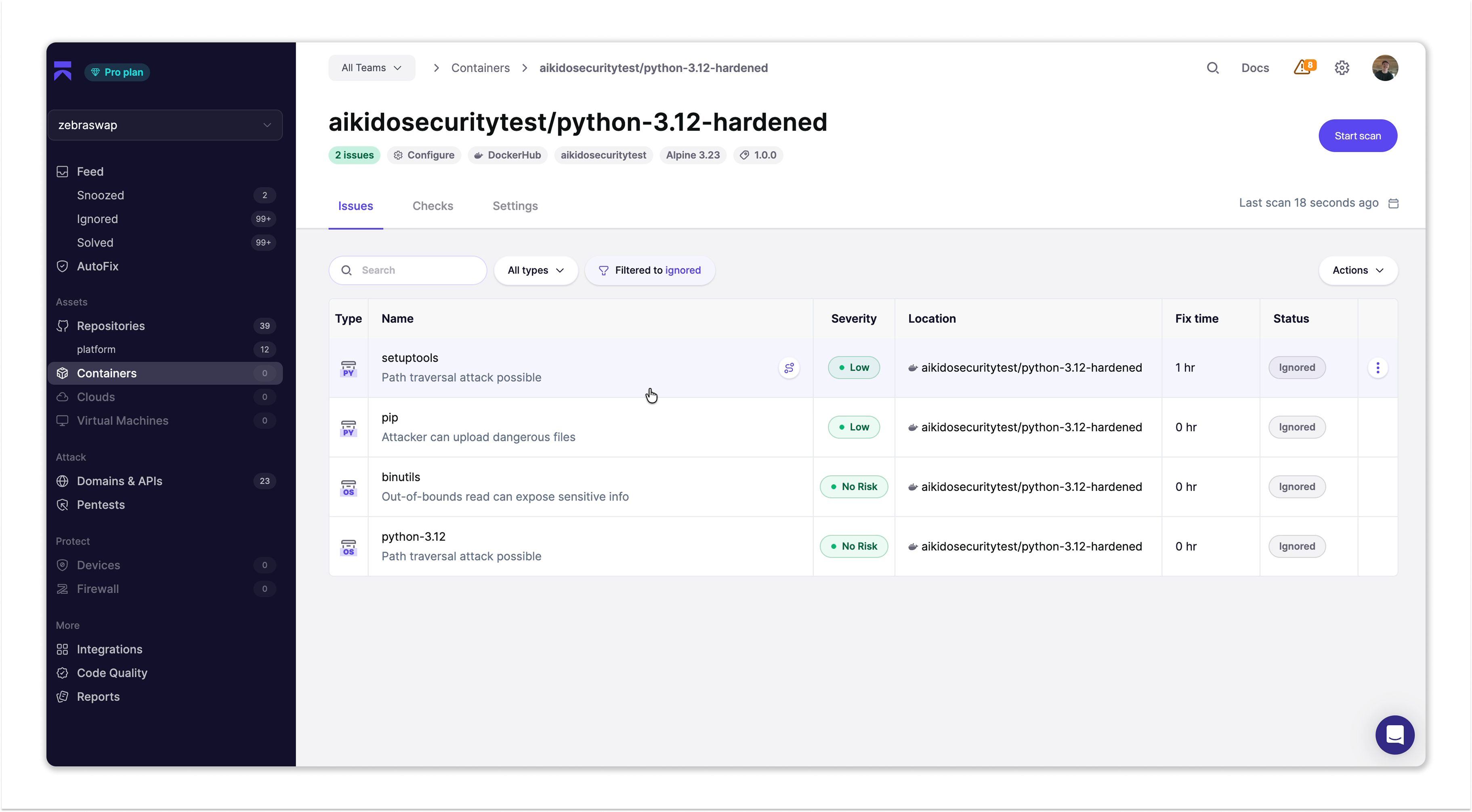
Click into any one of them and Aikido shows you the full reasoning and Docker's own verification, right there in the tab.
%20(1).png)
.png)
For security and compliance teams, it means you have a documented, verifiable reason when an auditor asks why a CVE isn't being addressed.
Zero setup. Seriously.
There is nothing extra to configure. Connect your Docker Hub registry, scan a hardened image, and Aikido handles the rest automatically in the background. If you're already connected to Docker Hub in Aikido, it's already working for you.
If you haven't connected yet, it takes about two minutes. Go to Settings > Containers, click Connect Registry, select Docker Hub, enter your namespace and a read-only access token. That's it. Aikido discovers your repositories and any Docker Hardened Image you're running gets the full VEX treatment automatically on every scan.
Security that works for developers
Alert fatigue is real. When your security tool cries wolf on every scan, you stop listening. And when you stop listening, real issues slip through.
Connect your Docker Hub registry and see what your feed looks like when it only shows you what actually matters.
Get started with Docker Hardened Images here → https://integrations.aikido.dev/integrations/docker-hub
Join us live on June 25 to see the Aikido x Docker integration in action.


