

Static Application Security Testing (SAST) scans your source code — not the running app — to find insecure coding patterns before they reach production. It’s one of the earliest and most effective security tools you can add to a development workflow because it catches errors when they’re cheapest to fix: while you’re writing code.
What SAST actually does
SAST analyzes source files, looking for patterns that indicate a vulnerability: unsanitized user input used in SQL queries, improper cryptography, unsafe authentication flows, and more. Because it inspects code statically (without executing it), SAST excels at flagging insecure coding practices early in the SDLC.
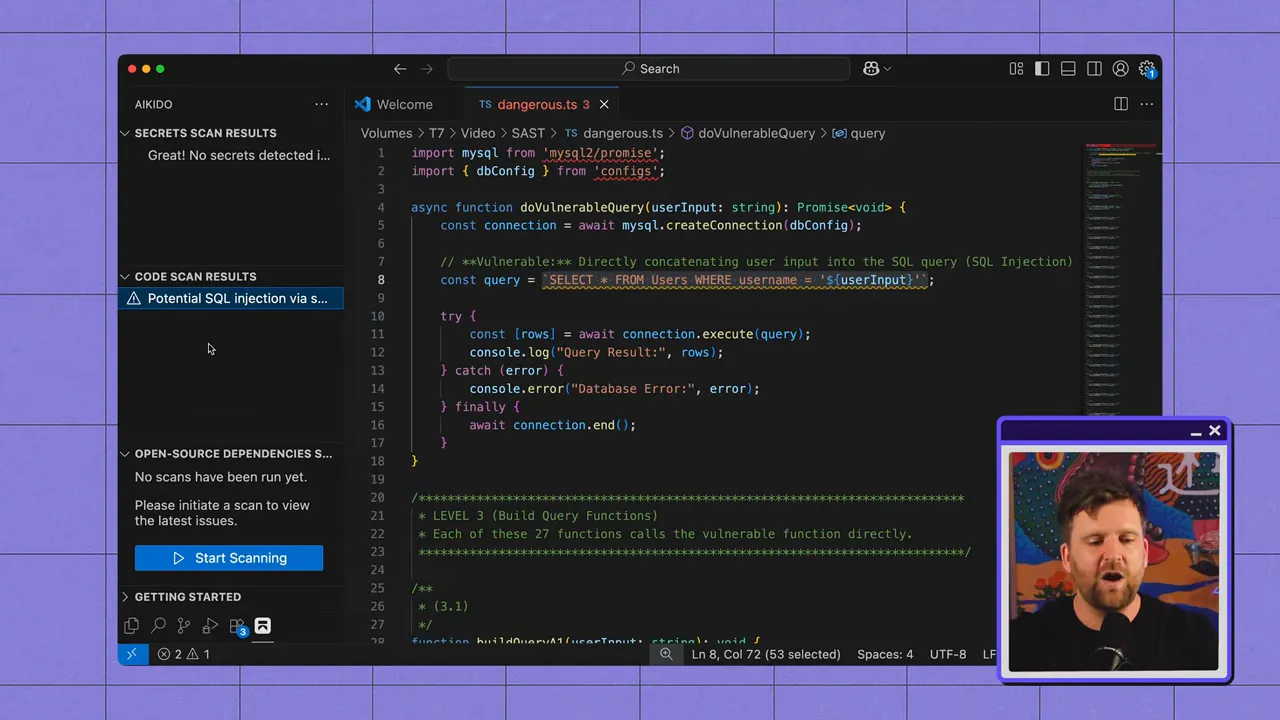
Where SAST shines
- Early detection: Runs in your IDE or CI pipeline, catching mistakes before staging or production.
- Rule-based coverage: Known insecure patterns (e.g., SQL injection sources/sinks) can be detected reliably with well-written rules.
- Developer-friendly feedback: Integrations can surface issues in-context so engineers can fix them immediately.
Its limits
- Limited runtime context: SAST cannot easily tell whether a code path is reachable in production, or how runtime configuration and dependencies affect risk.
- Poor at logic flaws: Business logic vulnerabilities and complex authorization issues are hard to detect with purely static rules.
- Dependency and environment blind spots: Vulnerabilities introduced at runtime or via external packages often escape static analysis.
How SAST finds vulnerabilities: rules vs. AI
Traditional SAST tools are predominantly rule-based: an engine parses code and applies thousands of rules that match known insecure patterns. This approach is efficient and precise for many classes of flaws because the patterns are well understood.
“When it comes to static code, we genuinely know the patterns that make code vulnerable.”
Some vendors are pushing AI-driven detection, but raw LLM scanning tends to be noisy and computationally expensive — the famous analogy applies: it’s like mowing your lawn with a Ferrari. Instead, the most effective use of AI so far is not scanning per se, but adding project-wide context to improve triage and fix suggestions.
Open-source SAST in practice: OpenGrep (a Semgrep fork)
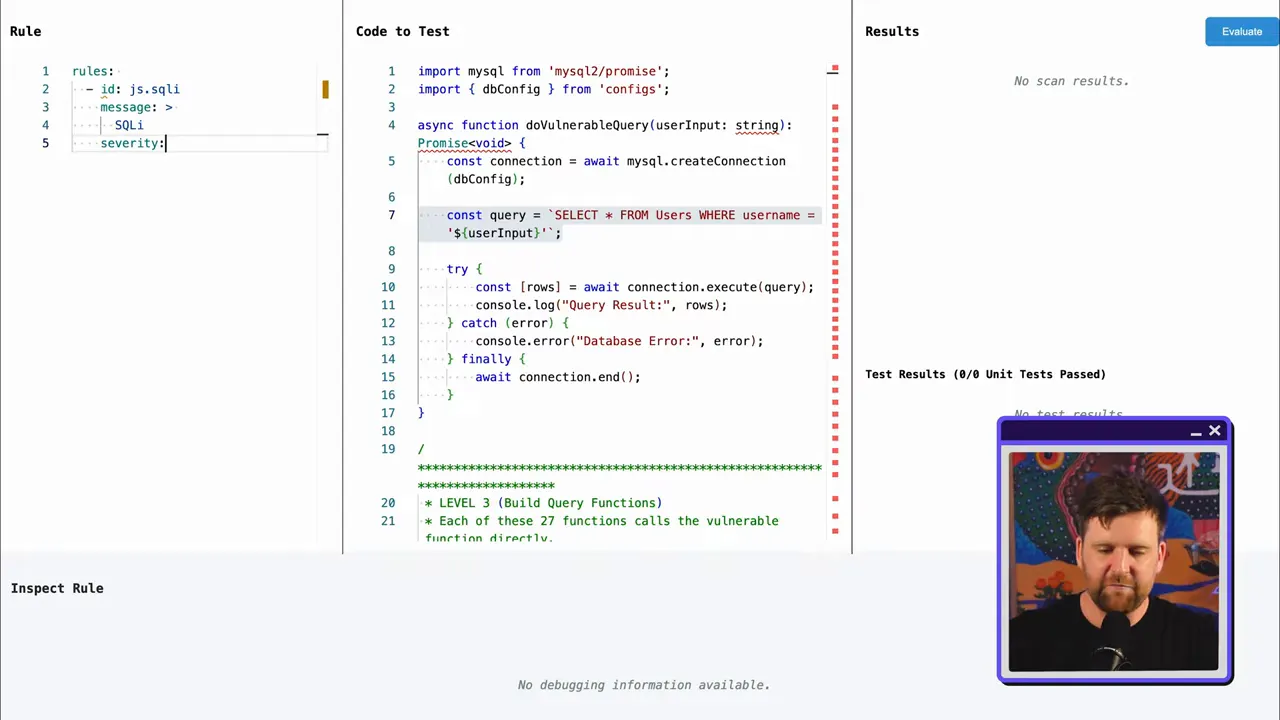
Open-source SAST tools are great starting points because they separate the scanning engine from the rule set. The engine performs parsing and matching; the rules, often community-maintained, define what “bad” looks like.
With an engine-plus-rules model you can:
- Inspect and customize rules for your codebase.
- Write project-specific rules for unique patterns that commercial rulesets miss.
- Share useful custom rules with the community so your team and others benefit.
Why false positives became a reputation problem
Rule-based SAST often casts a wide net. That’s good for recall — you find more potential problems — but it also pulls in a lot of noise. Many flagged issues aren’t reachable in production or are safe in a particular project context, so teams spend time investigating alerts that don’t matter.
Think of older SAST as fishing with a huge net: you’ll catch fish, but also a lot of rubbish. Someone needs to sort through it all to find what’s valuable.
Where AI actually helps SAST: Auto‑Triage and Auto‑Fix
Rather than replacing rule-based scanning, modern SAST tooling combines static rules with AI-powered layers that add context and reduce noise:
- AI auto-triage: AI models consume SAST results and project context to estimate reachability and real-world impact. They prioritize the findings developers actually need to fix first (production-facing, reachable paths, high-impact issues).
- Call trees and reachability: AI can build a call tree for a flagged function and show where inputs originate and how data flows through the repository — making it easier to determine if an issue is exploitable.
- Auto-fix suggestions: AI can propose concise, actionable code fixes (e.g., parameterized queries instead of string-concatenated SQL), which speeds remediation inside the IDE.

Where to run SAST in your development workflow
To maximize value, run SAST at multiple stages of the SDLC:
- In the IDE: IDE plugins catch issues as developers type, enabling immediate fixes and learning.
- In the remote repository: Scans on the repository provide a single source of truth for what will be shipped. This is essential if an IDE scan was missed or misconfigured.
- In CI/CD pipelines: Automated scans during builds enforce policy gates and prevent unsafe code from progressing to staging or production.

Practical recommendations for teams
- Start with open source: Use a community tool to learn what SAST finds in your codebase and build confidence before buying commercial tooling.
- Customize rules: Add project-specific rules for patterns unique to your stack; share useful rules with the community.
- Layer AI where it helps: Adopt AI-powered triage to cut noise and auto-fix to speed remediation — but don’t rely on LLMs for raw scanning at scale today.
- Integrate at three points: IDE for developer immediacy, repository as the source of truth, CI for enforcement.
- Measure and tune: Track signal-to-noise, tune thresholds, and iterate on rules and triage models so your team trusts the scanner.
Final takeaways
SAST is still one of the most cost-effective ways to reduce security risk because it finds code-level issues early. Rule-based engines remain the workhorses for detection, while AI is proving most valuable as a contextual layer that prioritizes findings, explains reachability, and proposes fixes.
Start small with open-source SAST to discover what issues exist in your code. When noise or scale becomes a problem, add AI-enabled triage and autofix to get to real vulnerability remediation — faster and with less friction for developers. Try out Aikido Security today!


