

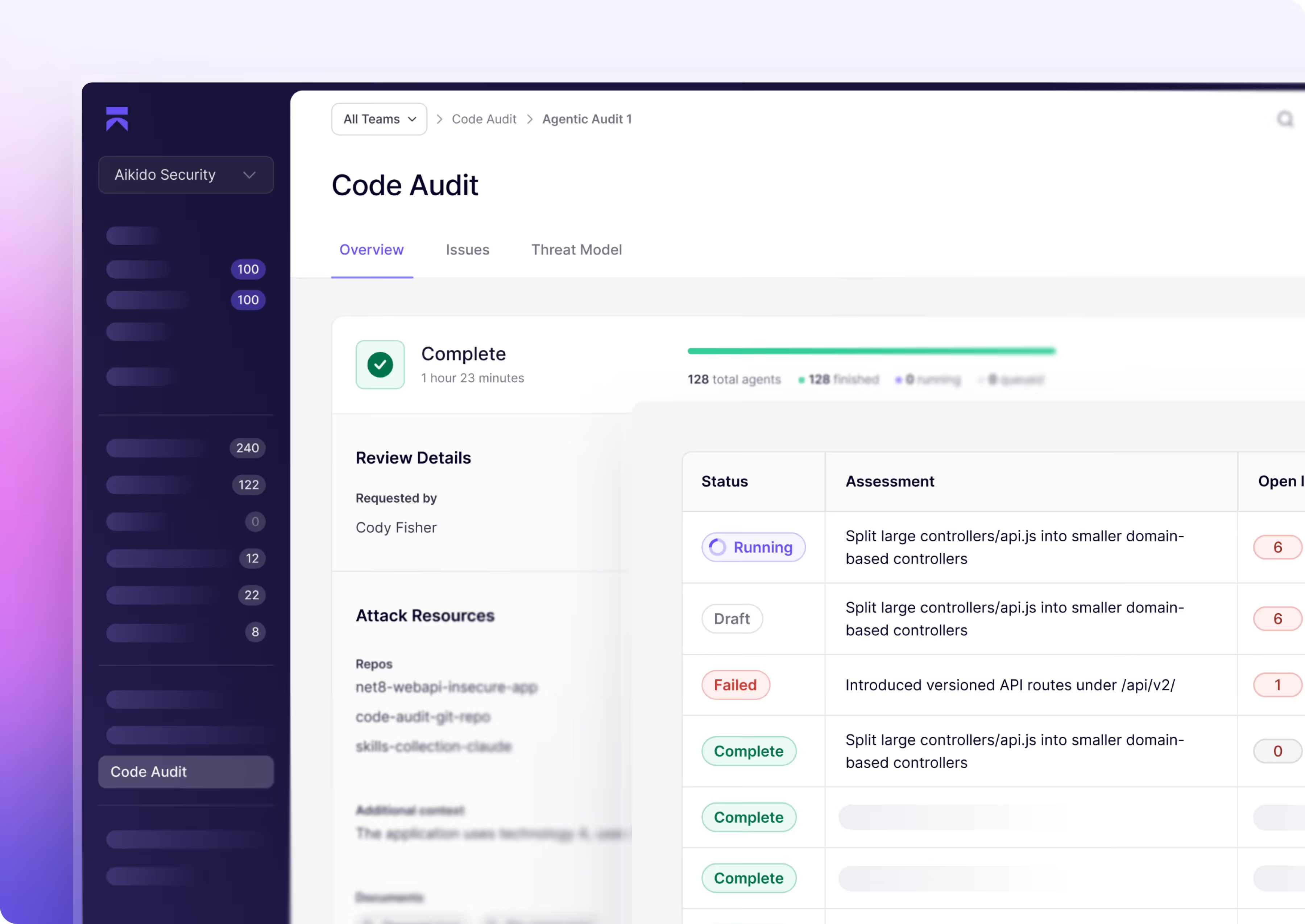



You are releasing more and your codebase is growing.
Static scanners alone won’t cut it anymore.
Traditional SAST tools can’t reason across your growing codebases, missing advanced vulnerabilities. You need to make sure logic-based vulnerabilities aren't making it to production.


Application security is transitioning between two worlds
On one hand you have the traditional set of automated scanners that do the job but lack reasoning while in the other you have autonomous agents pushing your application to its limits.
Automated scanners.
Fast, dependable, broad.
Deterministic scanners run against your codebase. They catch the OWASP regulars. Every finding is a candidate that still needs triage.

Autonomous agents.
Deep, validated, cross-repo.
Code audit agents reason across your codebases finding advanced logic flaws before you ship.
Finds vulnerabilities that static engines miss
Rule-based static analysis is structurally limited. It can only find vulnerabilities that fit a known pattern. That leaves SAST blind to the vulnerabilities that require business and code context to identify. Aikido AI Code Audit finds them for you.
What static scanners find
What attackers look for
Agents that reason across your growing codebase

Traces logic across your codebase
Agents follow references across files, modules, and service boundaries to find where ownership checks break down, where roles diverge, where access control fails across two routes that never interact in isolation.

Understands intent, not just syntax.
Agents understand what the code is supposed to do and find where the implementation diverges from that intent across tenant boundaries, permission models, and multi-step flows.

Automated security reasoning in three quick steps


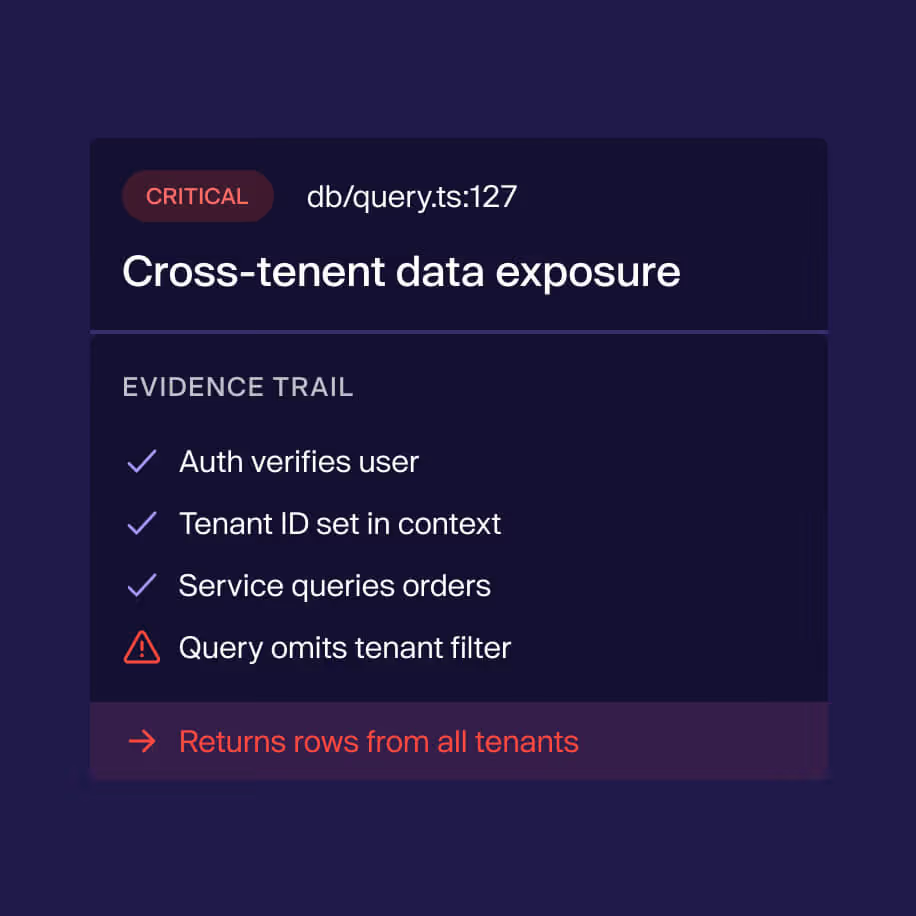
Start your code audit
Connect a repo to discover what the reasoning agents find in your codebase.
Or run it alongside your current SAST and see what you’re what's missing.


Static engines still have their place in the SDLC.
When to use SAST
When to use Code Audit
Your code audit questions answered

Static scanners flag patterns — a tainted parameter, a risky API call, a missing check. AI Code Audit reasons about intent across your codebase to identify issues that need an attacker's perspective: IDORs, broken access control, multi-step exploit chains, and business logic flaws. It complements SAST rather than replacing it.
It reads and reasons about your source code directly. There's no crawl phase, no traffic replay, and no live exploitation — so there's no environment to point at. For live testing against a deployed target, use Aikido Pentest instead.
Re-test and Exploit Further are designed for live pentest findings, where Aikido can re-issue requests against your environment. AI Code Audit evidence is code- and reasoning-based, not a live exploit walkthrough. To re-validate, run a new AI Code Audit against the updated code.
- Supports ALL languages; no limitations whatsoever
- Users have three options for scanning niche / legacy languages:
- **AI Code Audit** = ALL languages (no rule writing needed; probabilistic)
- most comprehensive option
- Code Quality = LLM driven, limited to 50 languages (prompt driven; probabilistic)
- Currently only does PR checks (see Code Quality)
- Custom SAST = Opengrep driven, deterministic, requires writing rules from scratch; covers 15-20 languages
- **AI Code Audit** = ALL languages (no rule writing needed; probabilistic)
- AI Code Audit isn't limited to web apps. Agents reason across whatever source the connected repositories contain, including mobile apps, smart contracts, and desktop apps, across mainstream languages, configuration, and IaC. Monorepos with multiple services are fully supported.
- Paid in Aikido credits. The Pricing step in the create flow shows the exact credit total before you commit. Cost depends on repo size and complexity (# of endpoints; agent’s assessment of size/risk; repo chunking), and not just the # of lines of code (LOC).
- Credits are charged when you click Start Review.
AI Code Audit focuses agent attention on a coherent set of codebases. Beyond 6 repositories, analysis tends to lose focus and quality drops. Contact support if you genuinely need more in a single audit. [Create an AI Code Audit]
- Both products run the same agentic engine, but they answer different questions. AI Code Review reasons about your source code. Aikido Pentest exercises your running application.
- Use AI Code Review when:
- You want deep code reasoning on logic and architectural flaws — IDORs, broken access control, multi-step chains — without configuring a live environment.
- You don't have a stable staging or QA target, or auth flows aren't ready for live testing.
- You need a fast turnaround with minimal setup: connect a repo, confirm credits, start.
- You want to validate changes in source before they ship to a live deployment.
- You have a difficult-to-test-live codebase, like mobile apps, desktop apps,
- Use Aikido Pentest when:
- You have a live target and want to validate real exploitability with real traffic.
- You want runtime evidence — reproduction requests, attack-surface mapping, and live agent activity.
- Your scope includes domains, authenticated user roles, and crawl-discovered endpoints beyond what's visible in source.
- You need follow-up actions like Re-test and Exploit Further on validated findings.
- You're satisfying compliance frameworks like SOC 2 or ISO 27001 that expect a live penetration test.
AI Code Review reads and reasons about your source code directly. There's no crawl phase, no traffic replay, and no live exploitation — so there's no environment to point at. If you do want live testing against a deployed target, use Aikido Pentest instead.
Re-test and Exploit Further are designed for live pentest findings, where Aikido can re-issue requests against your environment. Code audit evidence is code- and reasoning-based, not a live exploit walkthrough, so those actions don't apply. To re-validate, run a new code audit against the updated code.
AI Code Review will be in the sidebar menu in the Attack section. Right now it is feature-flagged. Its already live in the the Roeland demo org with an example scan result.
AI Code Review is paid for with Aikido credits. The Pricing step in the create flow shows the exact credit total before you commit. Cost depends on the size and complexity of the codebases you select. Larger or more sprawling selections cost more. Cost depends on the size and complexity of the codebases. Credits are charged when you click Start Review.